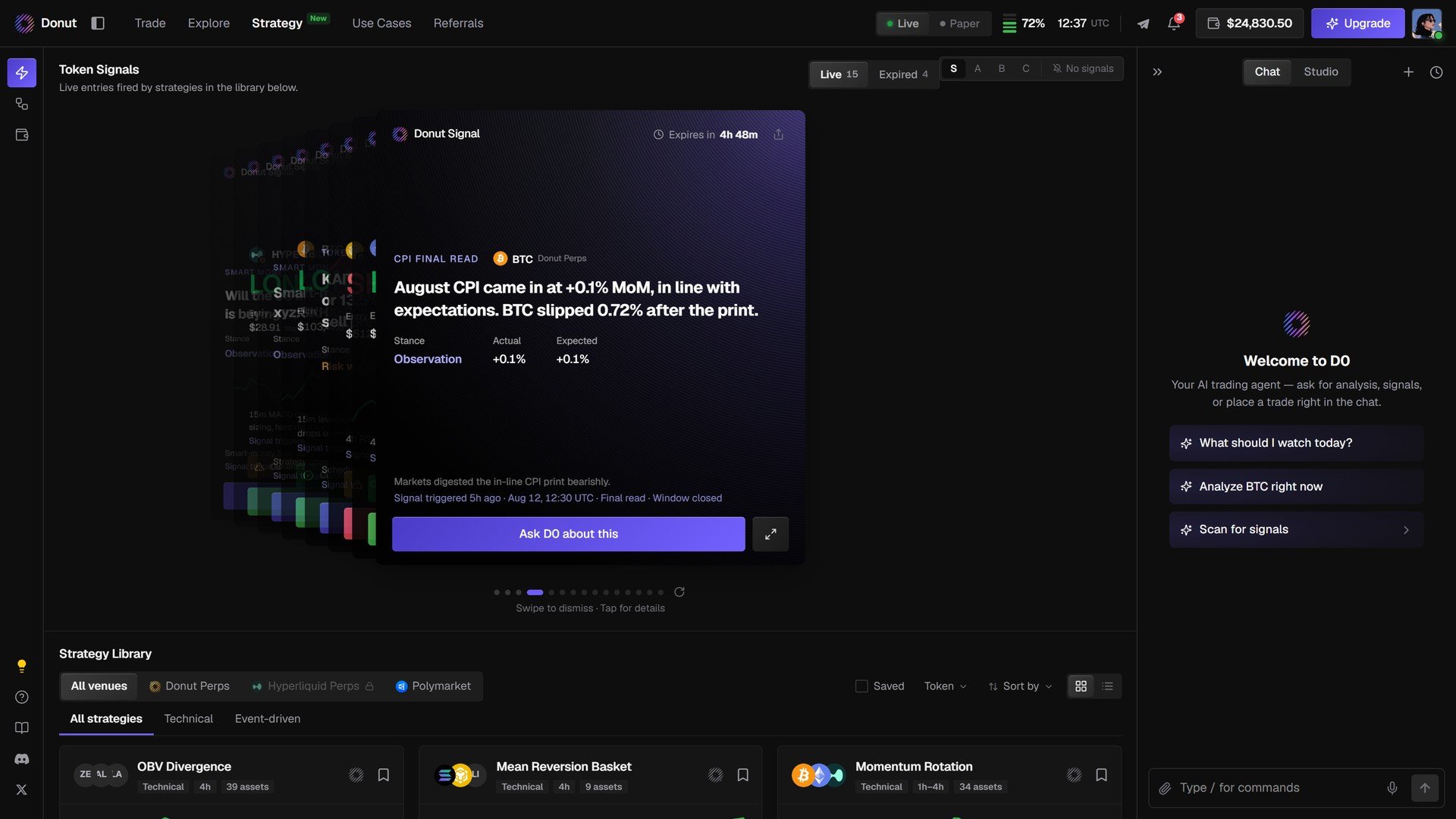
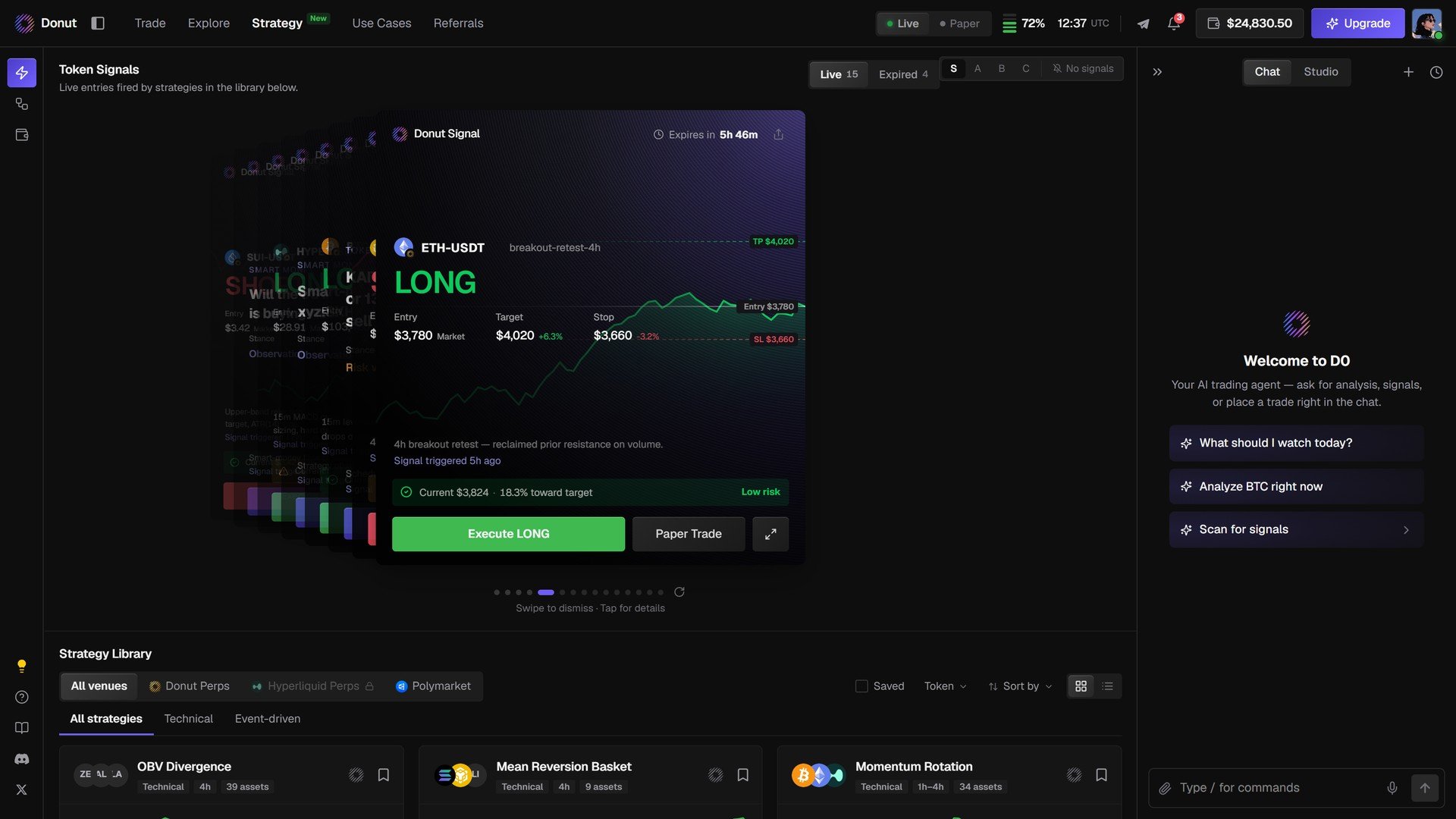
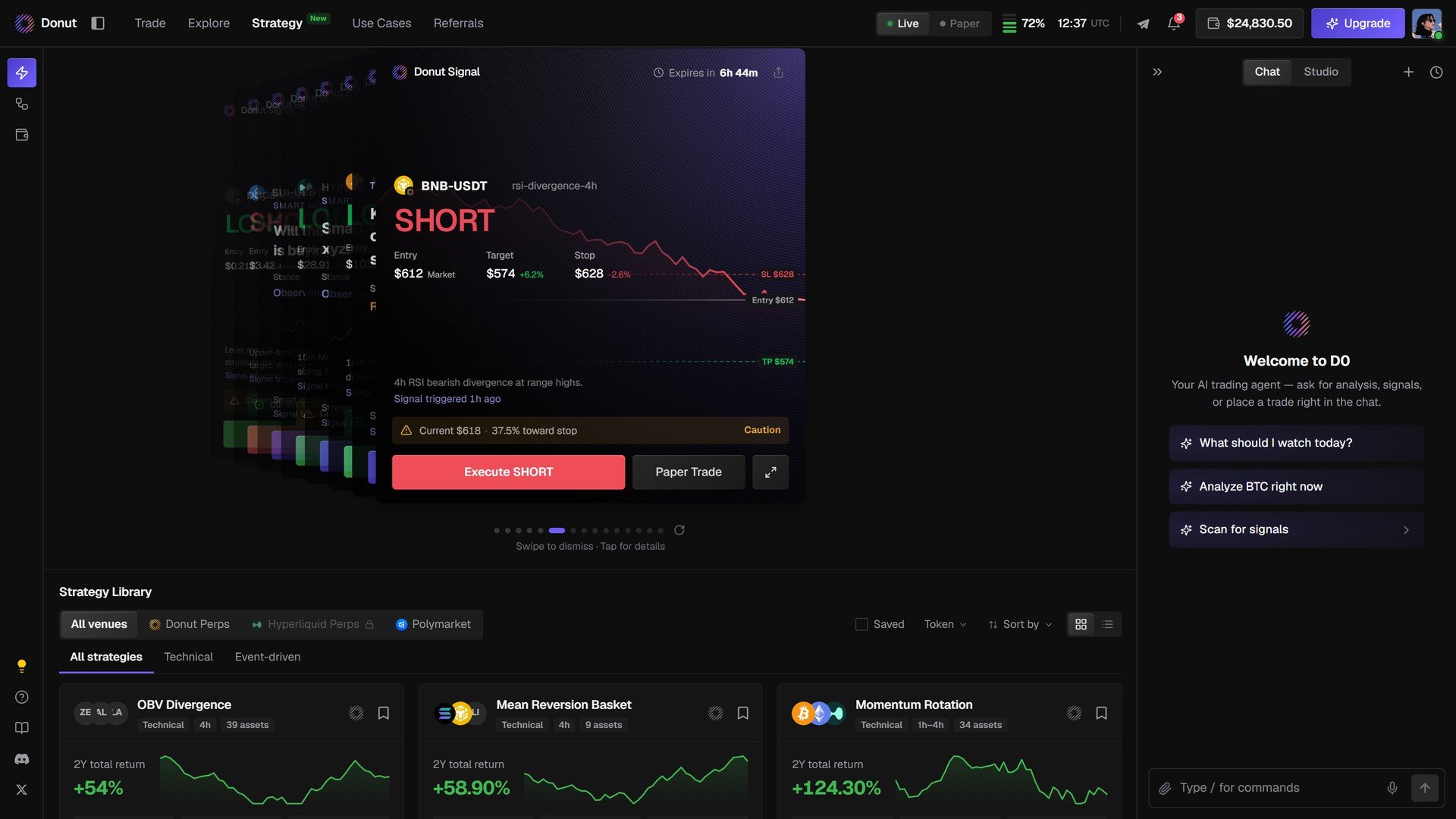
The deck stacks the signals that are live right now (Live and Expired filters at the top right). A card carries the strategy that fired it, when it expires, the market and direction, Entry, Target, Stop, the reasoning, and three actions: Execute, Paper Trade, and Ask D0 about this. Swipe to dismiss, tap for details.
Execute LONG from a deck card.
Ask D0 about this: the reasoning behind a card, in chat.
A grid of pre-built strategies. Filter by venue (All venues, Donut Perps, Hyperliquid Perps, Polymarket) and type (All strategies, Technical, Event-driven); Saved, Token, and Sort by on the right. Each card shows the name, type · timeframe · assets, the 2Y total return, and the equity curve.Click a card to open the strategy.
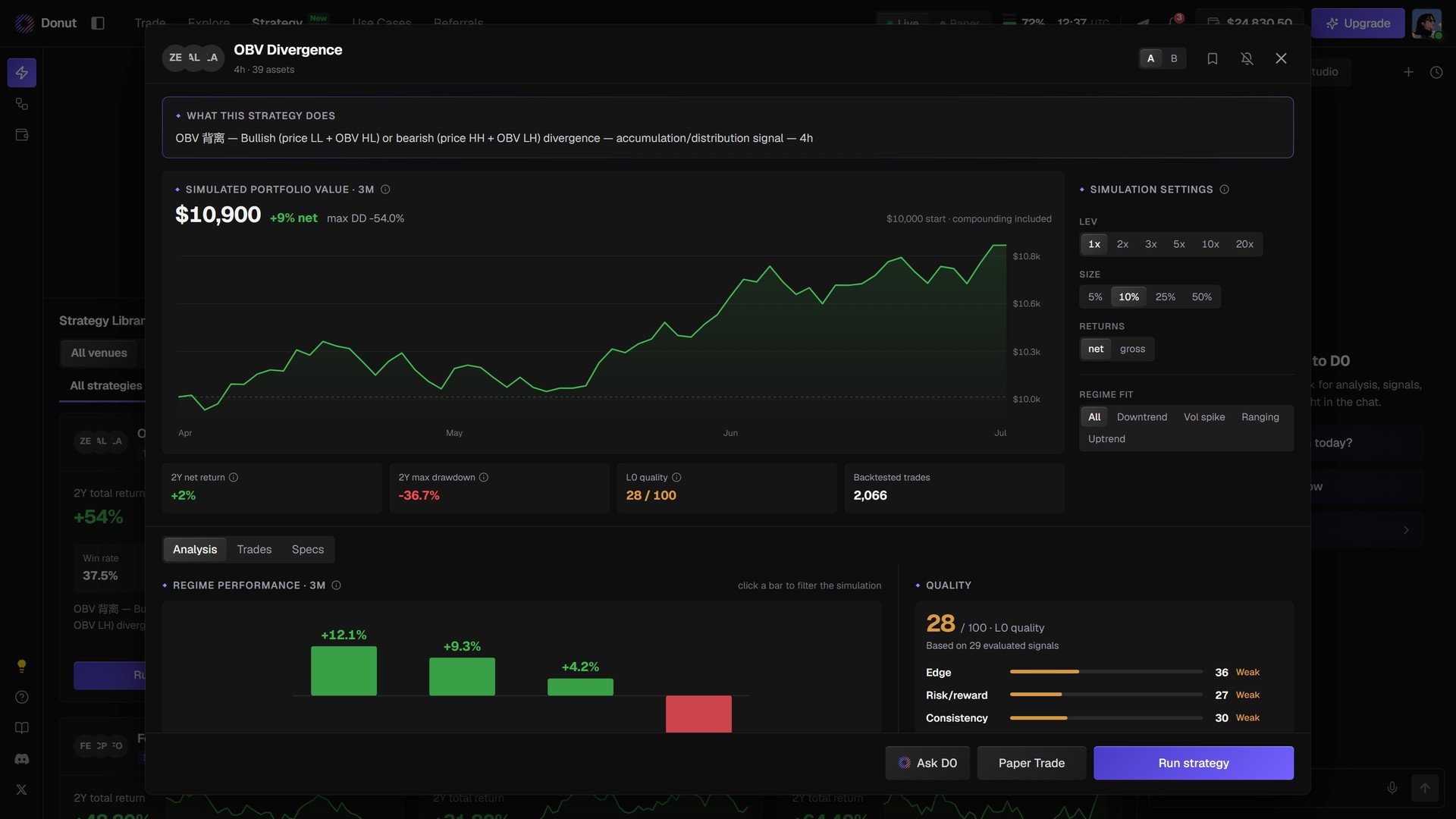
The backtest equity curve over the period, with Simulation settings: LEV (1x to 20x), SIZE (5% to 50%), Returns net or gross, Regime. Change them and the curve recalculates.
Stats
2Y net return, 2Y max drawdown, quality score out of 100, number of backtested trades.
Regime performance
Return by market regime.
Quality
The score, how many evaluated signals it rests on, and the three components: Edge, Risk/reward, Consistency.
Analysis / Trades / Specs
The charts, the individual backtest trades, and the rule spec.
OBV Divergence.
Three buttons at the bottom: Ask D0, Paper Trade, Run strategy.
A quality score below 50/100 means the backtest rests on too few evaluated signals to be reliable. Run those strategies in Paper first. More backtested trades does not fix a low score on its own.
Click Run strategy. The Position management modal opens, where you set leverage, capital per signal, and a daily loss cap, with the resulting position size, margin, worst case, and how many signals fit under the cap computed as you type. See Run a Strategy: Position Management.