
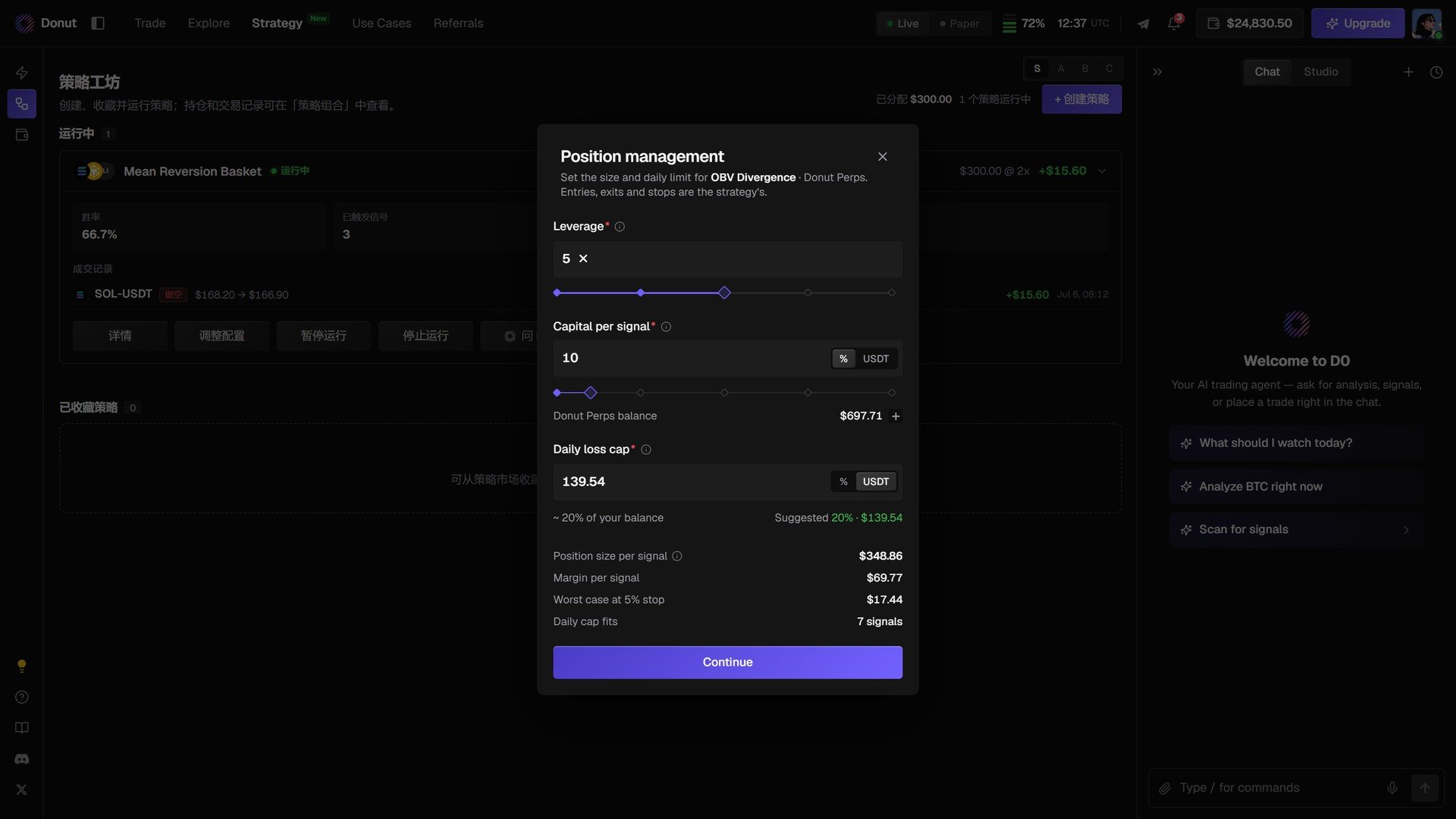
Position management for OBV Divergence on Donut Perps.
The three settings
The venue balance the strategy trades from (Donut Perps balance) is shown between the fields. If it is empty, deposit first.
The four computed values
As you change the settings, D0 recalculates:- Position size per signal: margin × leverage.
- Margin per signal: what each signal takes from your balance.
- Worst case at 5% stop: what one signal loses if the stop is hit.
- Daily cap fits: how many losing signals fit under the daily cap before the strategy stops for the day.
Stopping
Open the strategy again and stop it. Stopping pauses new signals; positions already open stay open until you close them from the positions table.Tips
What’s next
- Strategy Library
- Automated Trading: the backend constraints that apply to every automated order
- Risk Controls