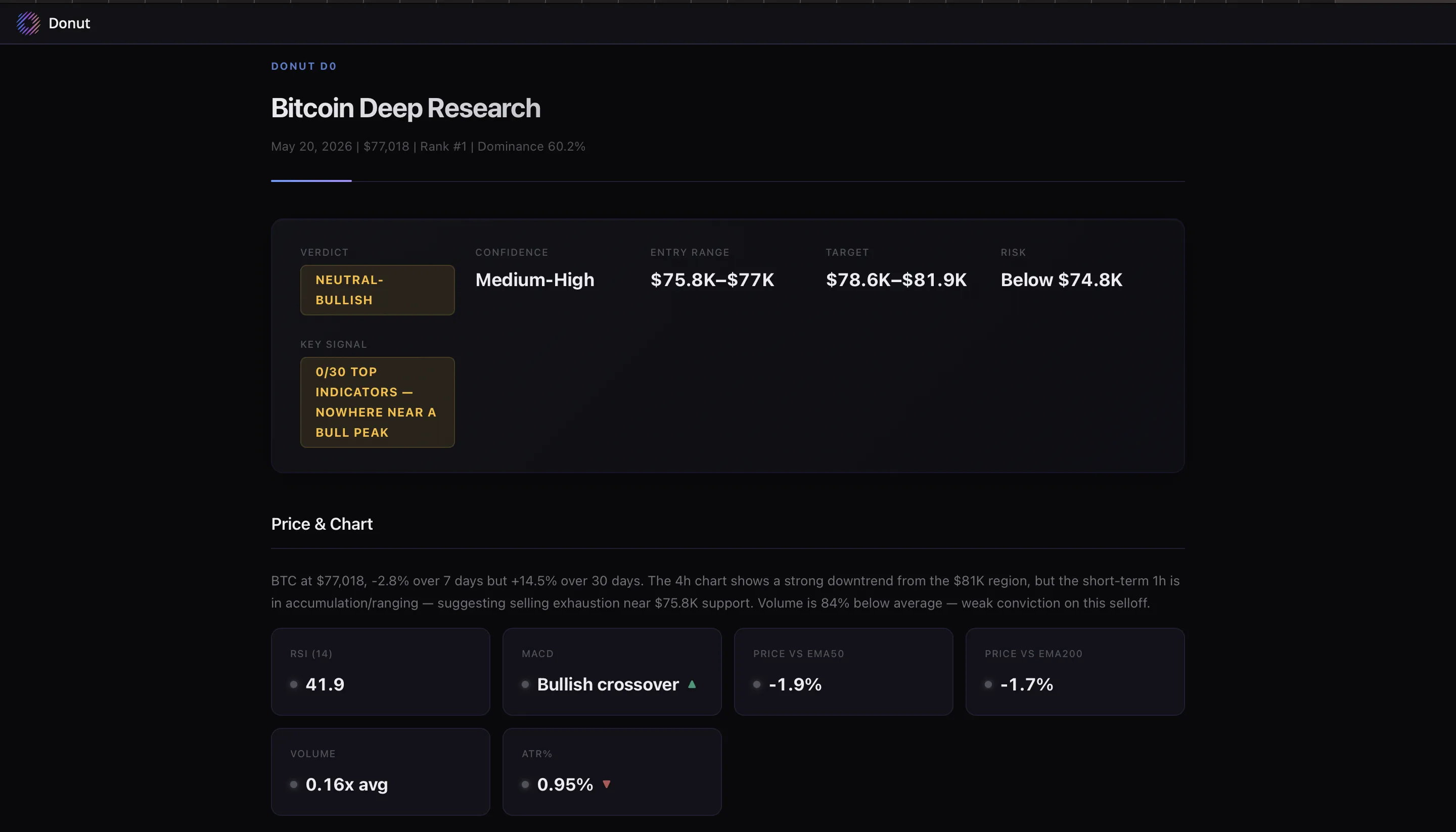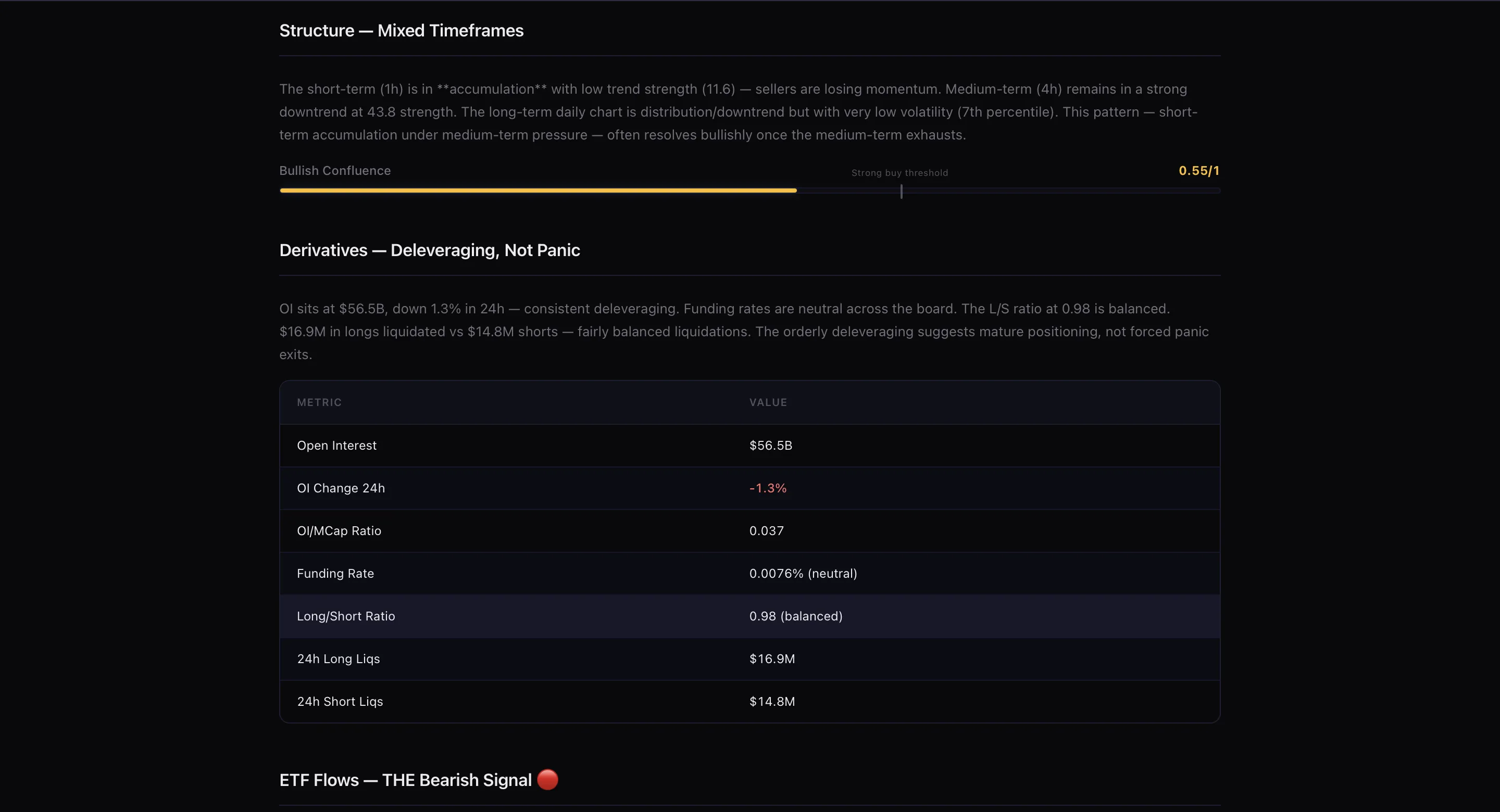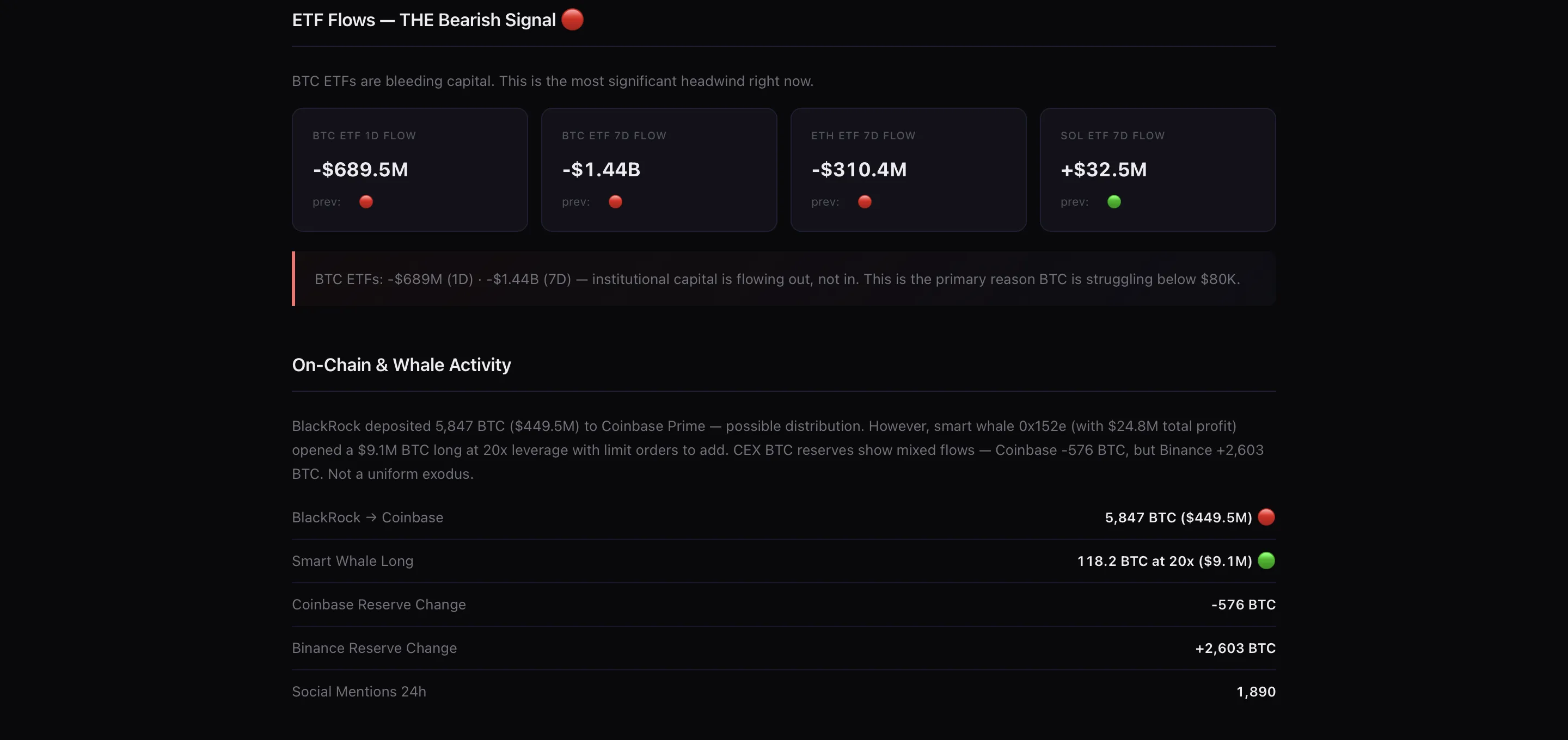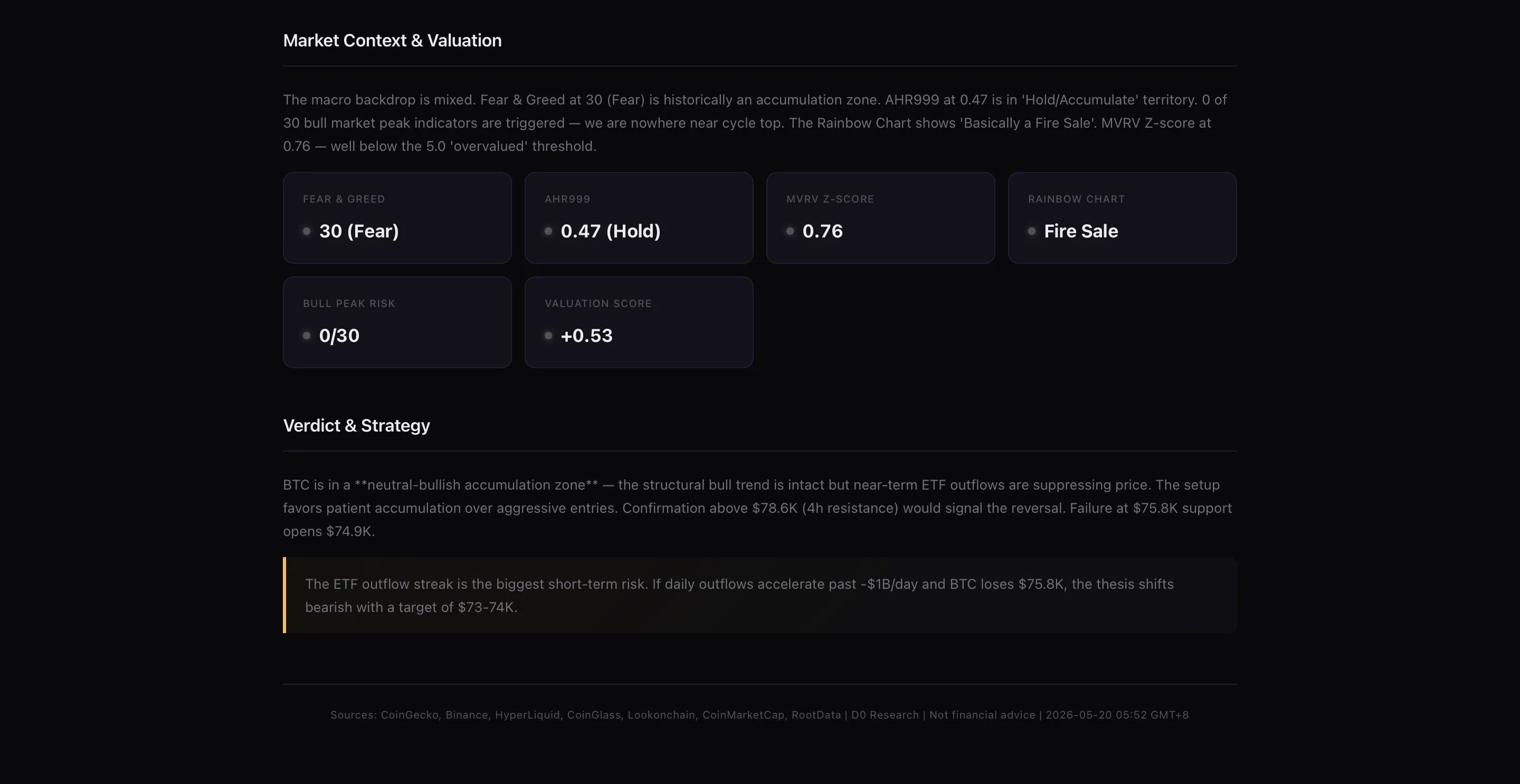
Fast lane vs. deep mode in the same chat.
The Fast Lane
These are the actions you do dozens of times a day. D0 handles them without any AI reasoning step so there is zero wait time.Quick Menu — 12 actions, one tap
Open the command menu in your D0 Telegram chat and you’ll see 12 of the most common actions ready to go. No typing, no waiting./deposit · /withdraw · /balance · /price · /buy · /sell · /positions · /orders · /pnl · /alerts · /watchlist · /help
Instant deposit address
Type /deposit and your wallet address appears immediately. D0 doesn’t need to think about this one — deposit addresses are pre-computed. It just returns it.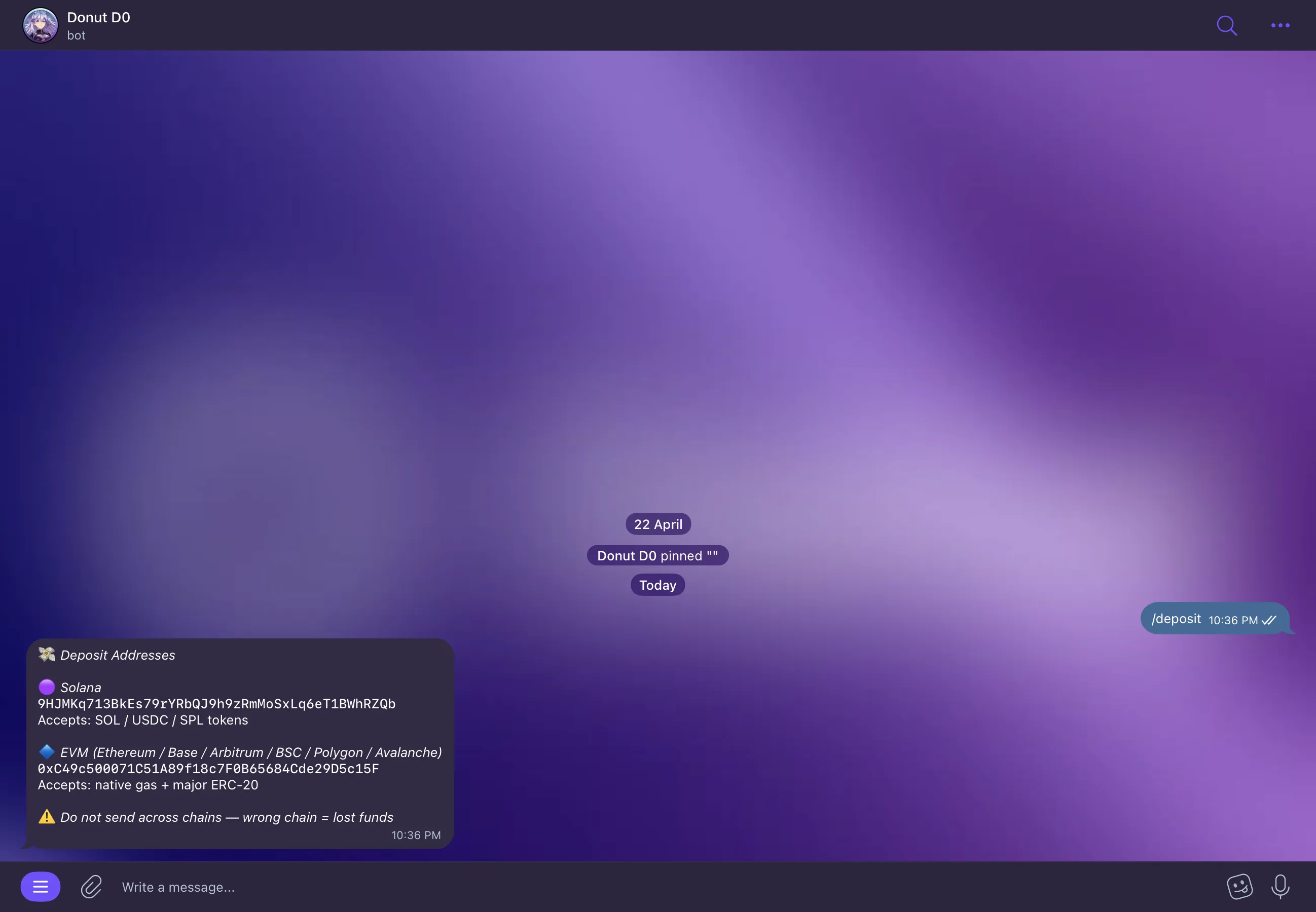
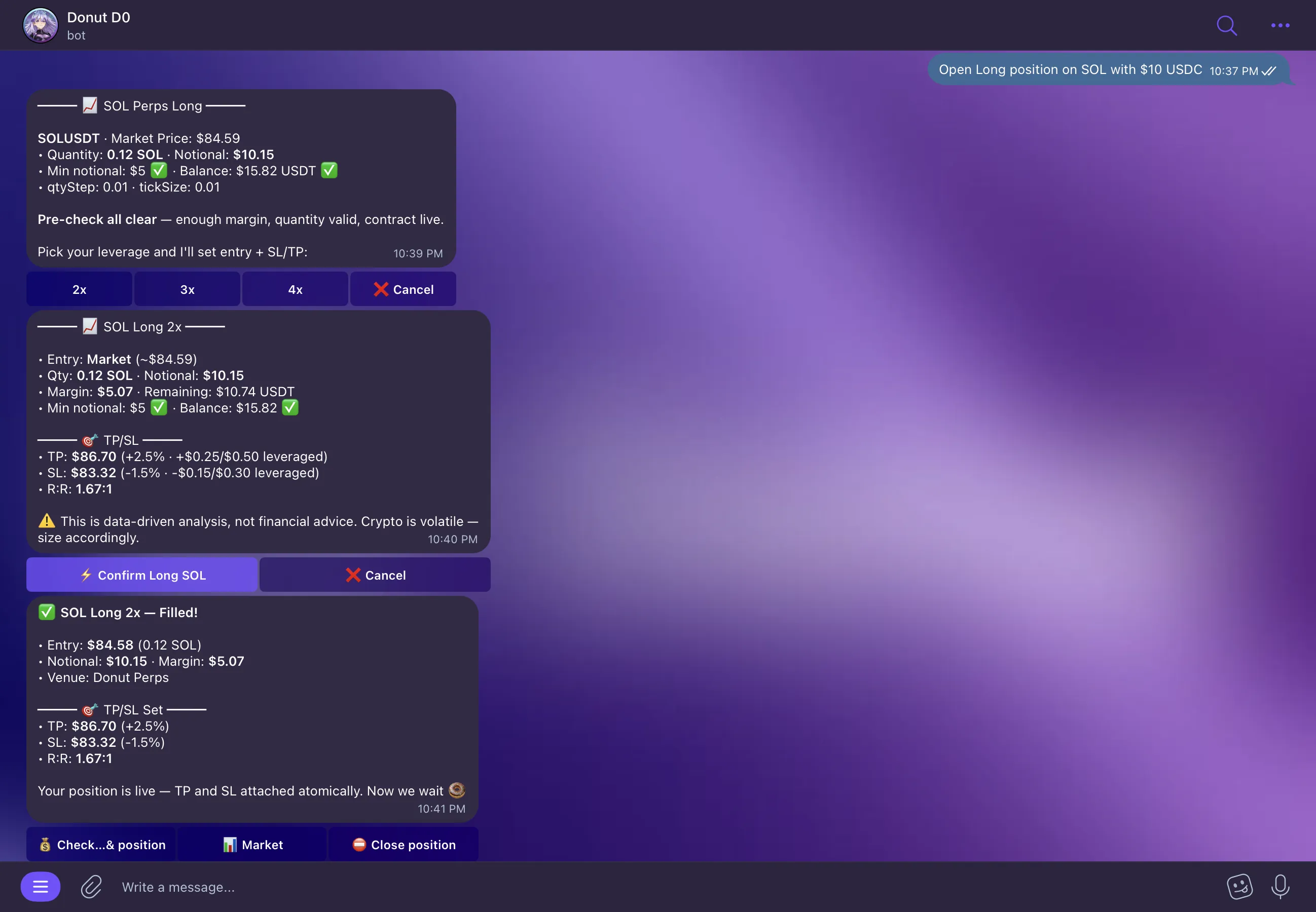
Direct trade execution
When D0 shows you a trade quote and you hit Confirm, it goes straight to execution. No AI step in between. The quote is already generated, the route is already selected — Confirm is just the last human gate before it fires.D0: “Open Long Position on SOL” [Confirm] → executes immediately
Deep Mode
When you need real analysis D0 switches to its strongest models automatically. You don’t ask for it — it just happens when the complexity of your request calls for it. What triggers Deep Mode: research reports, multi-asset analysis, strategy backtesting, market regime breakdowns, cross-chain comparisons, anything that starts with “explain why.” The output is a full HTML report — K-line charts, volume profiles, on-chain metrics, technical indicators, funding rates, data tables, and a structured thesis with confidence scoring. It takes longer and it is supposed to. Give me deep research on BitcoinD0: [returns full HTML report — takes 15 to 30 seconds]Reports are saved to your Dashboard Activity Feed so you can come back to them without regenerating.