

Explore.
Not sure where to start? The chips under the doors do the picking: I want latest signals, I want new ideas, I want passive strategies, I want to copy experts, Surprise me.
Market Opportunities
Real-time market intelligence, ranked by actionability. The scanner status sits at the top (Signal coming in, scoring the evidence, with wallets tracked, feeds, signals today, and average confidence). Trade Setups are the actionable cards, filterable by All, Smart money, Strategy, Events, Funding, Watchlist; each carries entry, target, stop, win rate, and Analyze / Execute. On the Radar lists what is forming but not ready.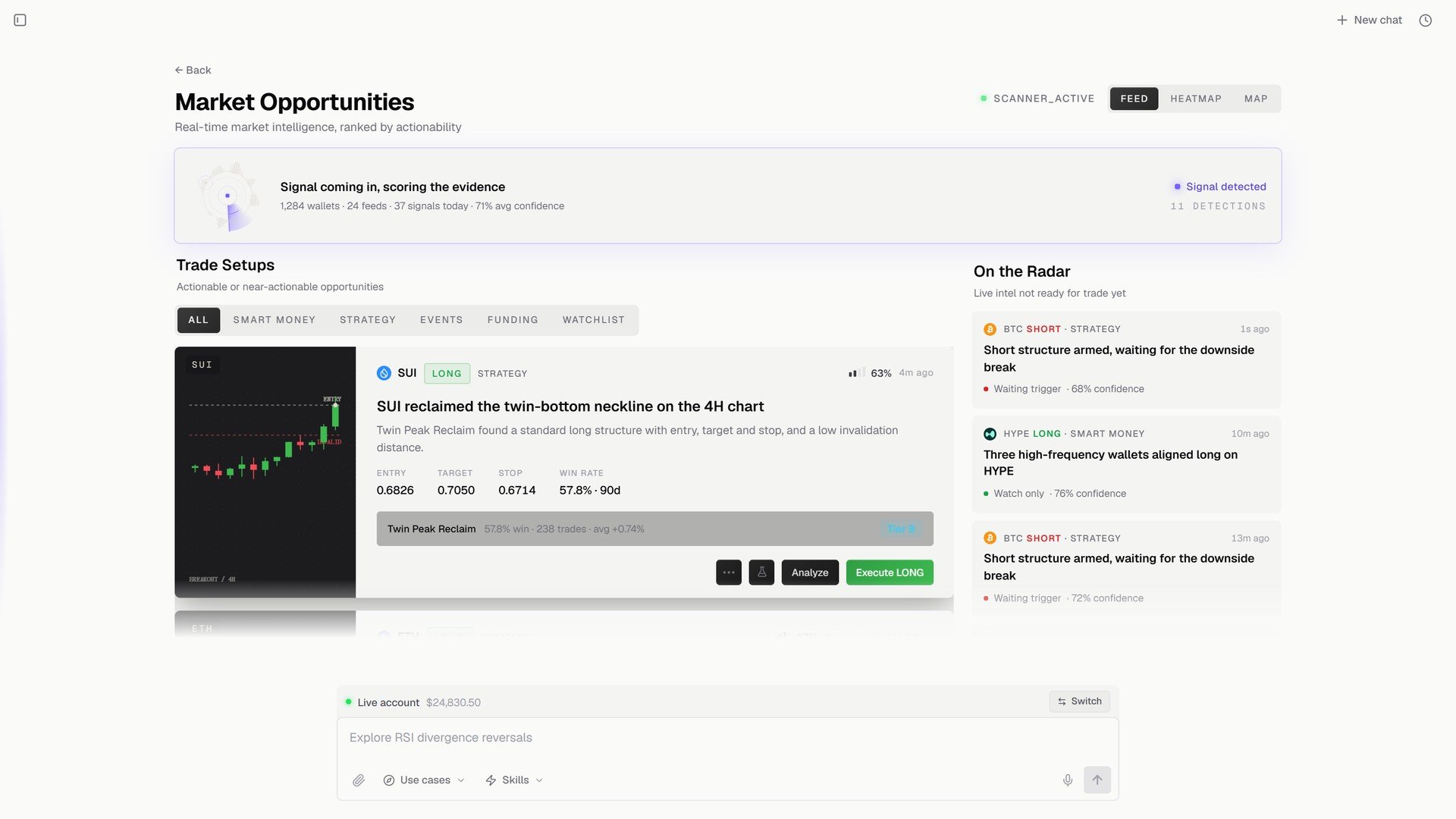
Market Opportunities.
Proven Strategies
Fixed, always-on systems judged on the long run, ranked by return. Four lists at the top (Bullish signal, Bearish signal, Top Inflow token, Top Outflow token), then Featured strategies with 2Y total return, win rate, max drawdown, total AUM, and Run strategy / Paper Trade per row.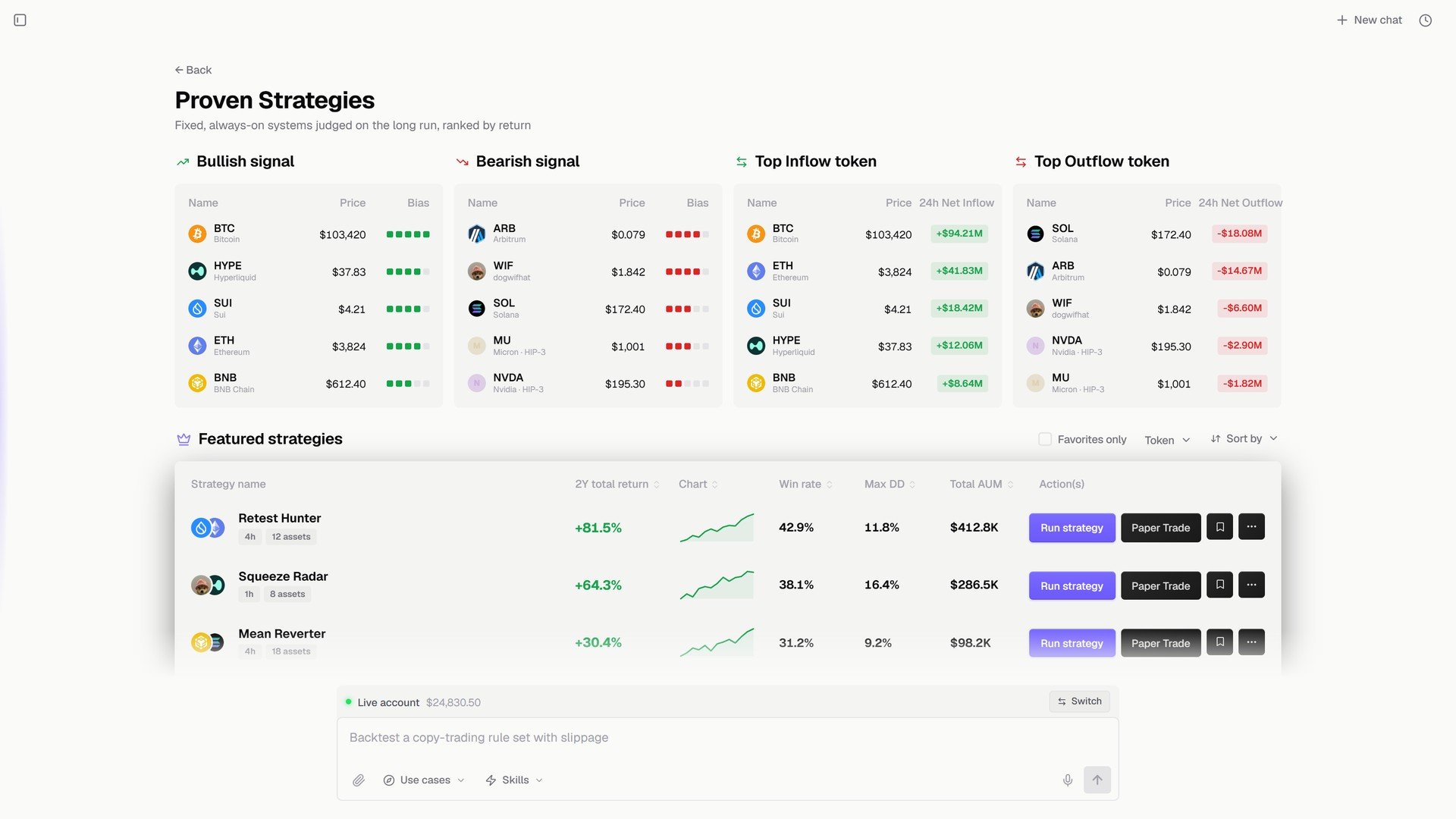
Proven Strategies.
Expert Profiles
Turn anyone’s edge into a skill D0 can act with. Build your own: give D0 a source (an X handle, a wallet address, a blog or article, a trader name, a trade CSV, a financial report) and it extracts the repeatable rules into a skill you call with/ in any chat. Or install one from the Skill marketplace.
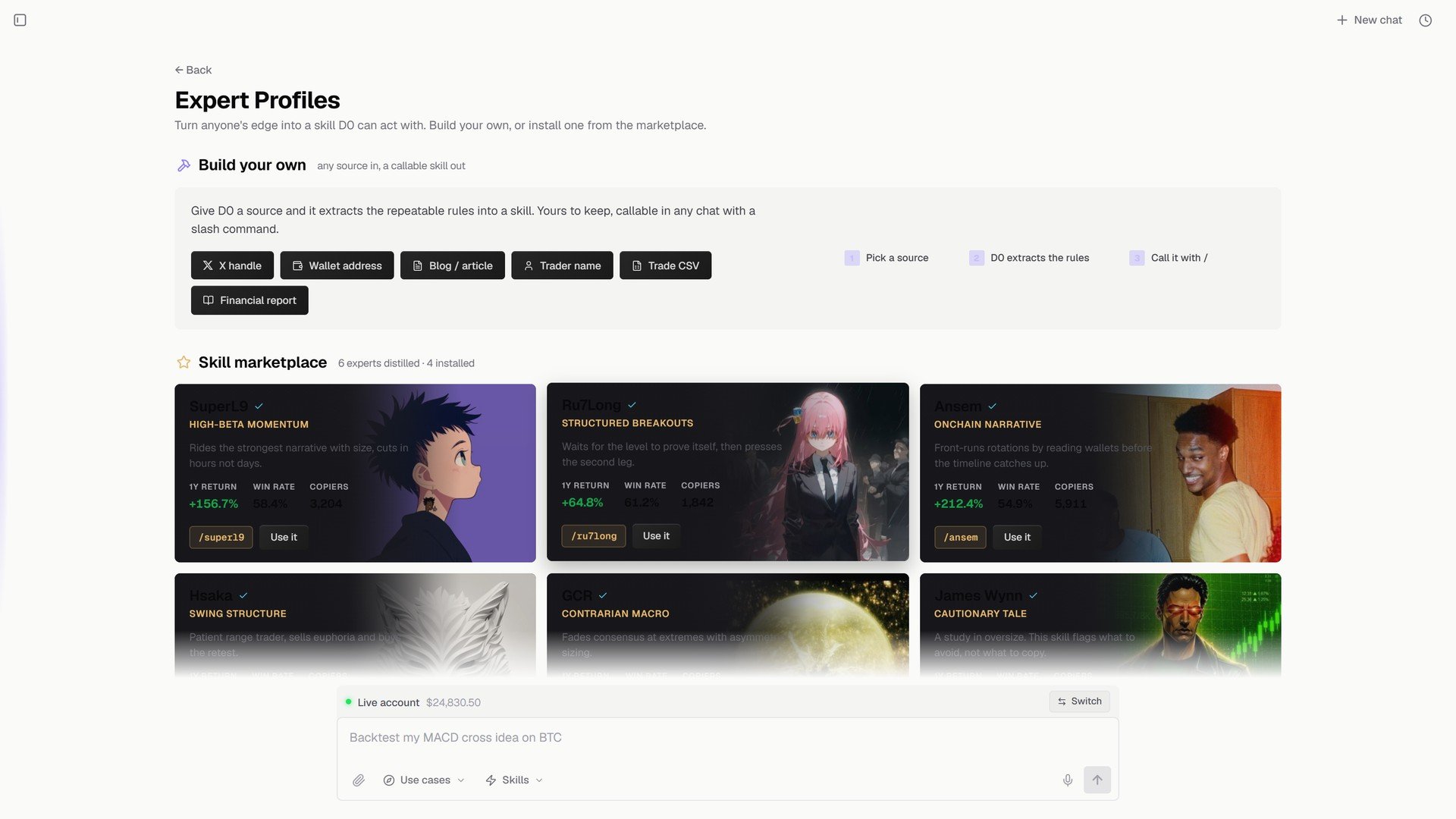
Expert Profiles.