
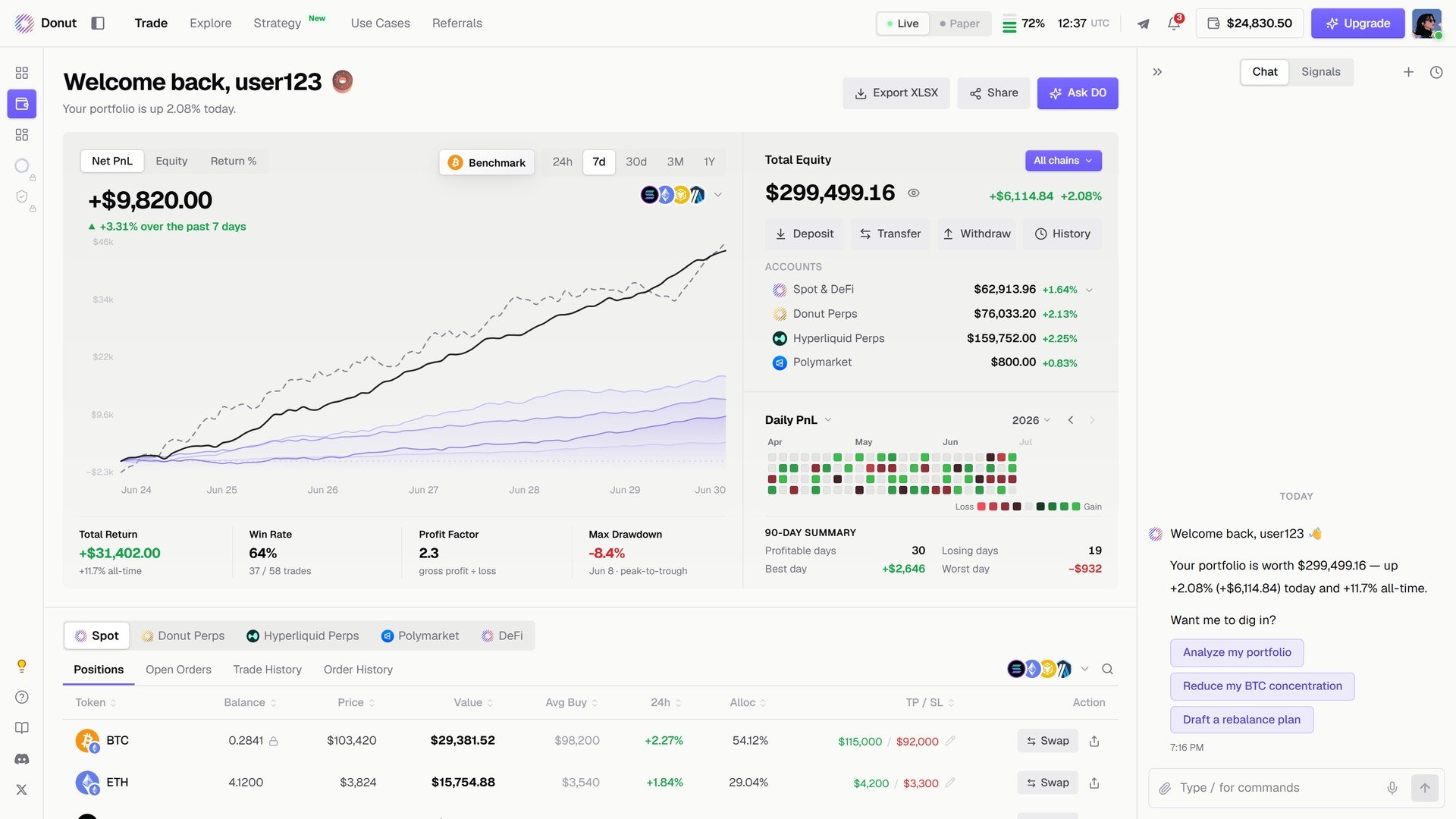
The Portfolio page.
Header
Welcome back with your name, and three buttons: Export XLSX downloads a workbook of your performance, positions, and transactions; Share makes a card; Ask D0 reviews the book in chat.Performance
The chart switches between Net PnL, Equity, and Return %, with a Benchmark overlay and 24h / 7d / 30d / 3M / 1Y windows. Four cards underneath:
On the right: Daily PnL, a calendar colored by gain and loss, and the 90-day summary (profitable days, losing days, best day, worst day).
Accounts
Total Equity across all chains, with All chains as a filter, and the venues underneath: Spot & DeFi, Donut Perps, Hyperliquid Perps, Polymarket, each with its value and 24h change. Four actions above them: Deposit, Transfer, Withdraw, History.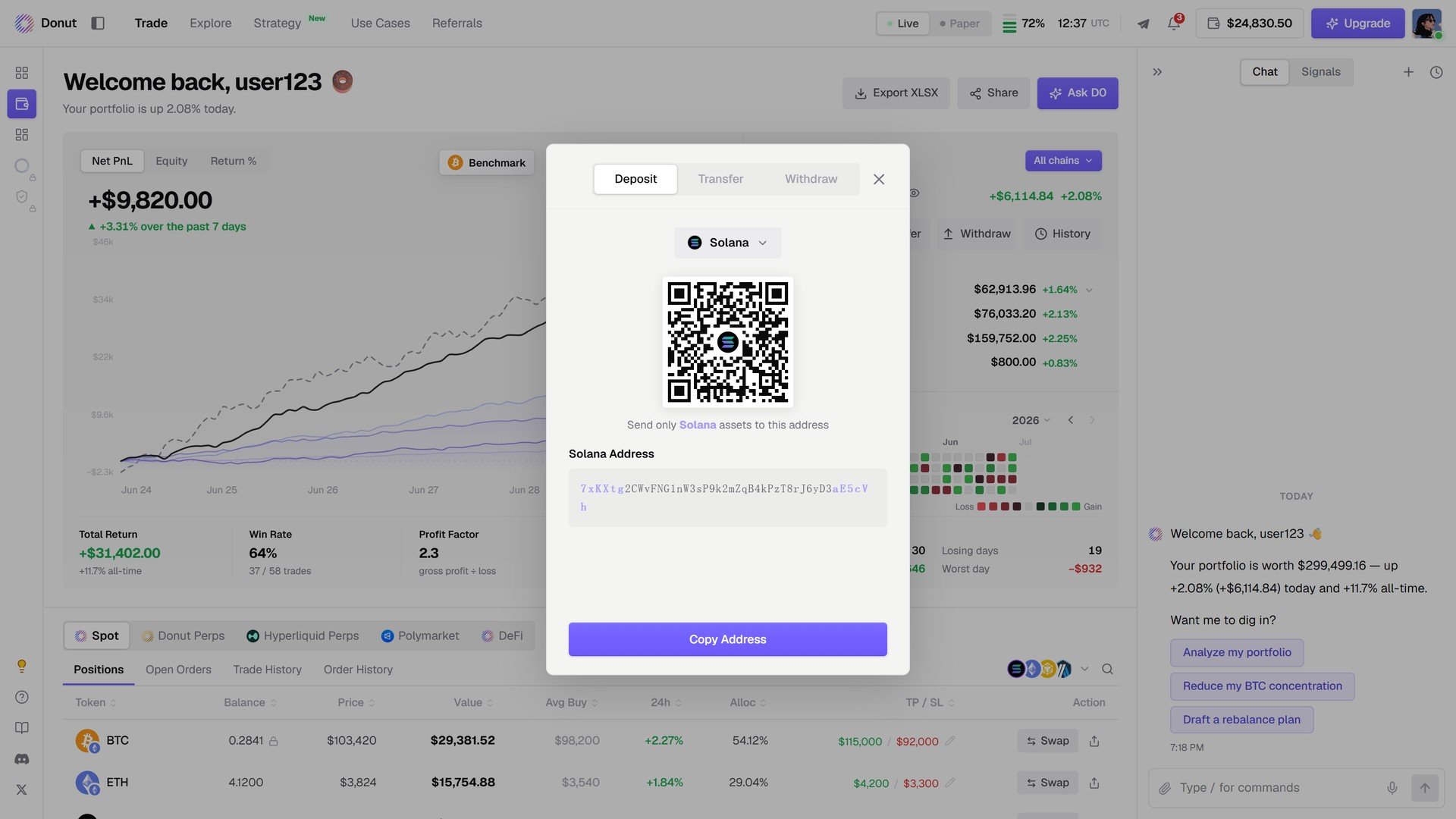
Deposit: the venue's address and QR code.
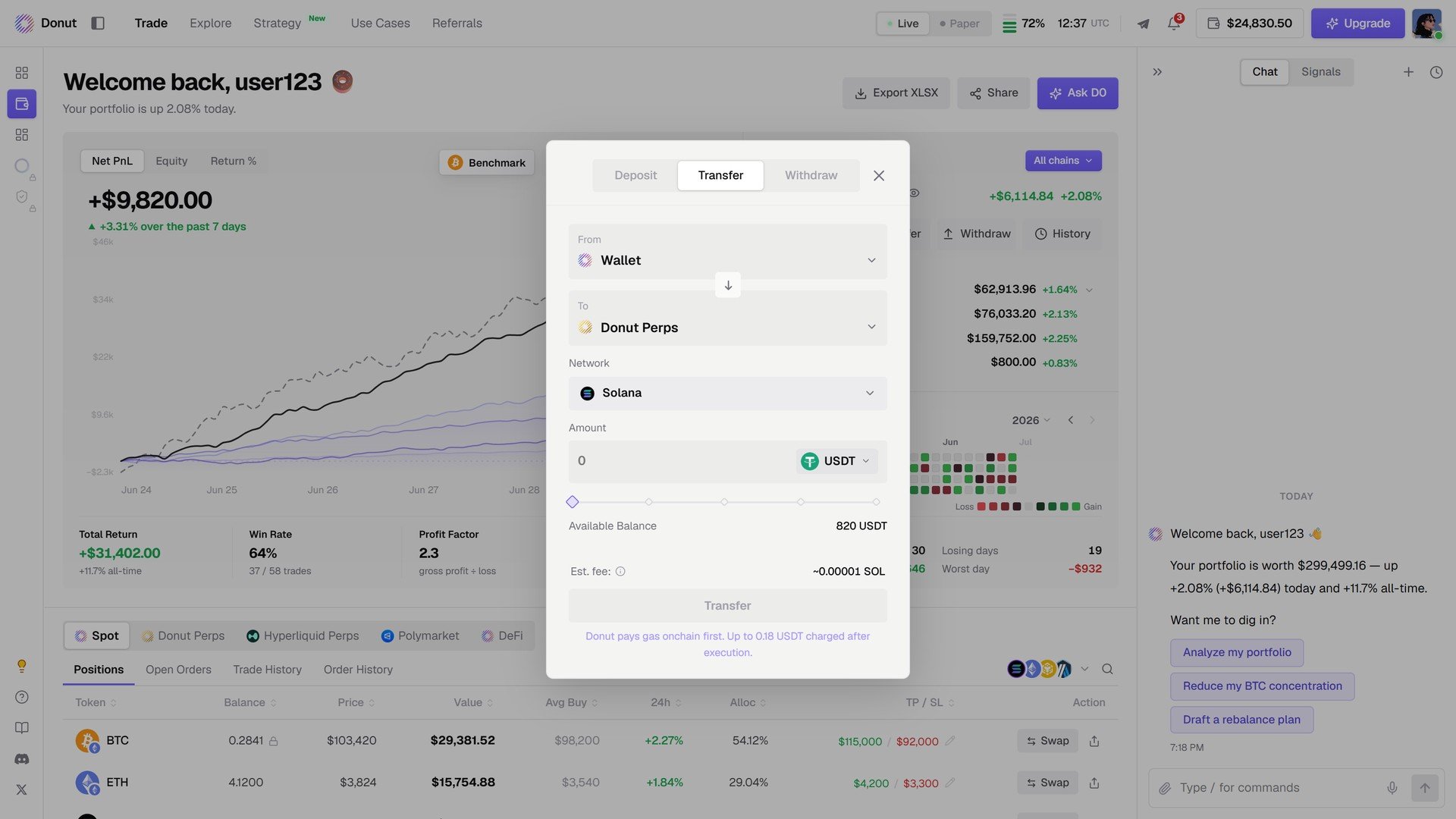
Transfer: move funds between your own accounts, for example Wallet to Donut Perps.
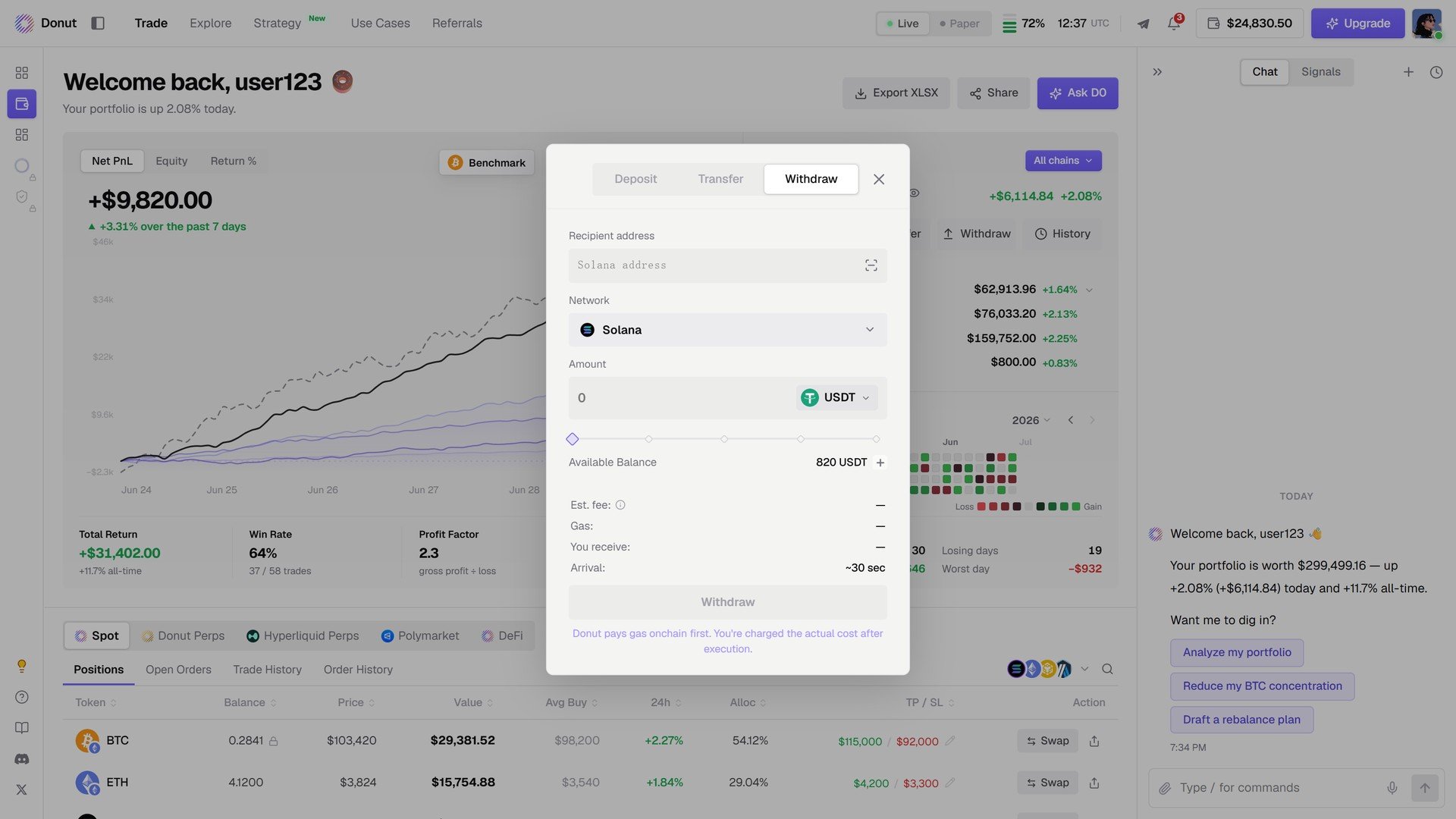
Withdraw: recipient address, network, amount, fee, and arrival time.
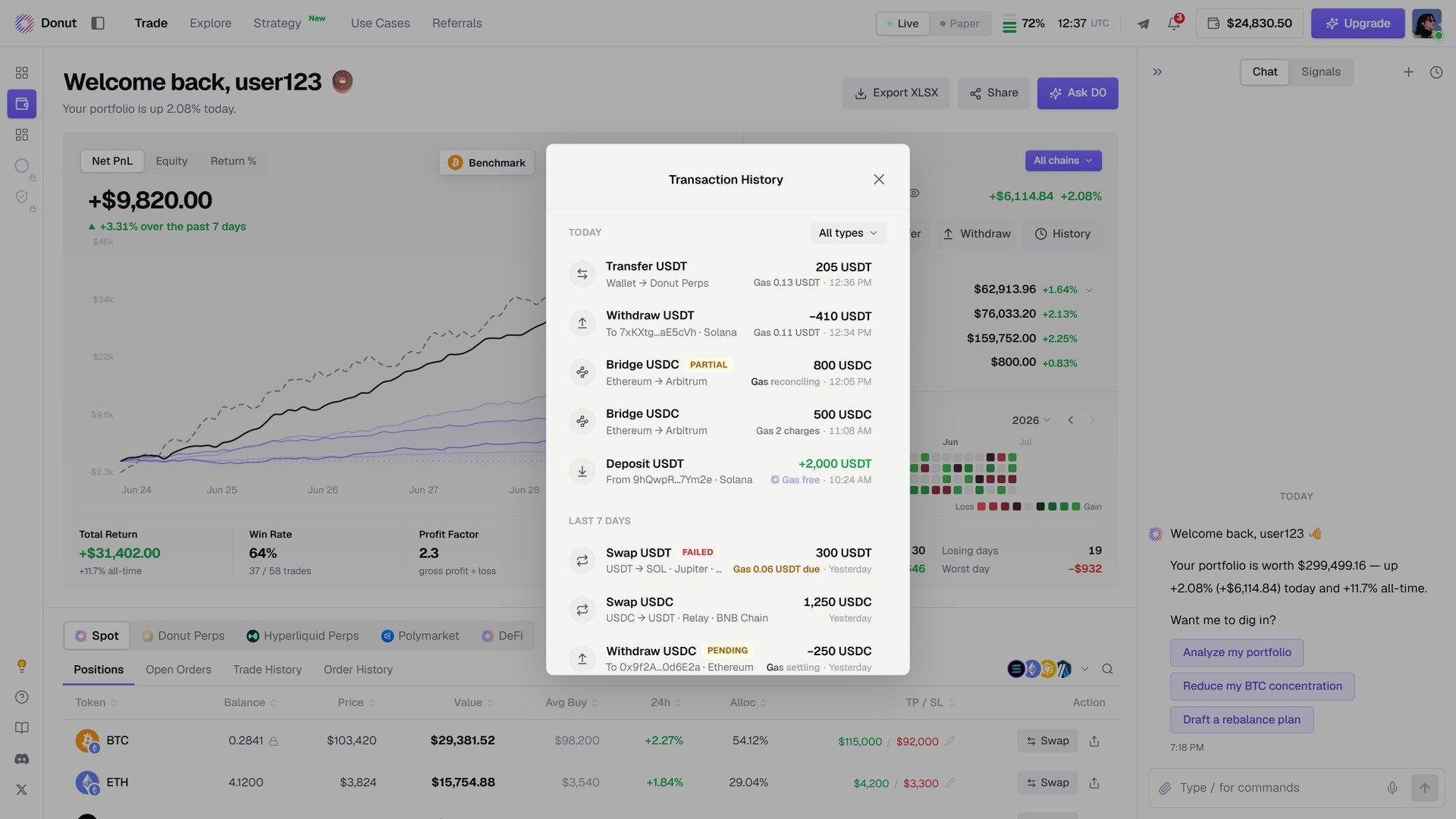
History: every transfer, withdrawal, bridge, deposit, and swap.
Transfers between your own accounts go through without a confirmation step. Withdrawals to an external address always confirm the chain, token, address, and amount. See Accounts & Fund Isolation.
Positions by venue
At the bottom: Spot / Donut Perps / Hyperliquid Perps / Polymarket / DeFi, each with Positions, Open Orders, Trade History, Order History. The same table as the Trade view. See The Trade Panel.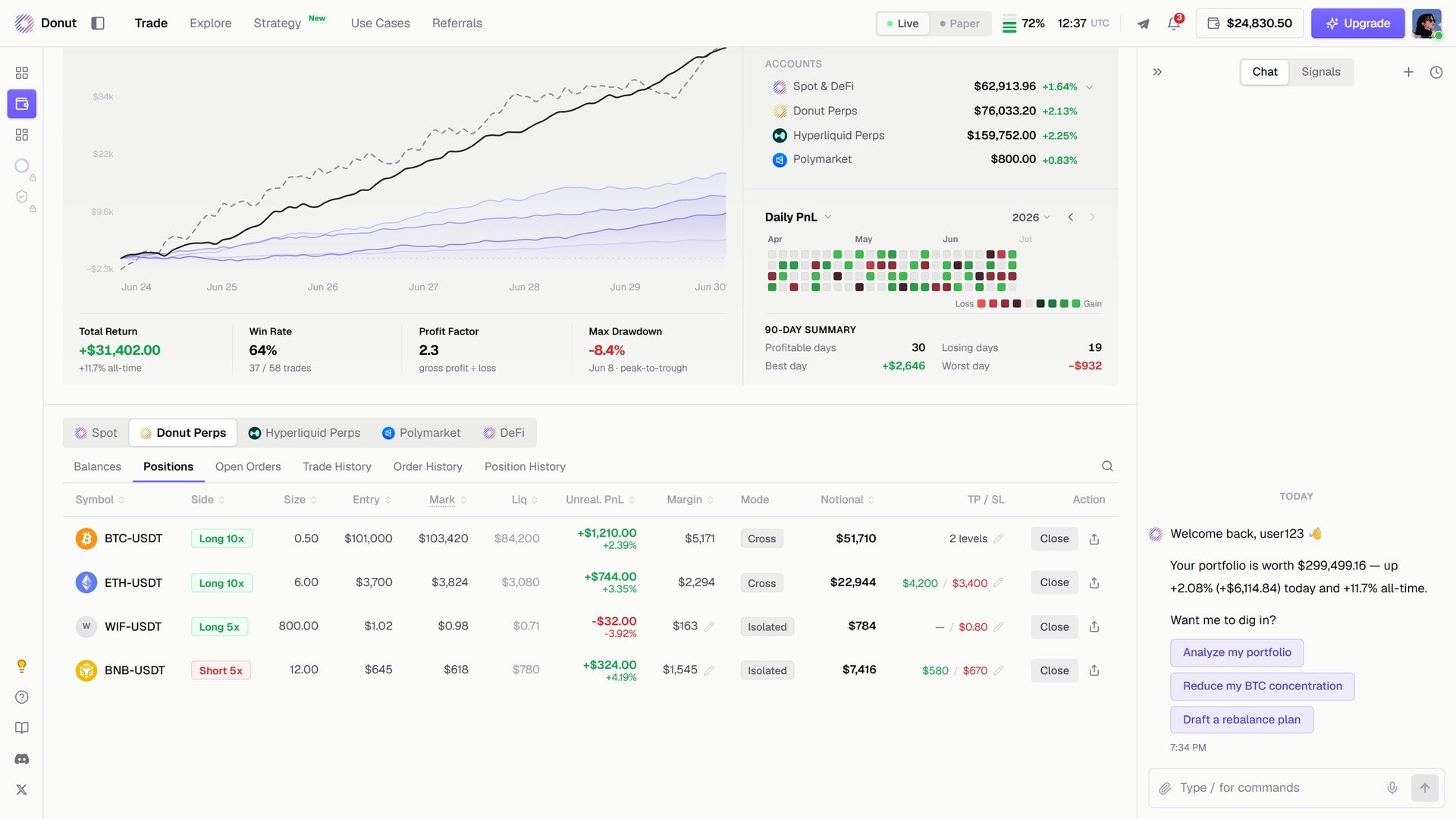
Donut Perps positions from the Portfolio page.
Ask D0
Click Ask D0 in the header and D0 reads your holdings, open positions, and risk, then offers the next step: Analyze my portfolio, Reduce my BTC concentration, Draft a rebalance plan.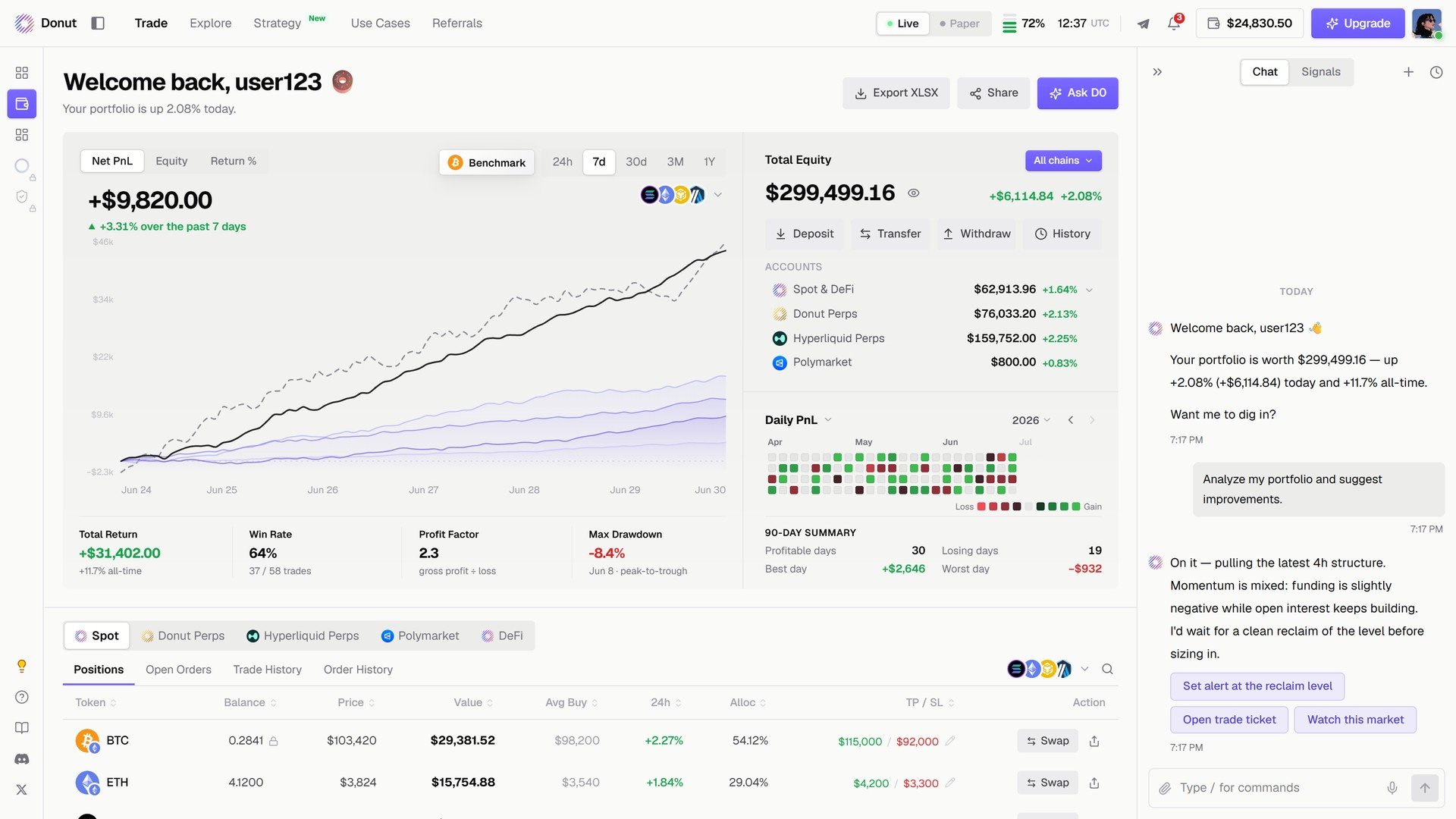
Ask D0 on the portfolio.
Tips
What’s next
- Run a Strategy: Position Management
- Portfolio Monitor: a worked daily routine