
The Scenario
You want to trade crypto with leverage. Maybe you’re bullish on BTC and want to go 10x long, or you see a bearish setup forming on ETH and want to short it with 5x. Normally that means logging into an exchange, navigating complex margin settings, switching between position tabs and order entry screens, watching your margin balance to avoid liquidation. With D0, the whole thing happens through simple messages. Fund your account, place orders, check positions, close trades — all in one conversation. Jump in: Show me the BTCUSDT perps contract info, What’s my perps balance?, or Open a 10x long on BTC with 0.01 BTC.Complete Perps Workflow
Here’s what it looks like from start to finish.Step 1: Check the Contract Specs
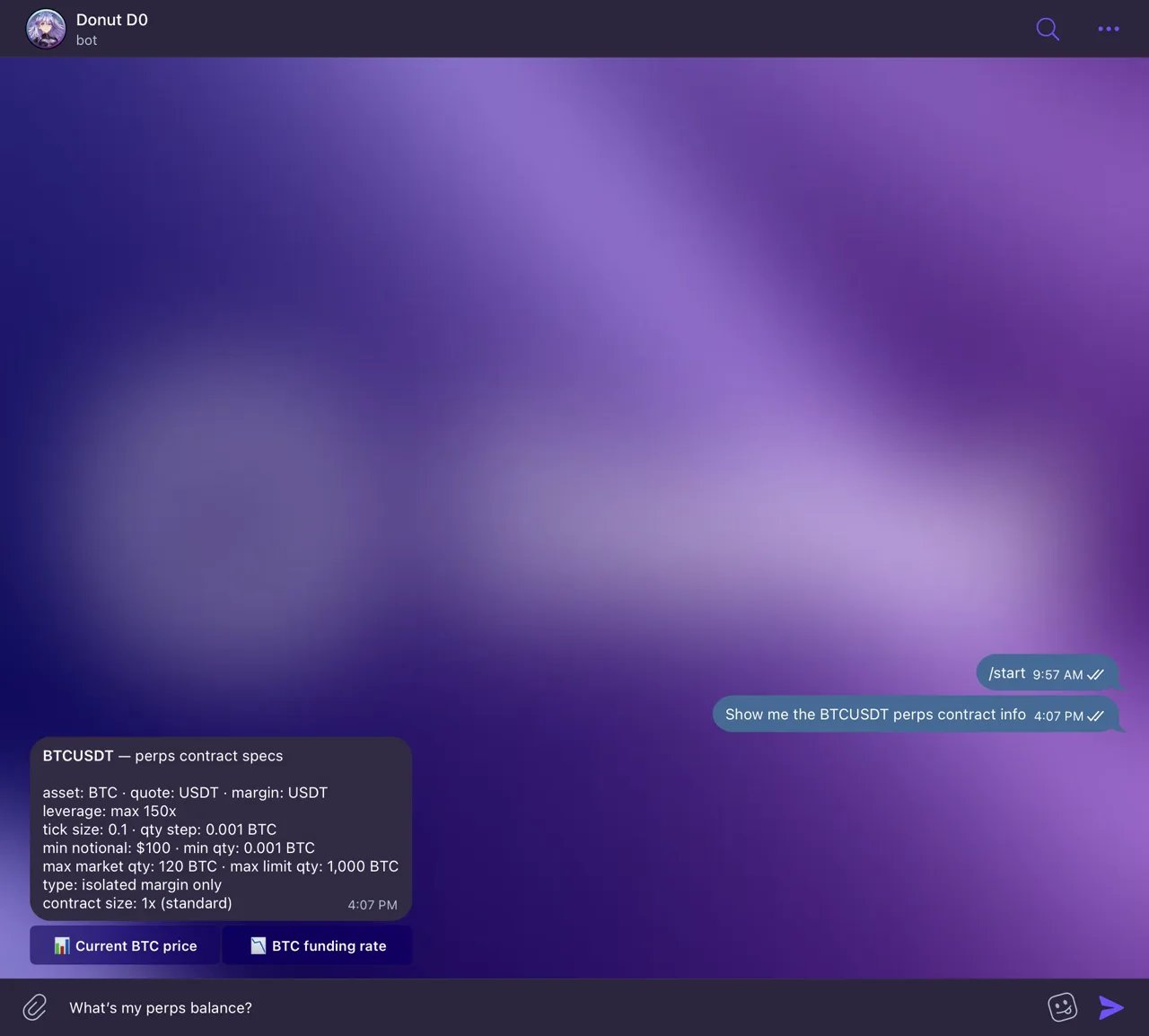
Contract specs in chat: 150x max, isolated margin.
You: “Show me the BTCUSDT perps contract info”
Bot: “BTCUSDT Contract Info:Now you know you can trade as small as 0.001 BTC and use up to 50x leverage if you want (though you probably shouldn’t max that out).
Min quantity: 0.001 BTC
Max leverage: 50x
Tick size: 0.1 USDT
Maker fee: 0.02%
Taker fee: 0.06%”
Step 2: Check Your Perps Balance
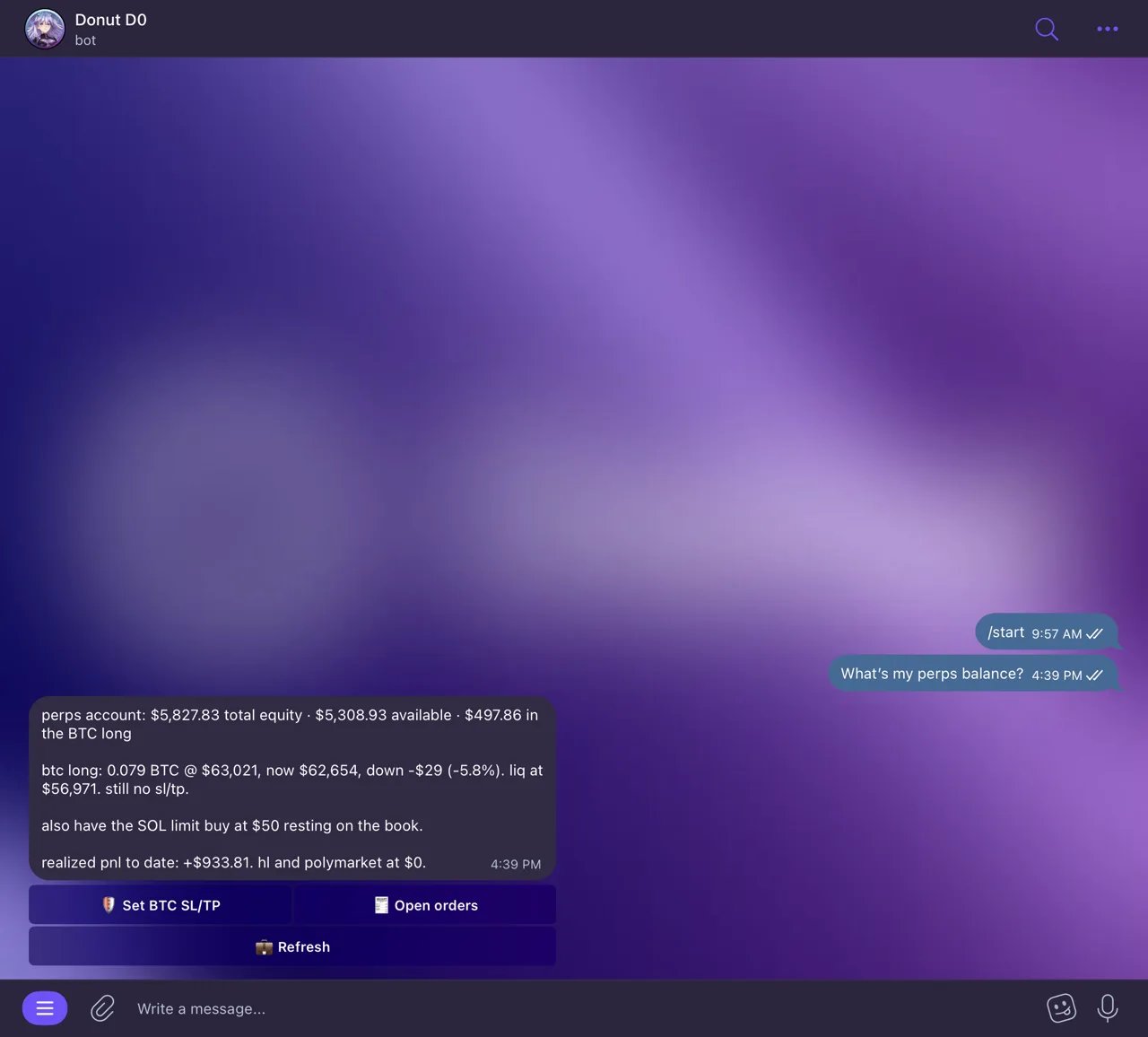
Your perps account at a glance.
You: “What’s my perps balance?”
Bot: “Perps Account:You’ve got $3,800 available to use. The rest is locked up as margin on your current positions.
Equity: $5,200
Available balance: $3,800
Margin used: $1,400
Unrealized PnL: +$121.00”
Step 3: Fund Your Account (if needed)
If your perps account is empty or you want to add more capital, you need to deposit from your wallet and transfer it into your trading sub-account.You: “Deposit 1000 USDT to my perps account”
Bot: “Deposit complete! 1,000 USDT deposited to your main perps account.”
You: “Transfer 1000 to my trading sub-account”
Bot: “Transfer complete! 1,000 USDT moved from main account to trading sub-account. Your sub-account balance is now $1,000.”The fund flow goes: Wallet → Main Account → Sub-Account → Trading. Your sub-account gets created automatically the first time you place an order, so you don’t need to set it up manually.
Step 4: Place a Trade
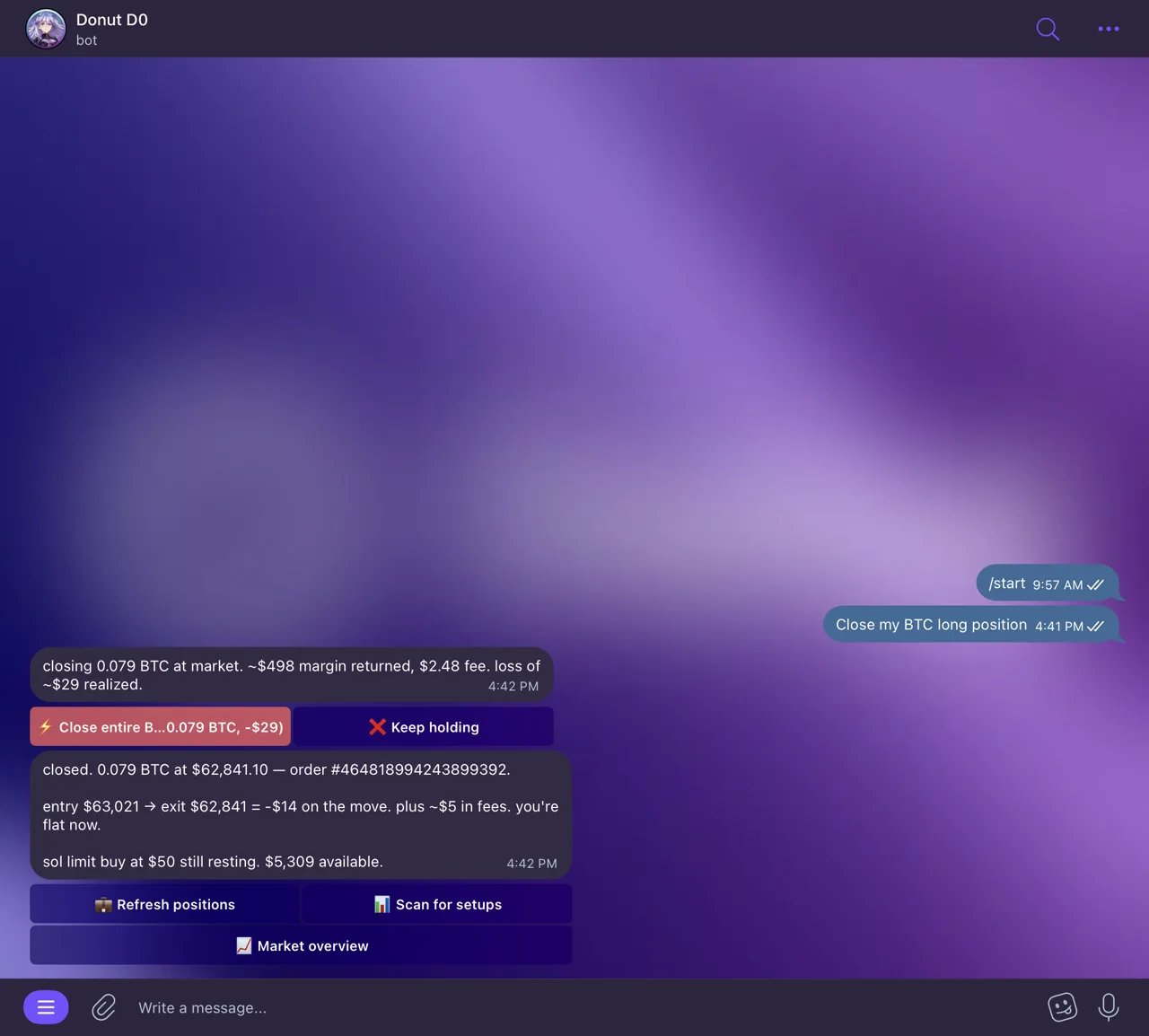
Placing a leveraged order from chat.
Market Order (instant execution)
Market orders execute immediately at the current price.You: “Open a 10x long on BTC with 0.01 BTC”
Bot: “Order placed!You’re now long 0.01 BTC with 10x leverage. Your position is worth $984.50, but you only put up $98.45 as margin. The rest is borrowed.
Symbol: BTCUSDT
Side: BUY (Long)
Type: MARKET
Quantity: 0.01 BTC
Leverage: 10x
Entry price: $98,450
Position value: $984.50
Margin required: $98.45”
Limit Order (execute at target price)
Limit orders wait for your target price to hit before executing.You: “Place a limit buy for 0.01 BTC at $96,000 with 10x leverage”
Bot: “Limit order placed!Your order sits there until BTC drops to $96,000. When it hits, your bot executes the trade for you.
Symbol: BTCUSDT
Side: BUY
Type: LIMIT
Price: $96,000
Quantity: 0.01 BTC
Leverage: 10x
Order will fill when BTC reaches $96,000.”
Step 5: Monitor Your Positions
You: “Show my positions”
Bot: “Your open positions:“
Total Unrealized PnL: +$45.00You’re up on both positions. BTC moved from $98,450 to $99,100, netting you $6.50 with 10x leverage. SOL moved from $138.50 to $142.35, giving you $38.50 with 5x leverage.
Step 6: Check Your Open Orders
You: “Show my open orders”
Bot: “Your open orders:“
You have 1 open order.Your limit buy at $96,000 is still waiting. It hasn’t filled yet because BTC hasn’t dropped to that level.
Step 7: Close a Position
When you’re ready to exit, tell your bot to close the position. It uses a reduce-only order so you don’t accidentally flip to the opposite side.You: “Close my BTC long position”
Bot: “Closing position: SELL MARKET 0.01 BTCUSDT (reduce-only)You locked in the profit. Your realized PnL is now +$6.50.
Exit price: $99,100
Realized PnL: +$6.50
Position closed!”
Step 8: Withdraw Your Profits
To get funds back to your wallet, transfer from sub-account to main account, then withdraw.You: “Transfer out 500 from sub-account and withdraw”
Bot: “Transfer complete: 500 USDT moved from sub-account to main account.”
You: “Withdraw 500 from perps”
Bot: “Withdrawal complete: 500 USDT returned to your wallet.”The $500 is back in your wallet now.
Common Trading Scenarios
Scenario 1: Bullish Momentum Trade
You see BTC breaking out and want to ride the move.- “Show me BTC funding rates and open interest” — Check if the market is already overleveraged
- “What’s the BTC technical analysis?” — Confirm the breakout is supported by indicators
- “Open a 5x long on BTC with 0.005 BTC” — Enter with moderate leverage
- “Alert me when BTC hits $100,000” — Set take-profit alert
- “Show my positions” — Monitor throughout the day
Scenario 2: Hedging a Spot Position
You hold SOL in your wallet and you’re worried about downside. You don’t want to sell your spot, but you want protection.- “What’s my wallet balance?” — See how much SOL you hold
- “Open a 2x short on SOL with 10 SOL” — Hedge your spot exposure
- “Show my perps positions” — Verify the hedge is active
- “Close my SOL short” — Remove hedge when you’re confident again
Scenario 3: Range Trading
BTC is bouncing between support and resistance in a clear range. You can trade both sides.- Send a chart screenshot — Identify the range ($96K–$99K)
- “Place a limit buy for 0.01 BTC at $96,200 with 5x leverage” — Buy at support
- “Place a limit sell for 0.01 BTC at $98,800 with 5x leverage” — Sell at resistance
- “Show my open orders” — Monitor both orders
Key Concepts
Fund Flow
Symbol Format
Always useBTCUSDT, ETHUSDT, SOLUSDT (base token + USDT). If you just say “BTC”, your bot will ask you to clarify.
Two-Step Funding
Deposit moves funds from your wallet to the main account. Transfer moves funds from main account to your trading sub-account. You need both steps to actually trade.Reduce-Only Orders
When you close a position, your bot uses reduce-only orders so you don’t accidentally flip to the opposite side. If you’re long and you close, it won’t open a short by mistake.Tips for Trading Perps
- Always check contract specs first. Know the minimum quantity and max leverage before placing orders.
- Start with lower leverage. 5x or less while you’re learning. High leverage magnifies both gains and losses.
- Monitor your margin usage. If your available balance gets too low, you risk liquidation.
- Use limit orders for better entries. Market orders fill instantly but you get whatever price is available. Limit orders let you wait for your ideal entry.
- Check funding rates. Positive funding means longs pay shorts every 8 hours. Factor this into your hold time.
- Set alerts at key levels. Combine price alerts with your perps strategy for better timing.