
The Scenario
You want to be notified when certain price conditions are met — without staring at charts all day. Maybe you’re waiting for a dip to buy, or you want to know when a token hits your take-profit level. Set one now: Let me know when SOL drops below $130, Alert me when BTC breaks $100,200, or What alerts do I have?.Example 1: Buying the Dip
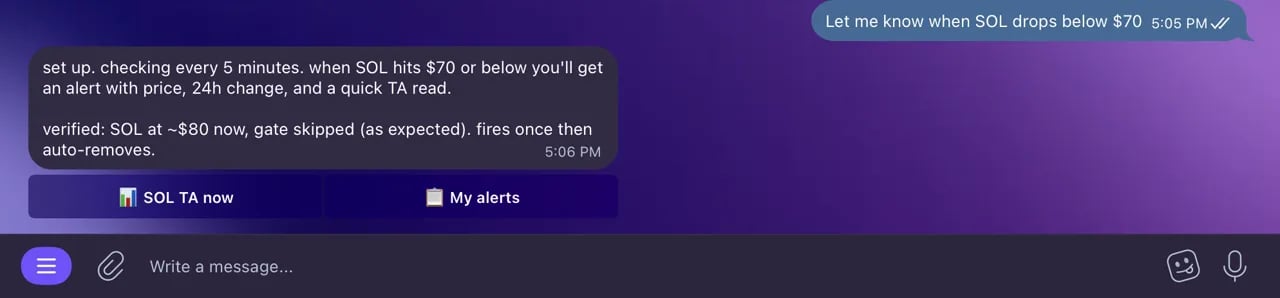
Setting a price alert from chat.
You: “Let me know when SOL drops below $130”
Bot: “Price alert set! I’ll notify you when SOL goes below $130. Current price: $142.35.”
(The next day)
Bot: ”🔔 Price Alert: SOL just dropped below $130.00. Current price: $128.90.”
You: “Quick — what does the chart look like?”
Bot: (analyzes current chart) “SOL hit the $128 support level. RSI at 35 — getting oversold. This matches your target entry zone.”
Example 2: Taking Profit
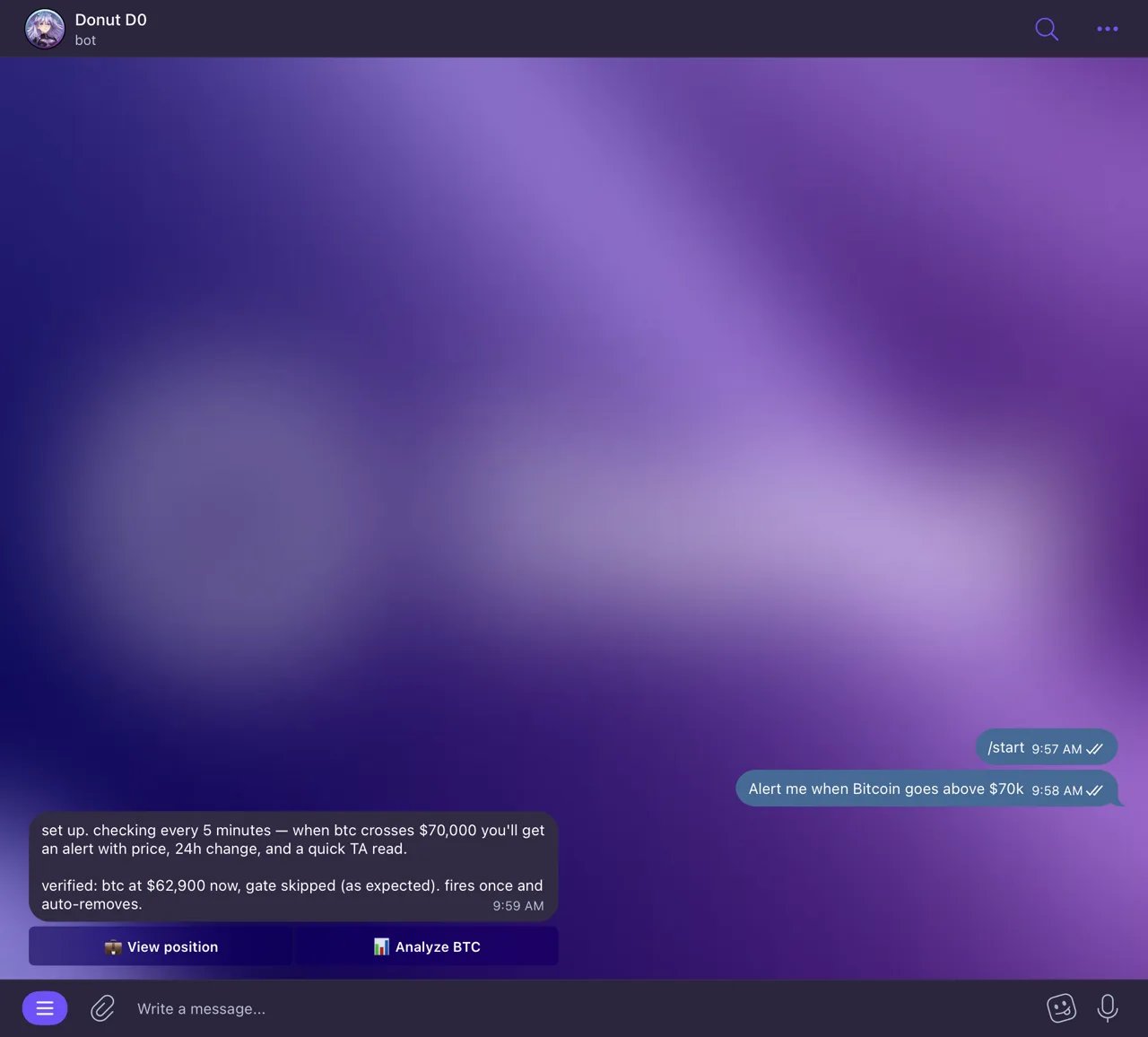
An alert that fires when price breaks your level.
You: “Alert me when JUP goes above $1.50”
Bot: “Price alert set! I’ll notify you when JUP goes above $1.50. Current price: $1.24.”
Example 3: Monitoring a Breakout Level
After doing chart analysis, you identified a key resistance level. You want to know if it breaks through.You: (sends BTC chart) “What’s the key resistance?”
Bot: “Key resistance for BTC is at $100,200. A breakout with volume above this level could target $105,000.”
You: “Alert me when BTC breaks $100,200”
Bot: “Price alert set! I’ll notify you when BTC goes above $100,200. Current price: $98,450.”
Example 4: Protecting Against Downside
You’re holding a token and want to be warned if it drops below a critical support level.You: “Notify me if ETH falls below $3,500. That’s my stop level.”
Bot: “Price alert set! I’ll notify you when ETH goes below $3,500. Current price: $3,850.”
Example 5: Multiple Alerts on the Same Token
You can set both upside and downside alerts to cover different scenarios.You: “Set two alerts for SOL: above $160 and below $120”
Bot: “Two alerts set:I’ll notify you when either condition is met.”
- SOL above $160 — Current: $142.35
- SOL below $120 — Current: $142.35
Combining Alerts with Trading
When an alert triggers, you can act immediately — research, trade, and manage positions all in the same chat:Bot: “Price Alert: SOL just dropped below $130.00. Current price: $128.90.”
You: “Quick — give me SOL technical analysis”
Bot: (provides analysis showing support at $128)
You: “Swap 100 USDC to SOL”
Bot: “Quote: You’ll receive ~0.775 SOL for 100 USDC. Execute?”
You: “Yes”
Bot: “Transaction submitted! You received 0.7748 SOL.”
Alert Strategy Tips
For Day Traders
- Set alerts at intraday support/resistance levels identified through chart analysis
- Use tight price ranges for active trading sessions
- Combine with chart reading for confirmation before acting
- Execute trades immediately when alerts trigger — no app switching needed
For Swing Traders
- Set alerts at weekly support/resistance levels
- Use alerts as a heads-up, then do a full analysis before acting
- Set both entry (dip) and exit (target) alerts for planned trades
- Combine with limit orders — Set an alert at $130, and also create a limit buy at $128 as a safety net
For Perps Traders
- Set alerts at key liquidation levels to monitor risk
- Use alerts alongside your perpetual futures positions for better timing
- Set alerts at funding rate reversal levels
For Long-Term Holders
- Set alerts at major price milestones (e.g., all-time highs, round numbers)
- Use downside alerts as a warning system for portfolio protection
- Monitor AHR999 index alongside price alerts for DCA timing
- Fewer, wider alerts to avoid notification fatigue
Managing Your Alerts
Important Notes
- One-time trigger: Each alert fires once and is then removed. If you want to be alerted again at the same level, set a new alert.
- Bot must be running: Alerts are active while your bot is online. If you hibernate your bot, alerts pause and resume when you wake it up.
- Instant delivery: Alerts come as Telegram messages, so you’ll get push notifications on your phone immediately.