> ## Documentation Index
> Fetch the complete documentation index at: https://docs-d0.donutbrowser.ai/llms.txt
> Use this file to discover all available pages before exploring further.
# 定时任务与自定义自动化
> 描述你想盯什么,D0 和你一起把规则搭好。自动化显示在左侧面板,各带一个开关,而且 D0 会自己提议下一条。
自动化是 D0 按时间表盯着并据以行动的规则:每日复盘、多条件提醒、每天早上跑的筛选。你在对话里创建它们,它们住在左侧面板的 **Automation** 模块里,各带时间表和一个开关。
## 问一次,拿结果
对话首页以 *What would you like to discover today?* 开场,输入框写着 **Ask D0 or describe an automation**。旁边的 **Approve each** 决定自动化每次行动前是否先问你。
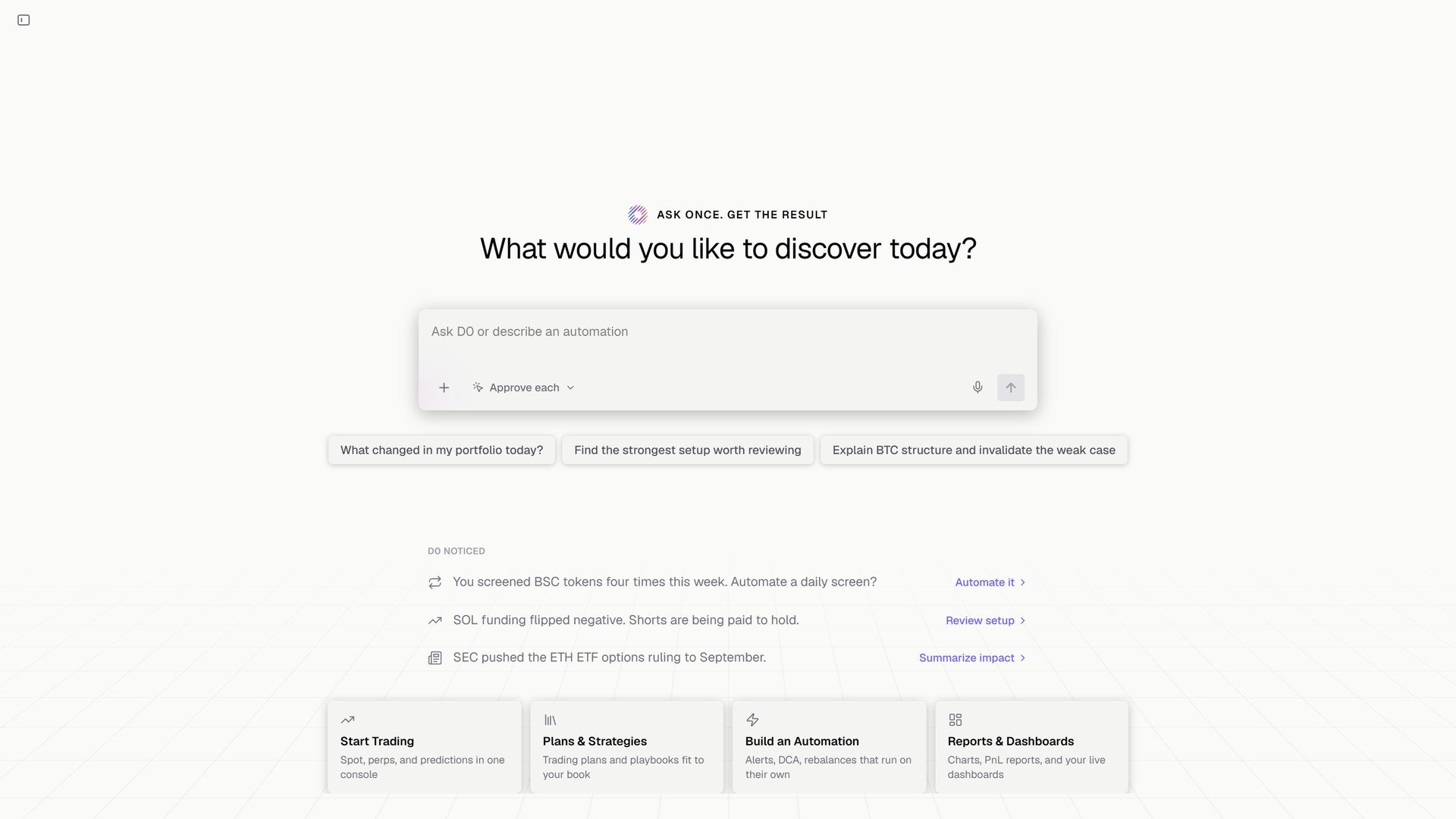 **D0 noticed** 是值得看的部分。D0 从你已经在做的事里提议自动化:*You screened BSC tokens four times this week. Automate a daily screen?* → **Automate it**。*SOL funding flipped negative. Shorts are being paid to hold.* → **Review setup**。一键把观察变成规则。
## 描述一条规则
> **你:** Set up an automation to monitor Solana for a long entry setup, when a sharp selloff reaches a defined support level and a reversal candle prints a long lower wick showing buyers stepping in, then closes back above support. When the setup confirms, alert me with the support level, a suggested entry, a stop below the wick low, and a target.
>
> **D0:** Set up **SOL wick-reversal long setup**. It checks closed 15-minute SOL spot candles every 15 minutes, using the lowest low of the prior 20 candles as support. It flags a ≥2% selloff over four candles into support, followed by a candle that closes back above support with a lower wick at least as long as its body. The alert suggests entry at that candle's close, a stop 0.1% below its low, and a target at 2R. It's informational only and will not trade; qualifying newly confirmed setups may alert again on later checks.
D0 拿到你这句话之后做的事:
1. 询问它需要的信号规则和触发阈值,或用建议默认值填上。
2. 把规则复述给你:频率、数据源、确切条件、提醒内容、投递到哪里。
3. 把自动化加进 **Automation** 模块,你可以在那里暂停或重新启用。
**D0 noticed** 是值得看的部分。D0 从你已经在做的事里提议自动化:*You screened BSC tokens four times this week. Automate a daily screen?* → **Automate it**。*SOL funding flipped negative. Shorts are being paid to hold.* → **Review setup**。一键把观察变成规则。
## 描述一条规则
> **你:** Set up an automation to monitor Solana for a long entry setup, when a sharp selloff reaches a defined support level and a reversal candle prints a long lower wick showing buyers stepping in, then closes back above support. When the setup confirms, alert me with the support level, a suggested entry, a stop below the wick low, and a target.
>
> **D0:** Set up **SOL wick-reversal long setup**. It checks closed 15-minute SOL spot candles every 15 minutes, using the lowest low of the prior 20 candles as support. It flags a ≥2% selloff over four candles into support, followed by a candle that closes back above support with a lower wick at least as long as its body. The alert suggests entry at that candle's close, a stop 0.1% below its low, and a target at 2R. It's informational only and will not trade; qualifying newly confirmed setups may alert again on later checks.
D0 拿到你这句话之后做的事:
1. 询问它需要的信号规则和触发阈值,或用建议默认值填上。
2. 把规则复述给你:频率、数据源、确切条件、提醒内容、投递到哪里。
3. 把自动化加进 **Automation** 模块,你可以在那里暂停或重新启用。
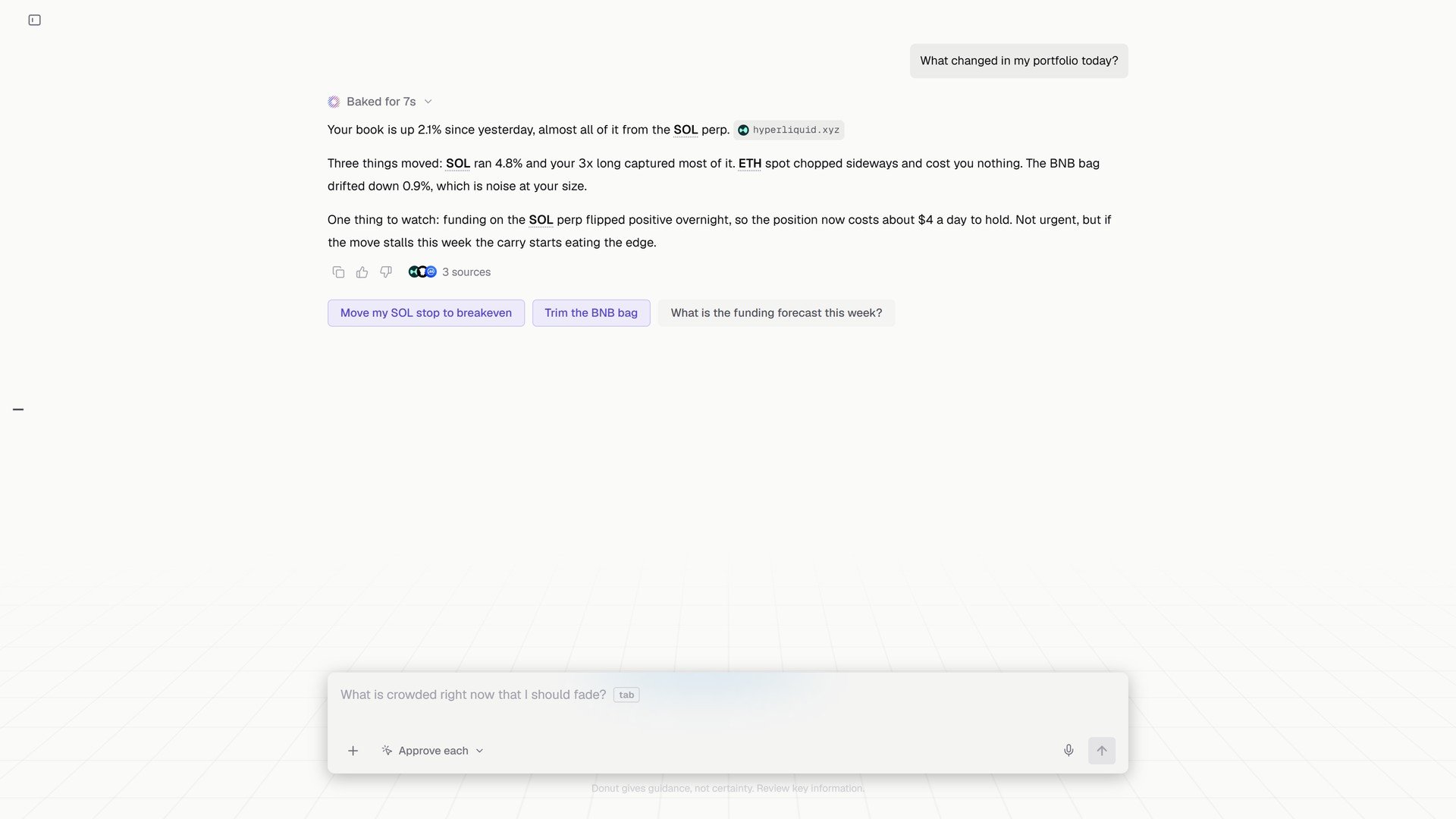 对话建出的自动化在你给它行动路径之前**只做提醒**。要让 D0 按规则交易,从[策略库](/zh/strategies/strategy-library)运行一个策略(必须设日亏损上限),或为自动执行设置明确的边界。见[自动交易](/zh/features/automated-trading)。
## 价格提醒
简单的阈值提醒(*Alert me when SOL goes above \$150*)是最轻量的自动化。它们出现在同一个模块里,触发时推到对话、Inbox,以及已连接的 Telegram。见[价格提醒](/zh/features/price-alerts)。
## 提示
**从一个可观察的触发和一个有边界的动作开始。** 第一条工作流小到能手工复核。
**读一遍它的复述。** D0 会把设好的每条规则说一遍。哪个数字不是你的意思,在同一个会话里指出来,它会调整。
**改假设前先暂停。** 关掉开关,改,再打开。
## 下一步
* [策略库](/zh/strategies/strategy-library):会下单的自动化
* [价格提醒](/zh/features/price-alerts)
* [定时自动化](/zh/use-cases/scheduled-automation):实例
This documentation is built and hosted on [Mintlify](https://mintlify.com), a developer documentation platform.
对话建出的自动化在你给它行动路径之前**只做提醒**。要让 D0 按规则交易,从[策略库](/zh/strategies/strategy-library)运行一个策略(必须设日亏损上限),或为自动执行设置明确的边界。见[自动交易](/zh/features/automated-trading)。
## 价格提醒
简单的阈值提醒(*Alert me when SOL goes above \$150*)是最轻量的自动化。它们出现在同一个模块里,触发时推到对话、Inbox,以及已连接的 Telegram。见[价格提醒](/zh/features/price-alerts)。
## 提示
**从一个可观察的触发和一个有边界的动作开始。** 第一条工作流小到能手工复核。
**读一遍它的复述。** D0 会把设好的每条规则说一遍。哪个数字不是你的意思,在同一个会话里指出来,它会调整。
**改假设前先暂停。** 关掉开关,改,再打开。
## 下一步
* [策略库](/zh/strategies/strategy-library):会下单的自动化
* [价格提醒](/zh/features/price-alerts)
* [定时自动化](/zh/use-cases/scheduled-automation):实例
This documentation is built and hosted on [Mintlify](https://mintlify.com), a developer documentation platform.