> ## Documentation Index
> Fetch the complete documentation index at: https://docs-d0.donutbrowser.ai/llms.txt
> Use this file to discover all available pages before exploring further.
# Portfolio Overview
> Everything you hold across every venue, your performance, and the buttons that move funds.
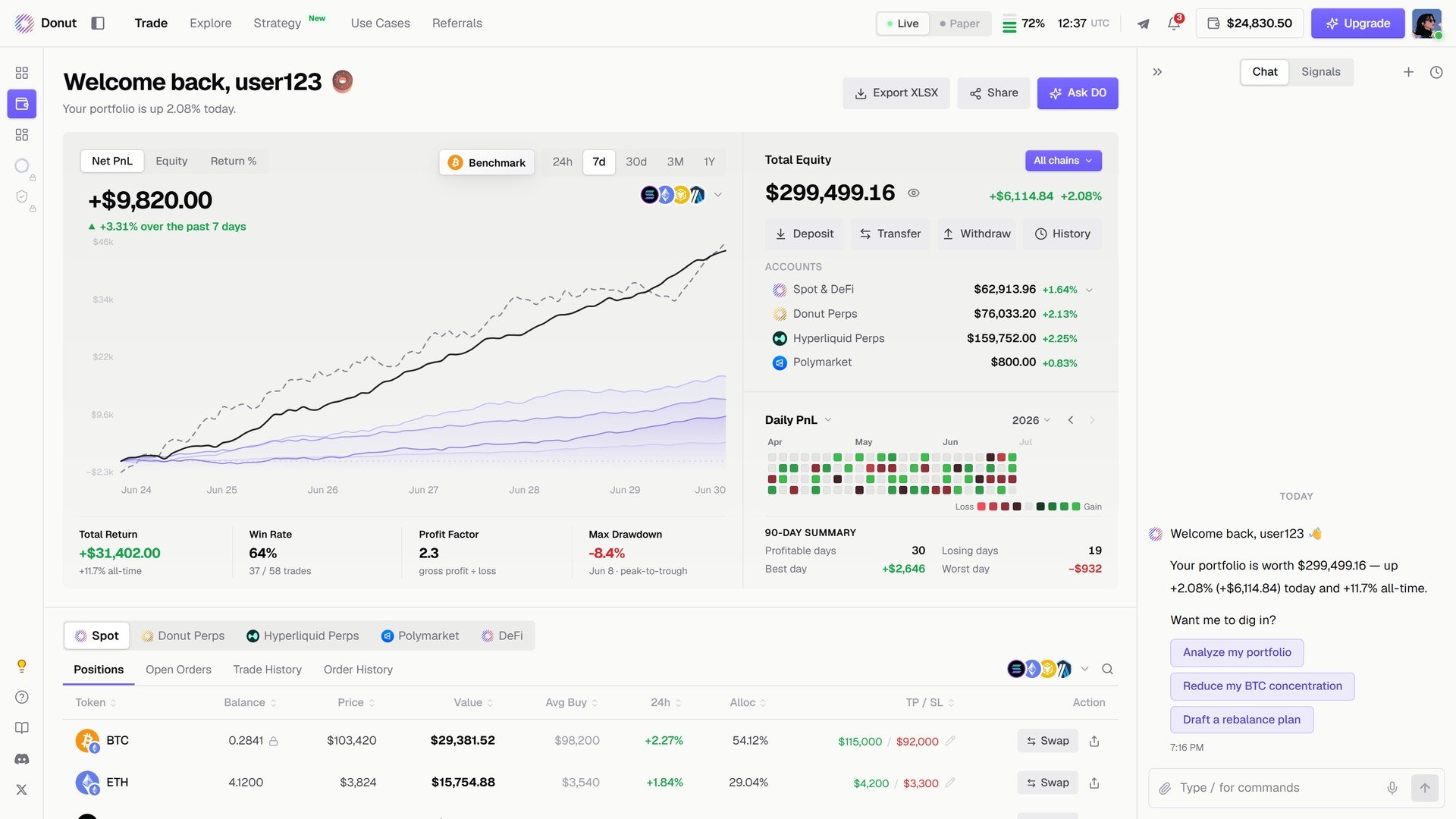
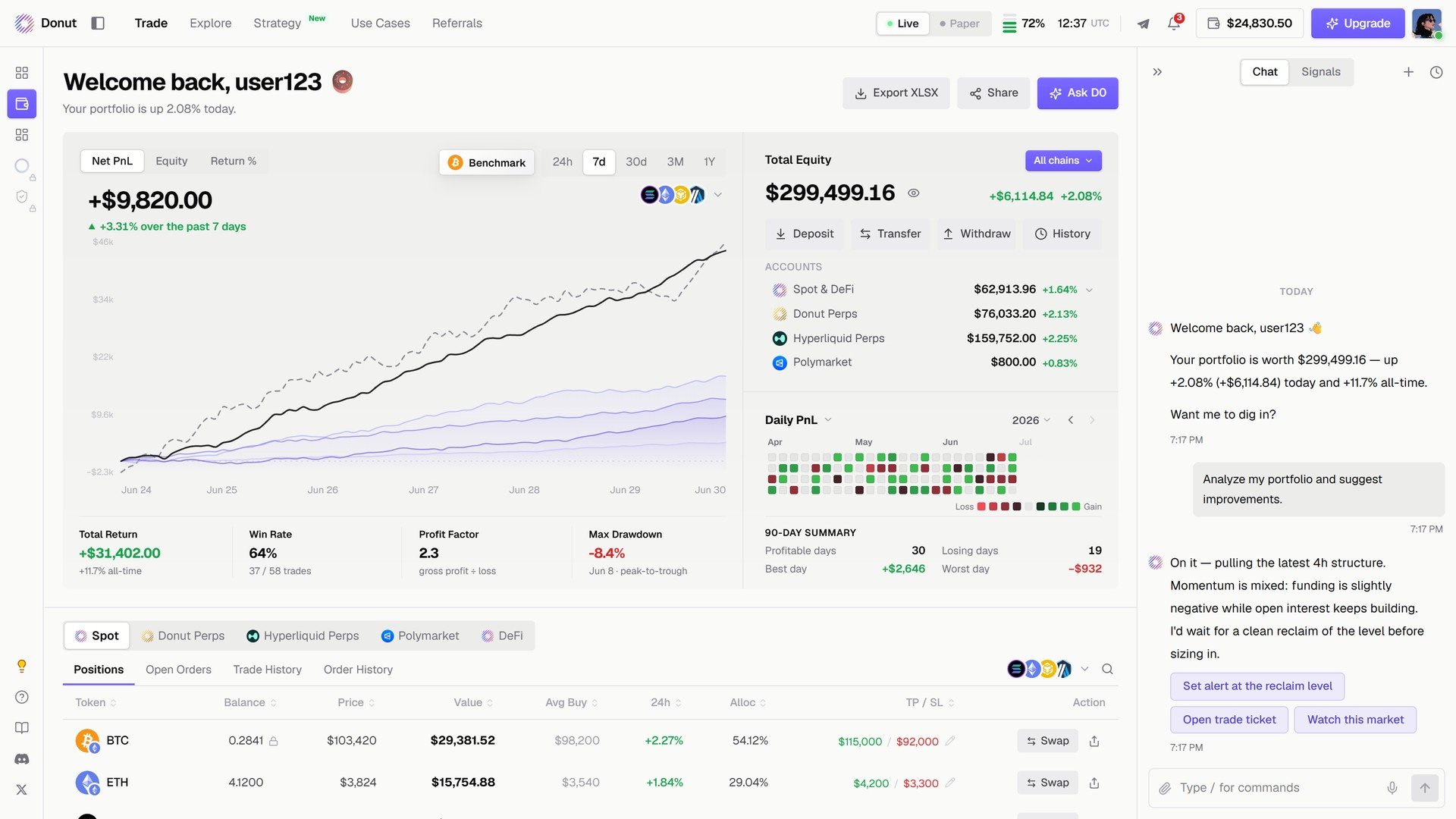
**Portfolio** is the second item in the left rail. The page opens with your equity curve, four performance cards, the accounts panel, and the positions table across every venue.
 ## Header
**Welcome back** with your name, and three buttons: **Export XLSX** downloads a workbook of your performance, positions, and transactions; **Share** makes a card; **Ask D0** reviews the book in chat.
## Performance
The chart switches between **Net PnL**, **Equity**, and **Return %**, with a **Benchmark** overlay and **24h / 7d / 30d / 3M / 1Y** windows. Four cards underneath:
| Card | What it means |
| - | - |
| **Total Return** | Total return across all accounts, with the all-time figure |
| **Win Rate** | Winning trades over total trades |
| **Profit Factor** | Gross profit divided by gross loss |
| **Max Drawdown** | Largest peak-to-trough drop in the period |
On the right: **Daily PnL**, a calendar colored by gain and loss, and the **90-day summary** (profitable days, losing days, best day, worst day).
## Accounts
**Total Equity** across all chains, with **All chains** as a filter, and the venues underneath: **Spot & DeFi**, **Donut Perps**, **Hyperliquid Perps**, **Polymarket**, each with its value and 24h change. Four actions above them: **Deposit**, **Transfer**, **Withdraw**, **History**.
## Header
**Welcome back** with your name, and three buttons: **Export XLSX** downloads a workbook of your performance, positions, and transactions; **Share** makes a card; **Ask D0** reviews the book in chat.
## Performance
The chart switches between **Net PnL**, **Equity**, and **Return %**, with a **Benchmark** overlay and **24h / 7d / 30d / 3M / 1Y** windows. Four cards underneath:
| Card | What it means |
| - | - |
| **Total Return** | Total return across all accounts, with the all-time figure |
| **Win Rate** | Winning trades over total trades |
| **Profit Factor** | Gross profit divided by gross loss |
| **Max Drawdown** | Largest peak-to-trough drop in the period |
On the right: **Daily PnL**, a calendar colored by gain and loss, and the **90-day summary** (profitable days, losing days, best day, worst day).
## Accounts
**Total Equity** across all chains, with **All chains** as a filter, and the venues underneath: **Spot & DeFi**, **Donut Perps**, **Hyperliquid Perps**, **Polymarket**, each with its value and 24h change. Four actions above them: **Deposit**, **Transfer**, **Withdraw**, **History**.
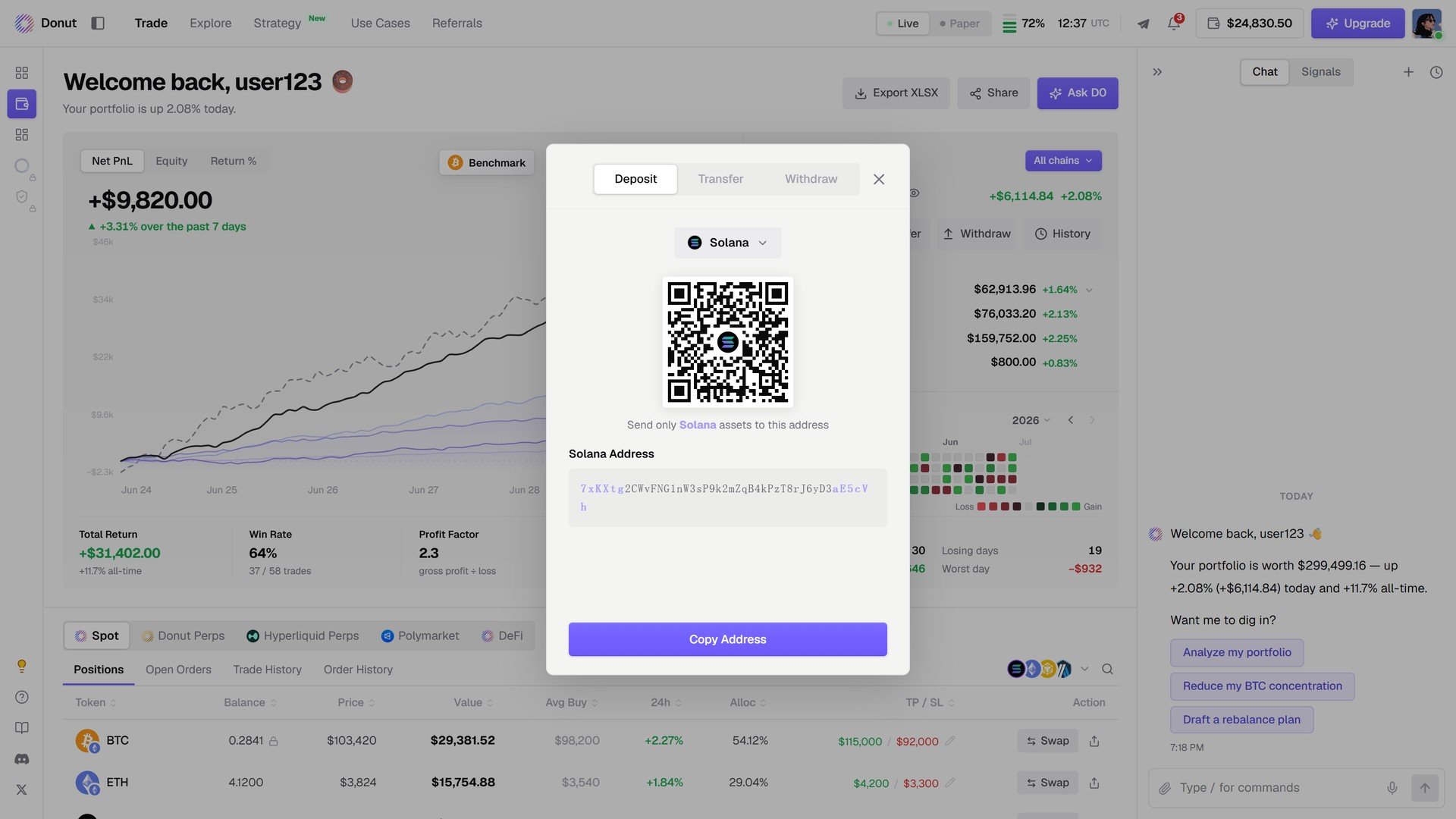
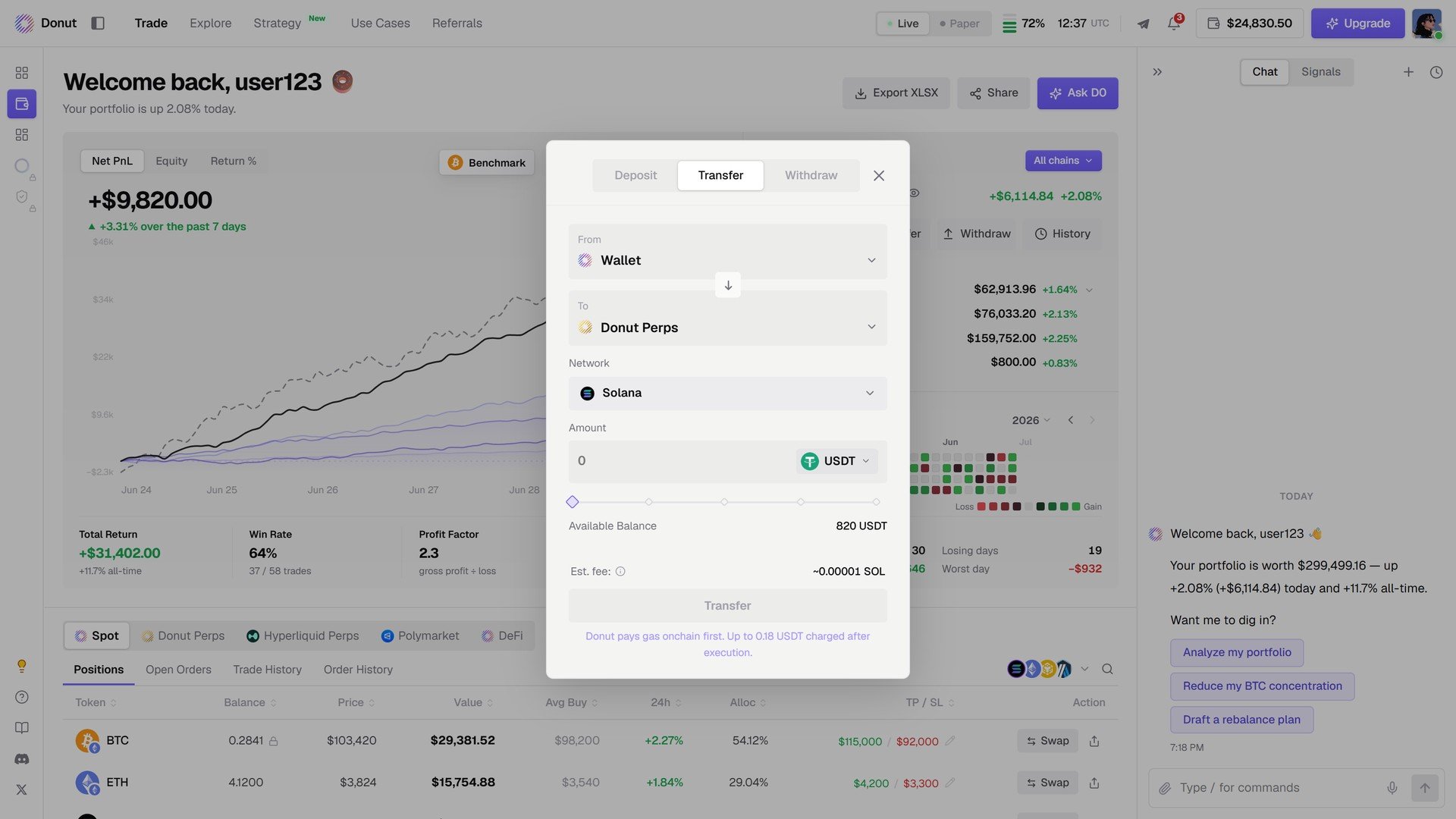
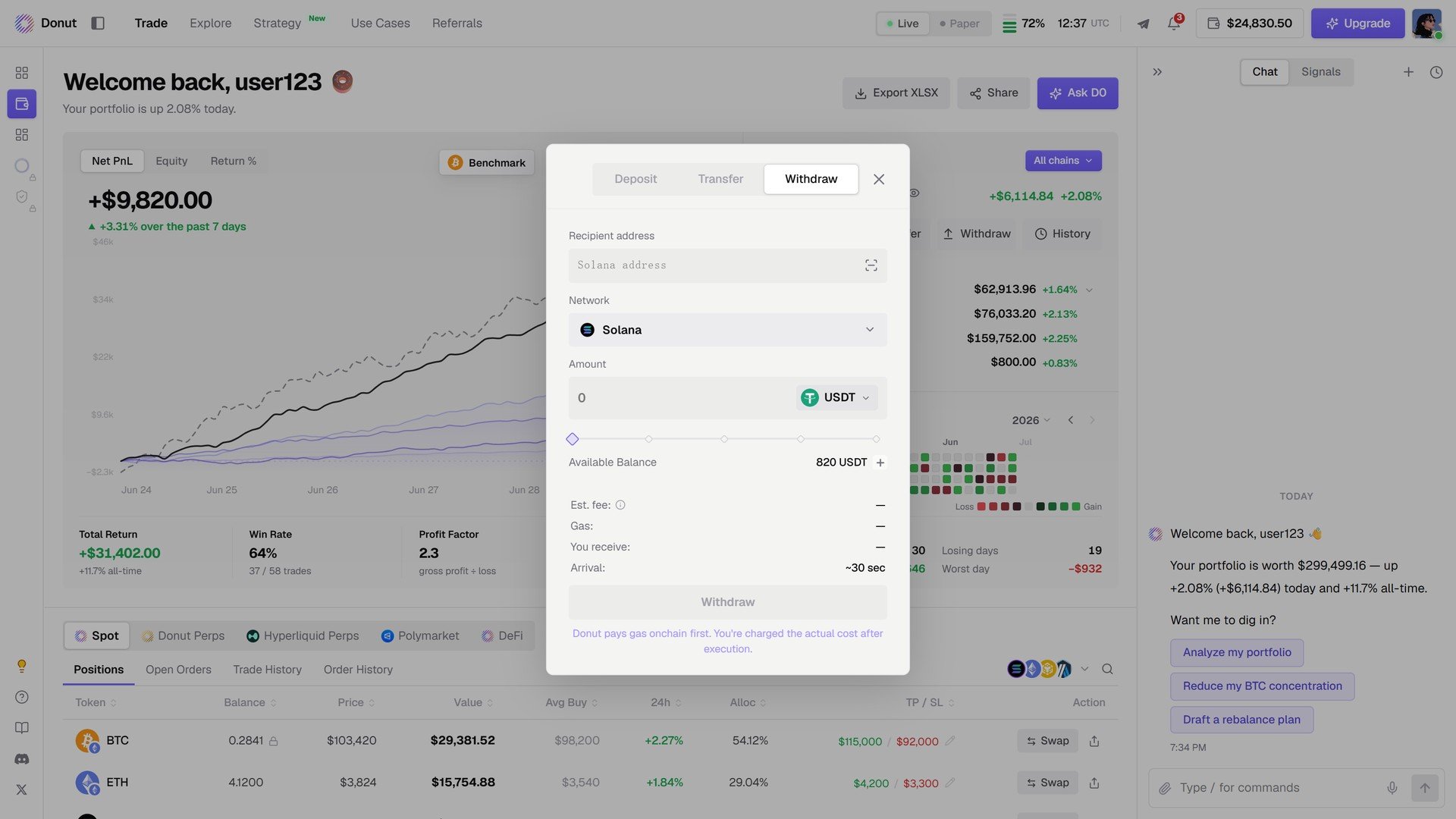
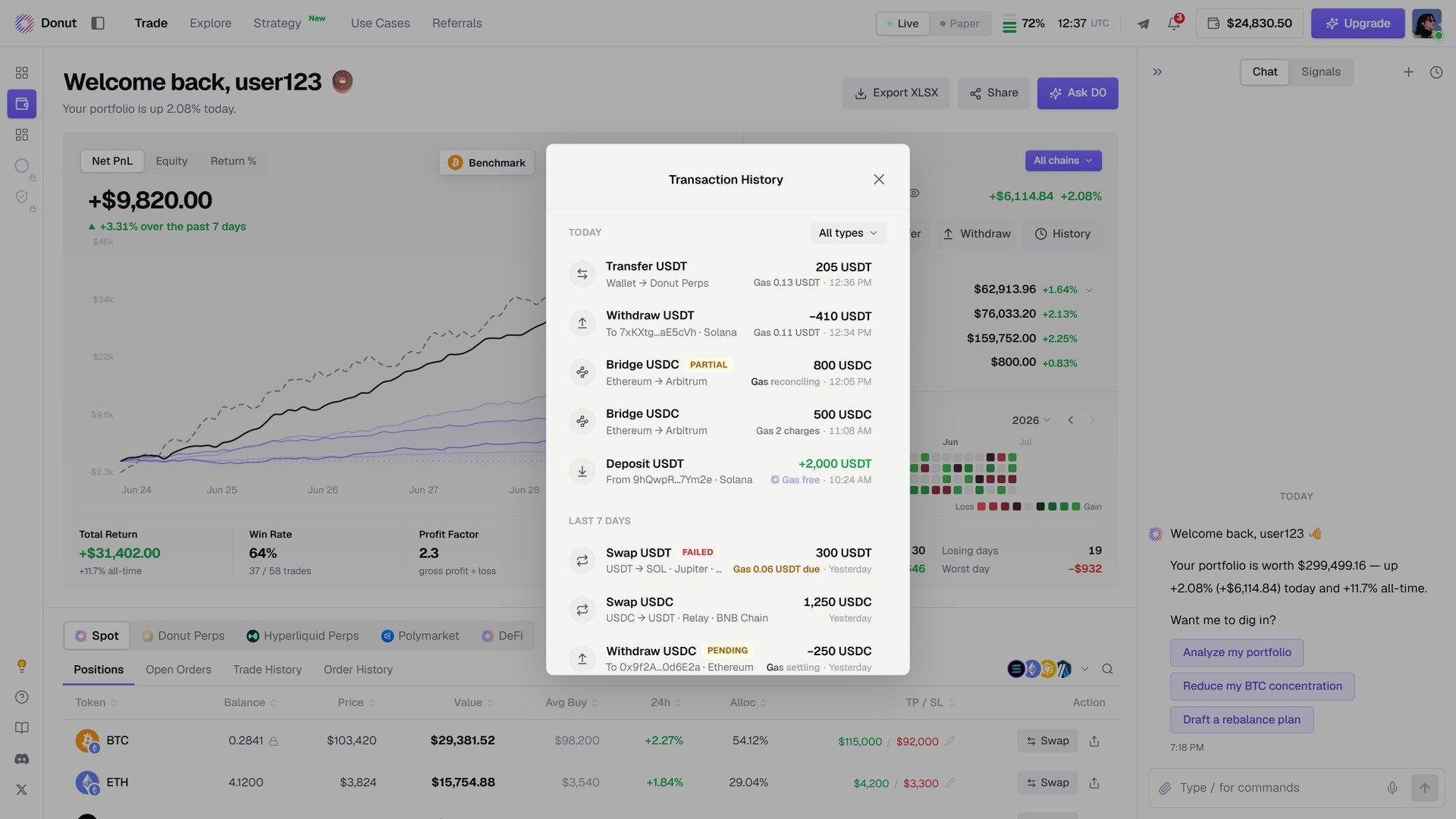 Transfers between your own accounts go through without a confirmation step. Withdrawals to an external address always confirm the chain, token, address, and amount. See [Accounts & Fund Isolation](/reference/accounts-and-funds).
## Positions by venue
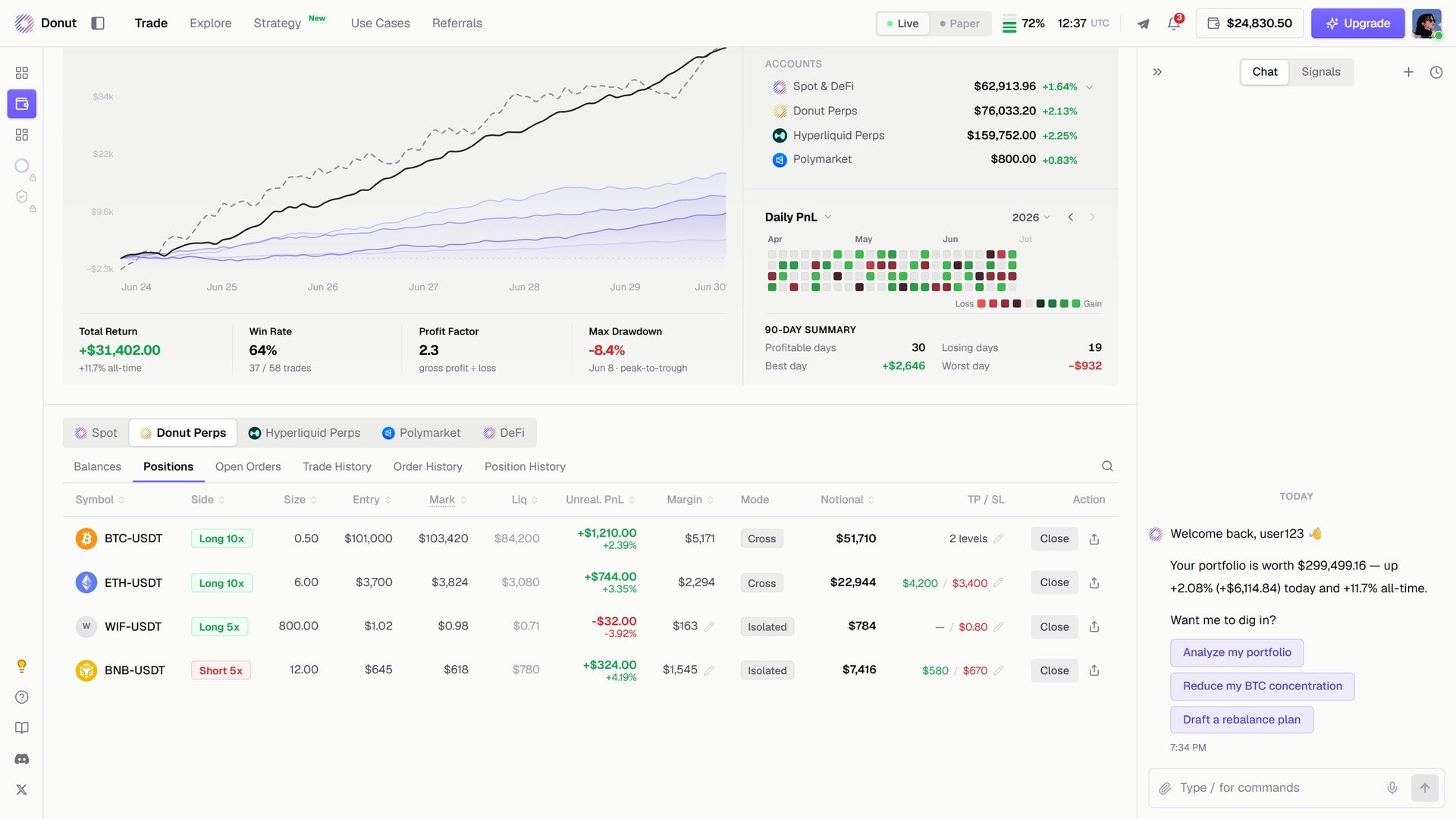
At the bottom: **Spot / Donut Perps / Hyperliquid Perps / Polymarket / DeFi**, each with **Positions**, **Open Orders**, **Trade History**, **Order History**. The same table as the Trade view. See [The Trade Panel](/trade/trade-panel).
Transfers between your own accounts go through without a confirmation step. Withdrawals to an external address always confirm the chain, token, address, and amount. See [Accounts & Fund Isolation](/reference/accounts-and-funds).
## Positions by venue
At the bottom: **Spot / Donut Perps / Hyperliquid Perps / Polymarket / DeFi**, each with **Positions**, **Open Orders**, **Trade History**, **Order History**. The same table as the Trade view. See [The Trade Panel](/trade/trade-panel).
 ## Ask D0
Click **Ask D0** in the header and D0 reads your holdings, open positions, and risk, then offers the next step: **Analyze my portfolio**, **Reduce my BTC concentration**, **Draft a rebalance plan**.
## Ask D0
Click **Ask D0** in the header and D0 reads your holdings, open positions, and risk, then offers the next step: **Analyze my portfolio**, **Reduce my BTC concentration**, **Draft a rebalance plan**.
 ## Tips
**Ask D0 for a quick risk check.** It reads your live positions and balance and tells you where your exposure is concentrated and what to watch.
**Export XLSX after any period you want to review.** One workbook holds performance, positions, and transactions.
## What's next
* [Run a Strategy: Position Management](/strategies/position-management)
* [Portfolio Monitor](/use-cases/portfolio-monitor): a worked daily routine
This documentation is built and hosted on [Mintlify](https://mintlify.com), a developer documentation platform.
## Tips
**Ask D0 for a quick risk check.** It reads your live positions and balance and tells you where your exposure is concentrated and what to watch.
**Export XLSX after any period you want to review.** One workbook holds performance, positions, and transactions.
## What's next
* [Run a Strategy: Position Management](/strategies/position-management)
* [Portfolio Monitor](/use-cases/portfolio-monitor): a worked daily routine
This documentation is built and hosted on [Mintlify](https://mintlify.com), a developer documentation platform.