> ## Documentation Index
> Fetch the complete documentation index at: https://docs-d0.donutbrowser.ai/llms.txt
> Use this file to discover all available pages before exploring further.
# D0 on iPhone
> The same agent and the same Main Chat you use on the web, in your pocket. Five places to be, and the agent sits in the middle of them.
The iPhone app is in **TestFlight preview**. Screens below come from the preview build with a demo account, so the numbers are illustrative. Layout and names match the build; details may still move before release.
## Sign in
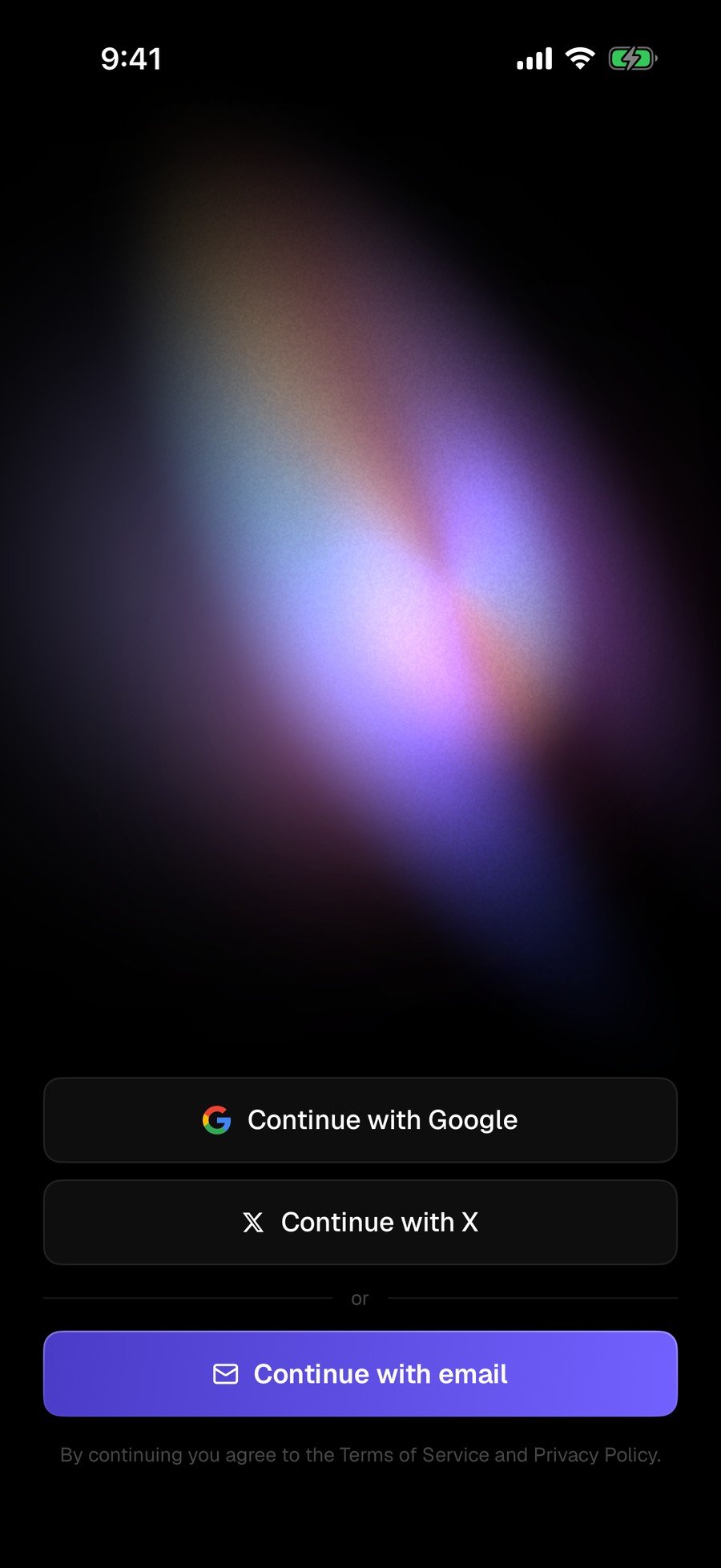
Continue with Google, X, or email. No wallet setup ritual, nothing to write down. The same login carries your chat history over from the web.
 ## Five places to be
One tab bar across the bottom: **Home**, **Search**, **Chat** (the Donut mark in the middle), **Signals**, and **Portfolio**. **Activity** lives beside Signals as a second tab.
### Home
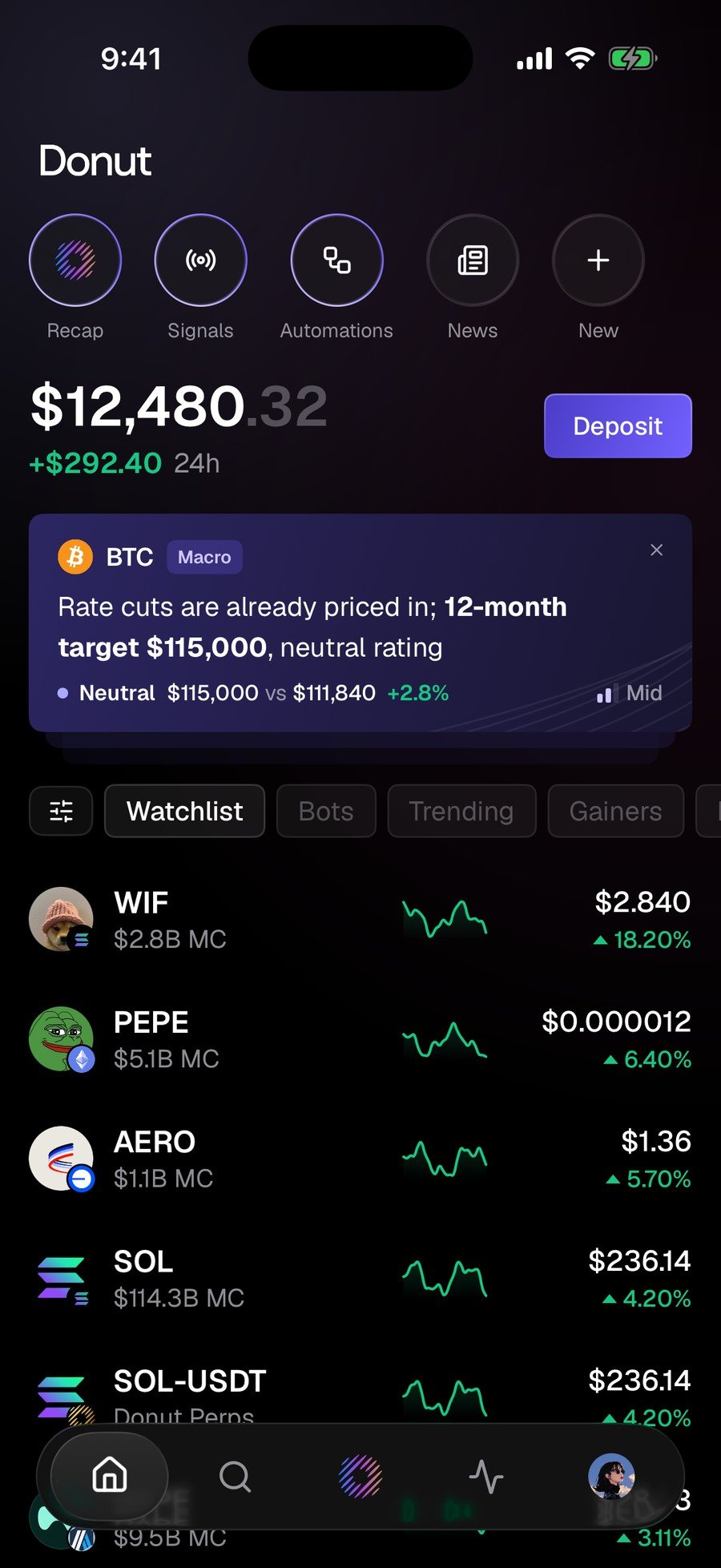
Five shortcuts across the top (**Recap**, **Signals**, **Automations**, **News**, **New**), your balance underneath, and your watchlist below. Tap a headline in **News** and it arrives in the chat composer already framed as a question: *What does this mean for my portfolio?*
## Five places to be
One tab bar across the bottom: **Home**, **Search**, **Chat** (the Donut mark in the middle), **Signals**, and **Portfolio**. **Activity** lives beside Signals as a second tab.
### Home
Five shortcuts across the top (**Recap**, **Signals**, **Automations**, **News**, **New**), your balance underneath, and your watchlist below. Tap a headline in **News** and it arrives in the chat composer already framed as a question: *What does this mean for my portfolio?*
 ### Signals and Activity
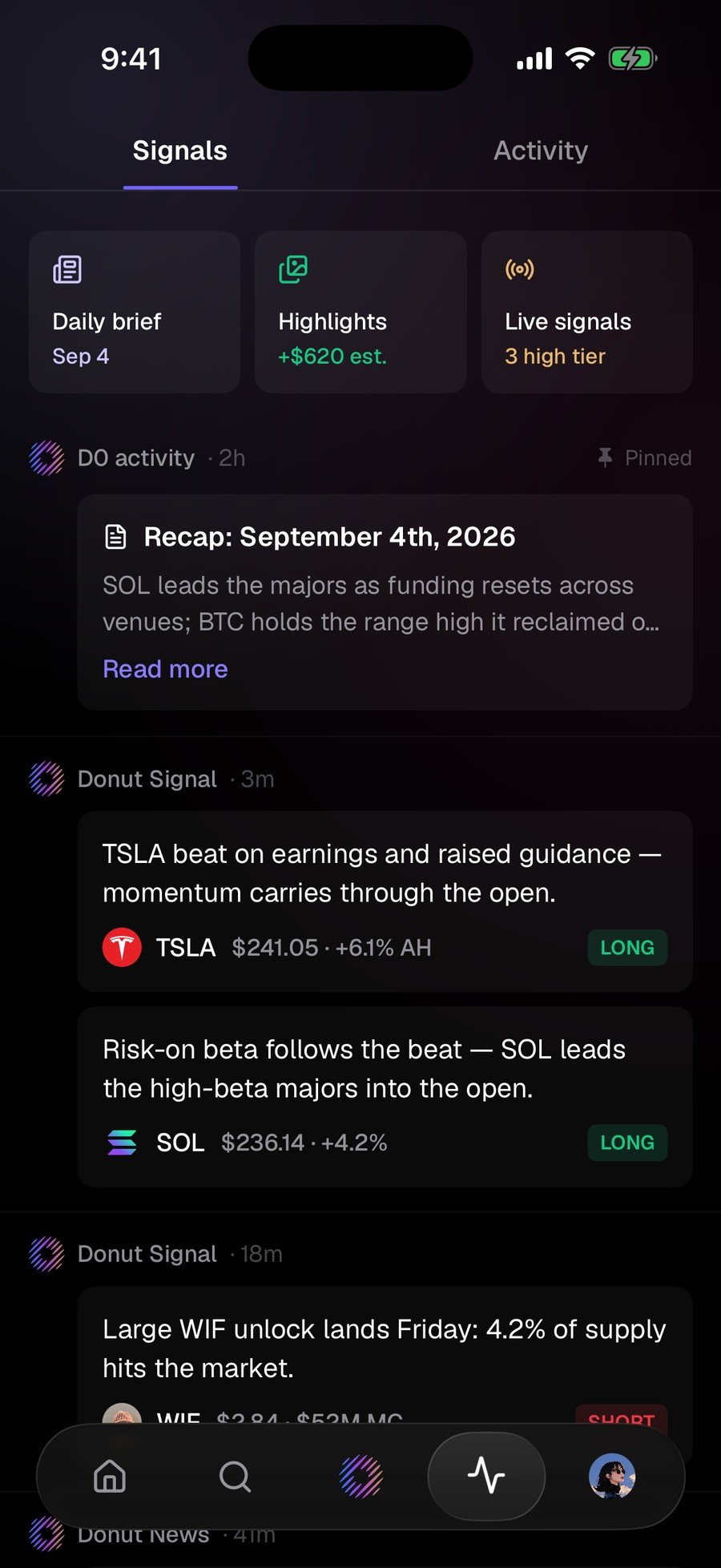
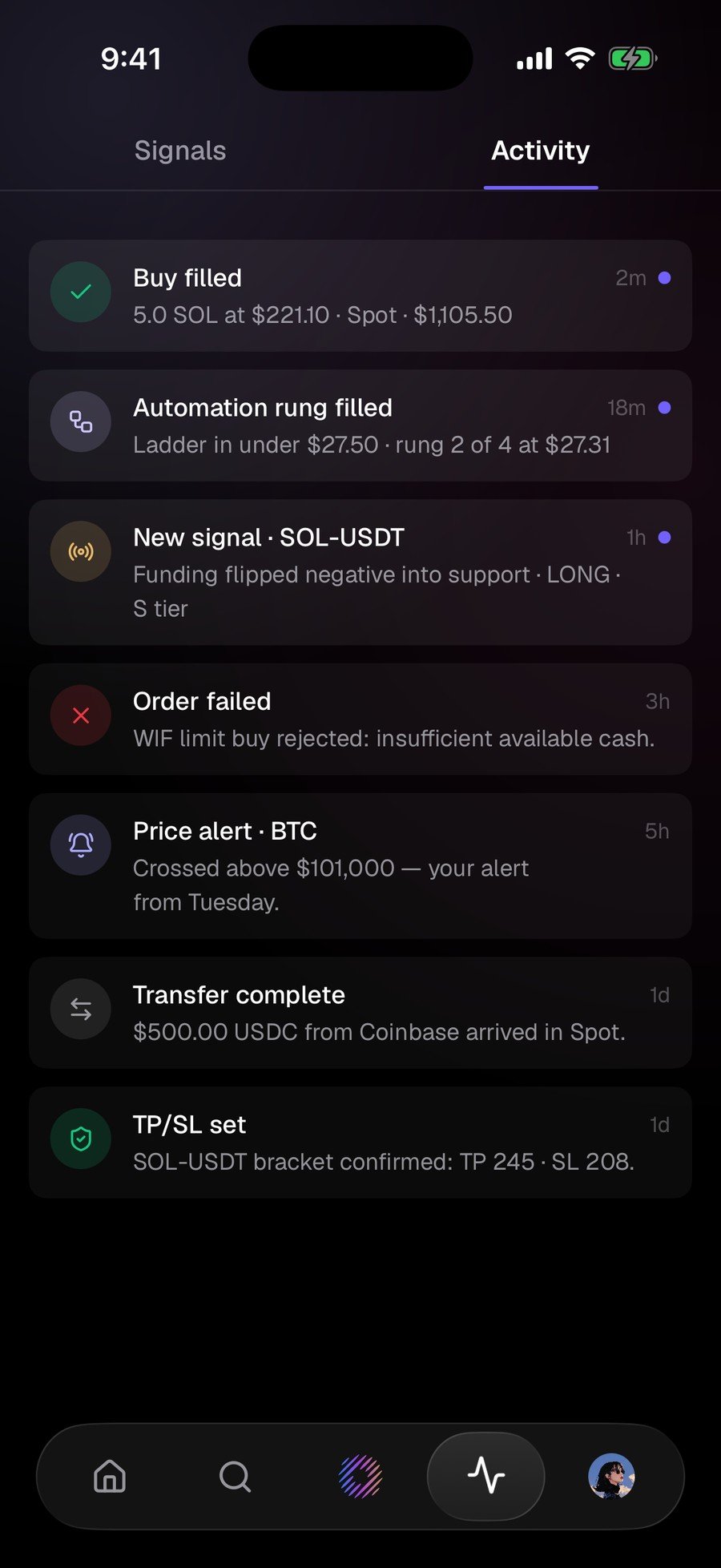
**Signals** is what the market is doing: a daily brief at the top, then signal cards, each with a direction. **Activity** is what D0 is doing: every fill, alert, failed order, and transfer, timestamped. Failures are logged in the same list as fills.
### Chat
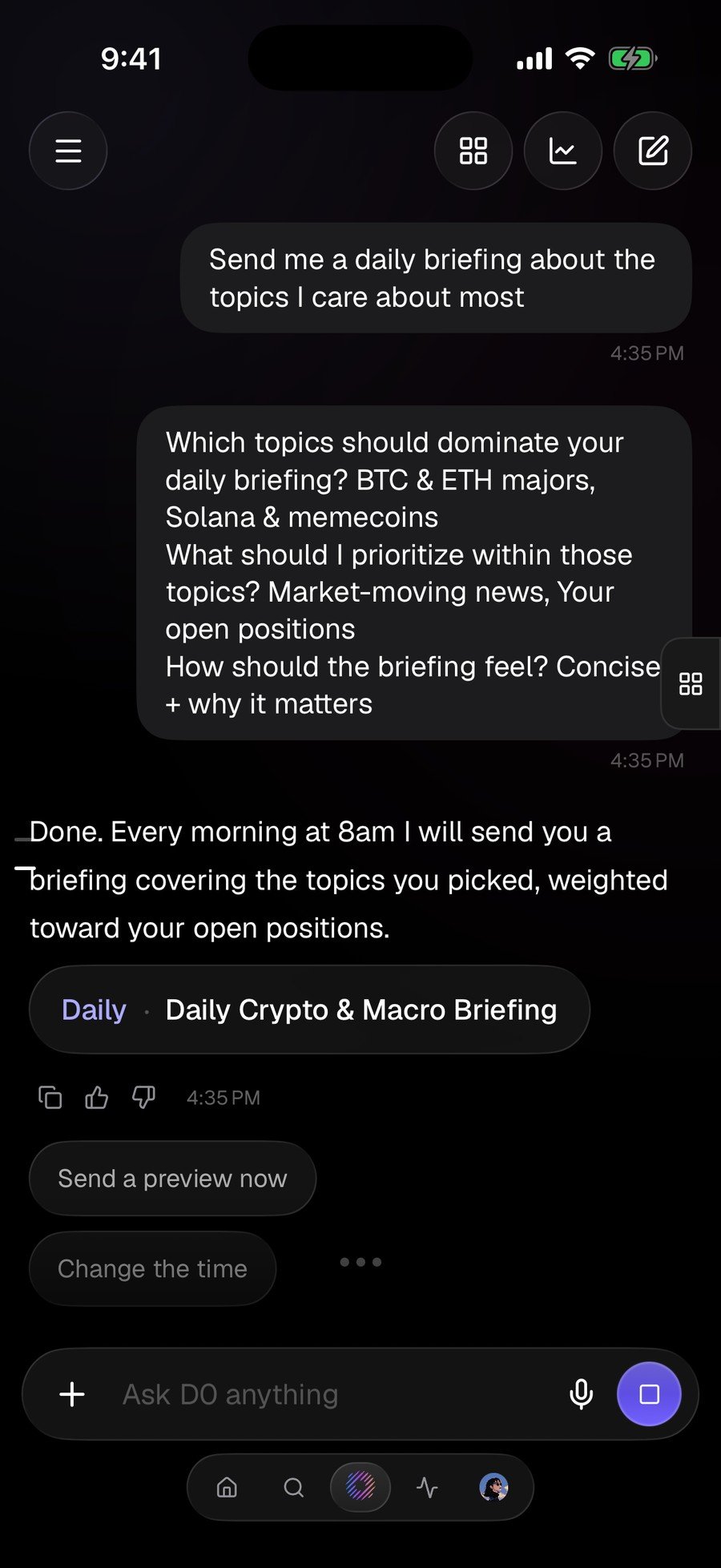
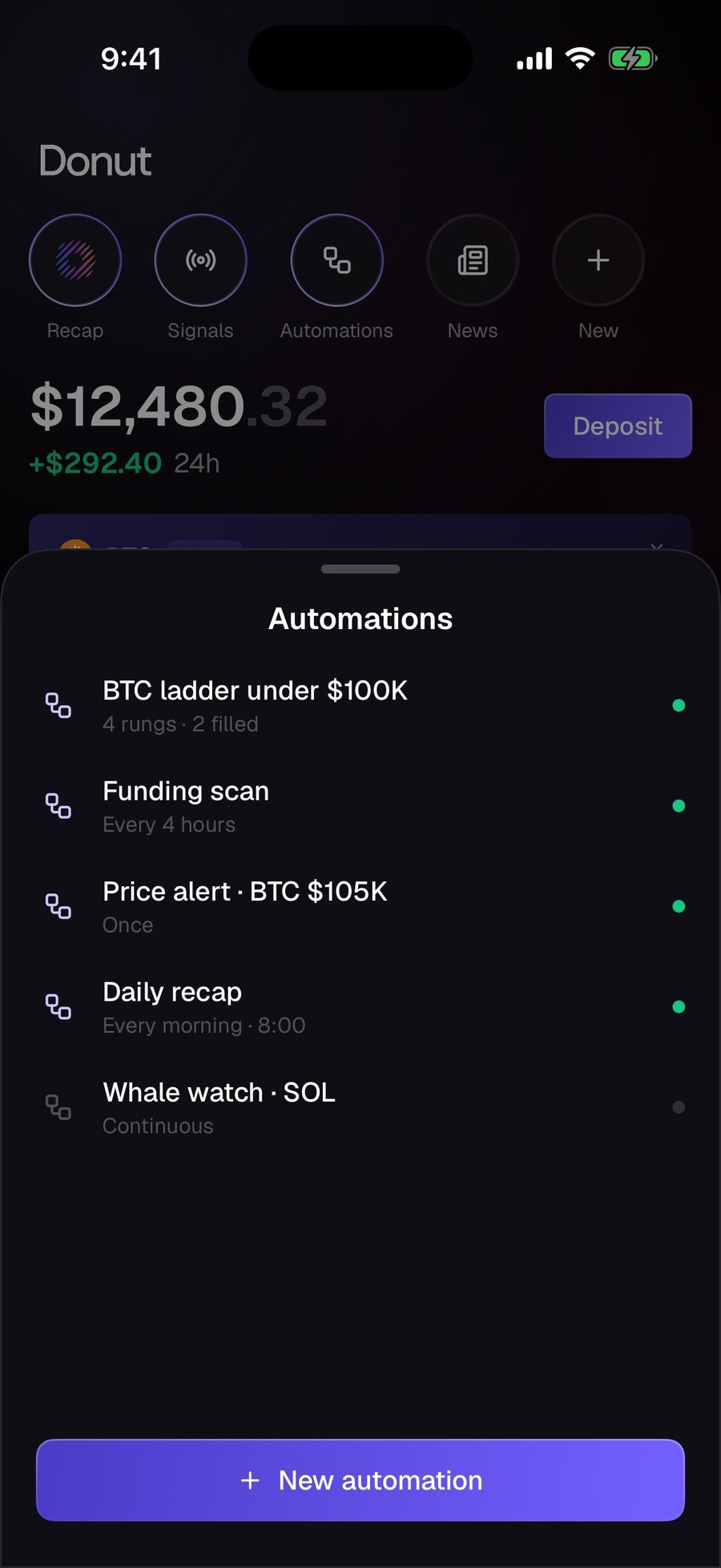
Describe what you want in plain English. For an automation, D0 asks what it needs (topics, priorities, how the briefing should read), then states the rule back: cadence, scope, delivery. Every automation then shows its schedule and state on one sheet.
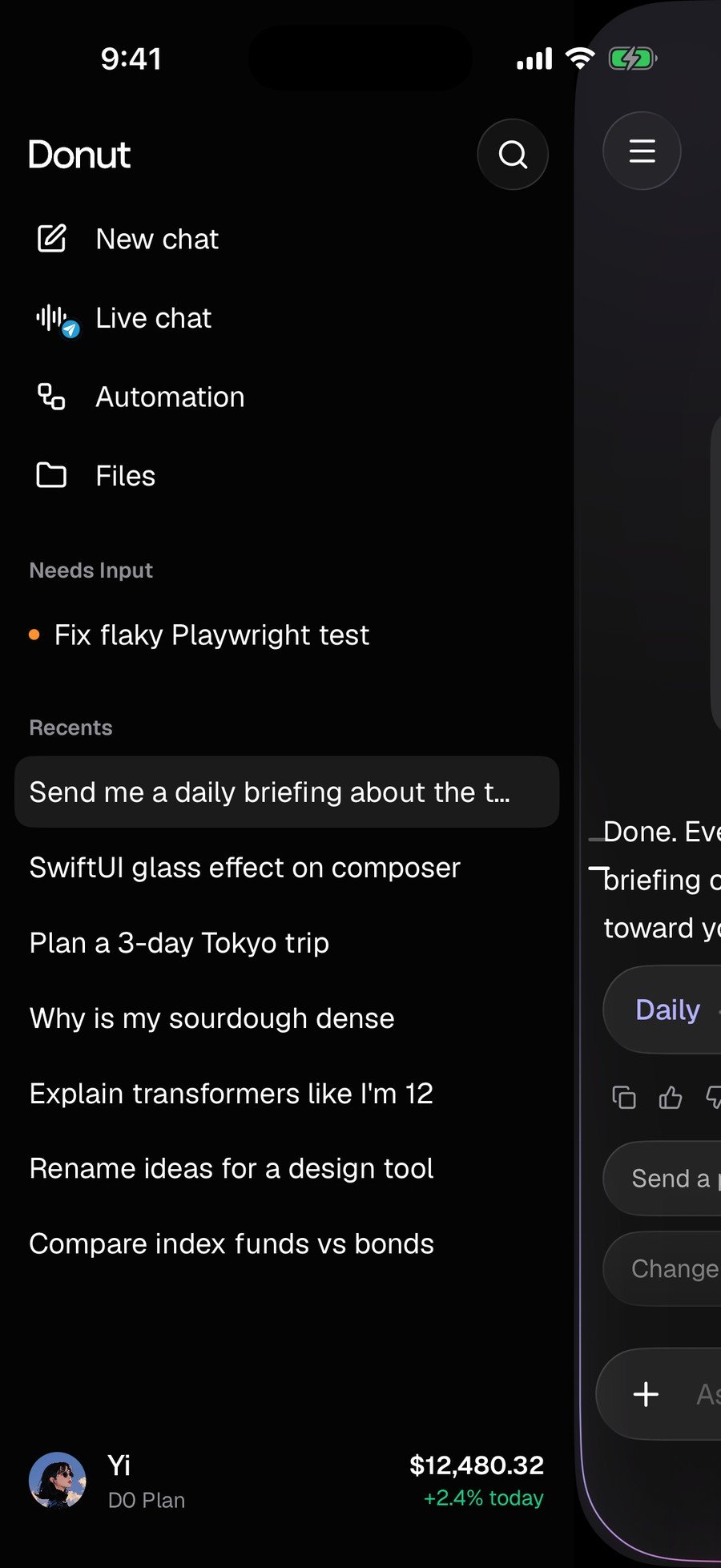
The drawer inside Chat holds **New chat**, **Live chat**, **Automation**, **Files**, and your recent threads.
### Signals and Activity
**Signals** is what the market is doing: a daily brief at the top, then signal cards, each with a direction. **Activity** is what D0 is doing: every fill, alert, failed order, and transfer, timestamped. Failures are logged in the same list as fills.
### Chat
Describe what you want in plain English. For an automation, D0 asks what it needs (topics, priorities, how the briefing should read), then states the rule back: cadence, scope, delivery. Every automation then shows its schedule and state on one sheet.
The drawer inside Chat holds **New chat**, **Live chat**, **Automation**, **Files**, and your recent threads.
 ### Recap
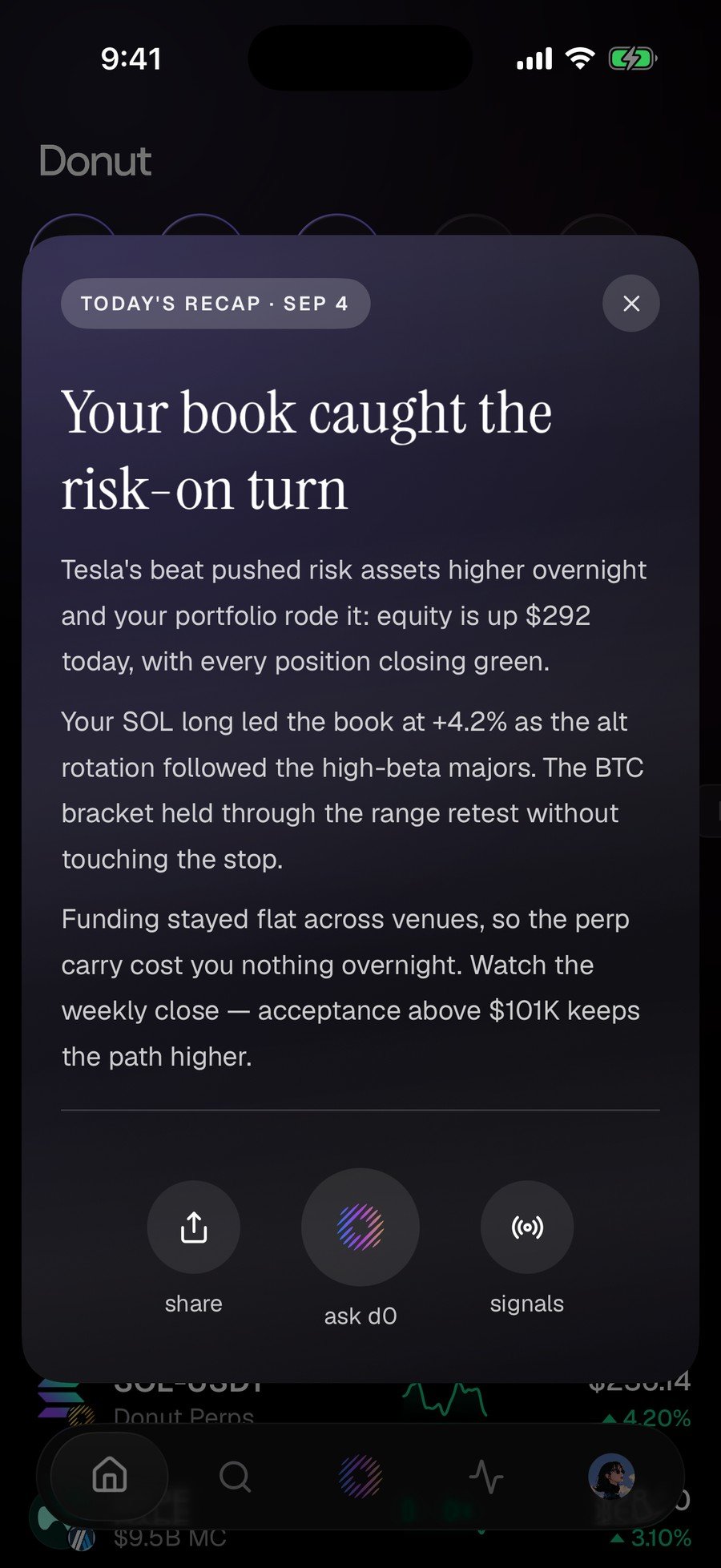
**Today's recap** says what moved your book, what drove it, and what to watch next, with **share**, **ask d0**, and **signals** at the bottom.
### Recap
**Today's recap** says what moved your book, what drove it, and what to watch next, with **share**, **ask d0**, and **signals** at the bottom.
 ### Portfolio
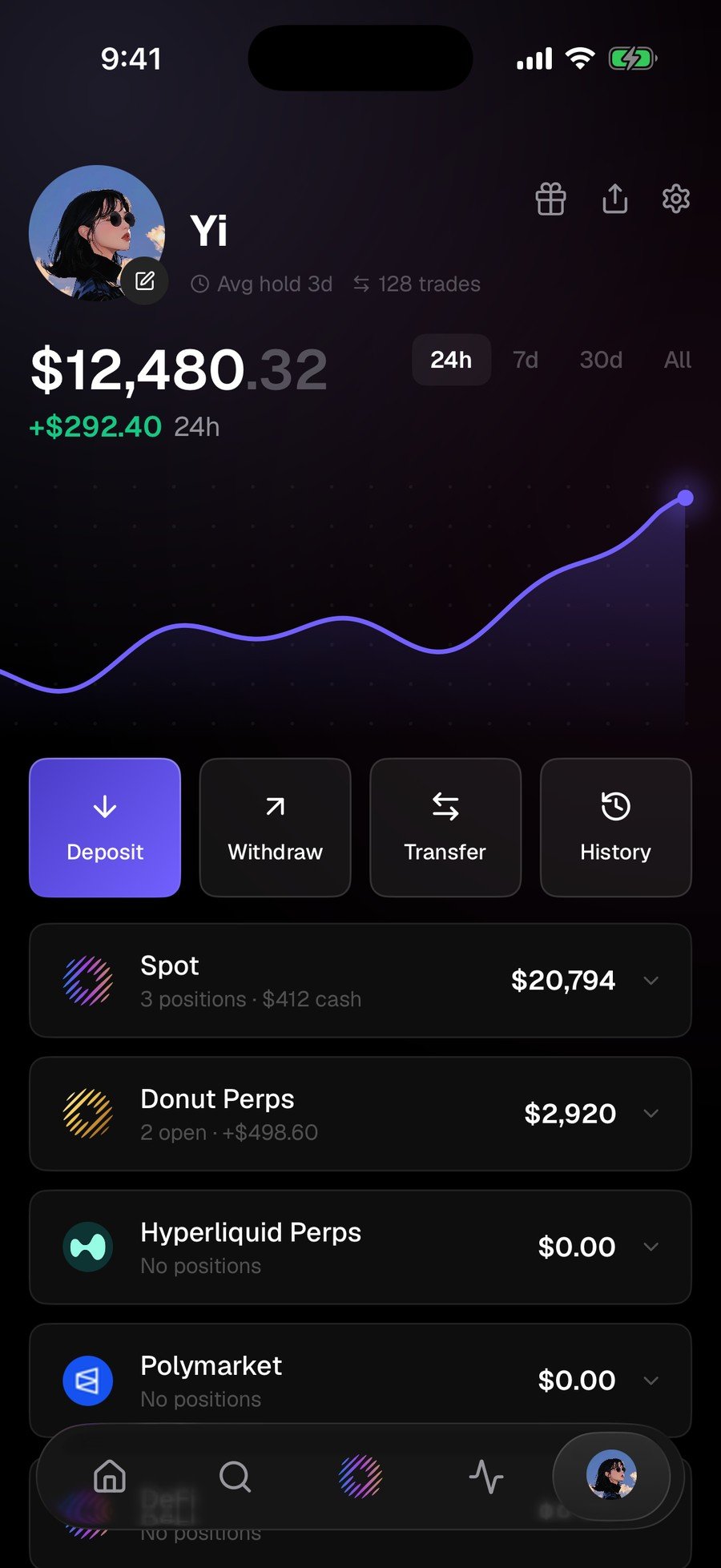
Spot & DeFi, Donut Perps, Hyperliquid Perps, and Polymarket, totalled in one place, with **Deposit / Withdraw / Transfer / History** above the accounts and a **24h / 7d / 30d / All** range switch.
### Portfolio
Spot & DeFi, Donut Perps, Hyperliquid Perps, and Polymarket, totalled in one place, with **Deposit / Withdraw / Transfer / History** above the accounts and a **24h / 7d / 30d / All** range switch.
 ## What's next
* [Mobile and Web Are One Account](/mobile/one-account)
* [Your First 10 Minutes](/getting-started/dashboard-tour): the same destinations on the web
This documentation is built and hosted on [Mintlify](https://mintlify.com), a developer documentation platform.
## What's next
* [Mobile and Web Are One Account](/mobile/one-account)
* [Your First 10 Minutes](/getting-started/dashboard-tour): the same destinations on the web
This documentation is built and hosted on [Mintlify](https://mintlify.com), a developer documentation platform.