> ## Documentation Index
> Fetch the complete documentation index at: https://docs-d0.donutbrowser.ai/llms.txt
> Use this file to discover all available pages before exploring further.
# Trading Speed — Fast Where It Counts
> D0 runs two modes depending on what you're doing. For things you do constantly (checking prices, depositing, confirming trades) it moves instantly. For things t
D0 runs two modes depending on what you're doing. For things you do constantly (checking prices, depositing, confirming trades) it moves instantly. For things that require real thinking (research, portfolio analysis, strategy backtesting) it switches to its strongest models and takes the time to do it properly.
You never choose which mode. D0 figures it out based on what you asked for.
## The Fast Lane
These are the actions you do dozens of times a day. D0 handles them without any AI reasoning step so there is zero wait time.
### Quick Menu — 12 actions, one tap
Open the command menu in your D0 Telegram chat and you'll see 12 of the most common actions ready to go. No typing, no waiting.
`/deposit` · `/withdraw` · `/balance` · `/price` · `/buy` · `/sell` · `/positions` · `/orders` · `/pnl` · `/alerts` · `/watchlist` · `/help`
### Instant deposit address
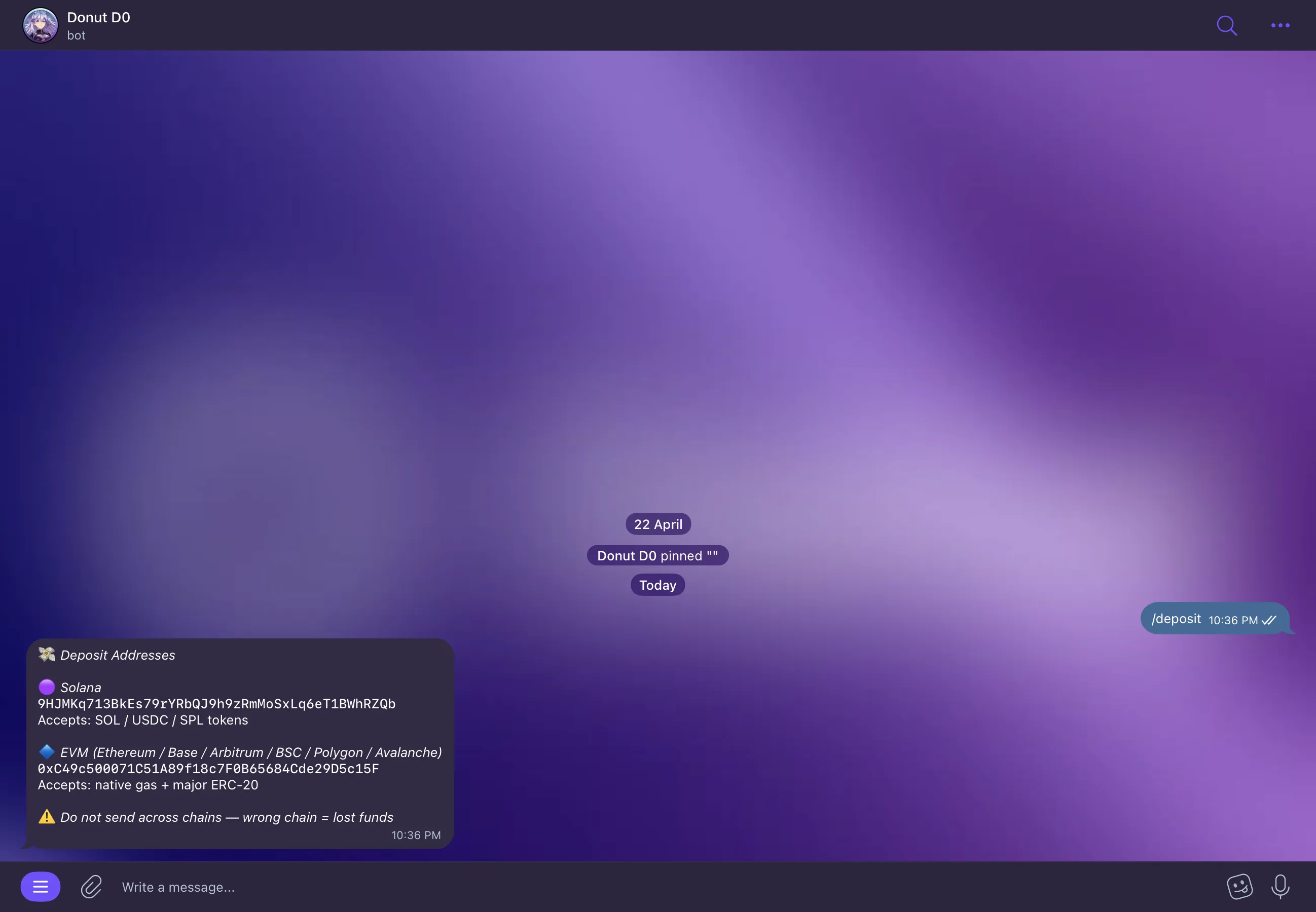
Type [/deposit](https://t.me/donut_d0_agent_bot?text=/deposit) and your wallet address appears immediately. D0 doesn't need to think about this one — deposit addresses are pre-computed. It just returns it.
 ### Direct trade execution
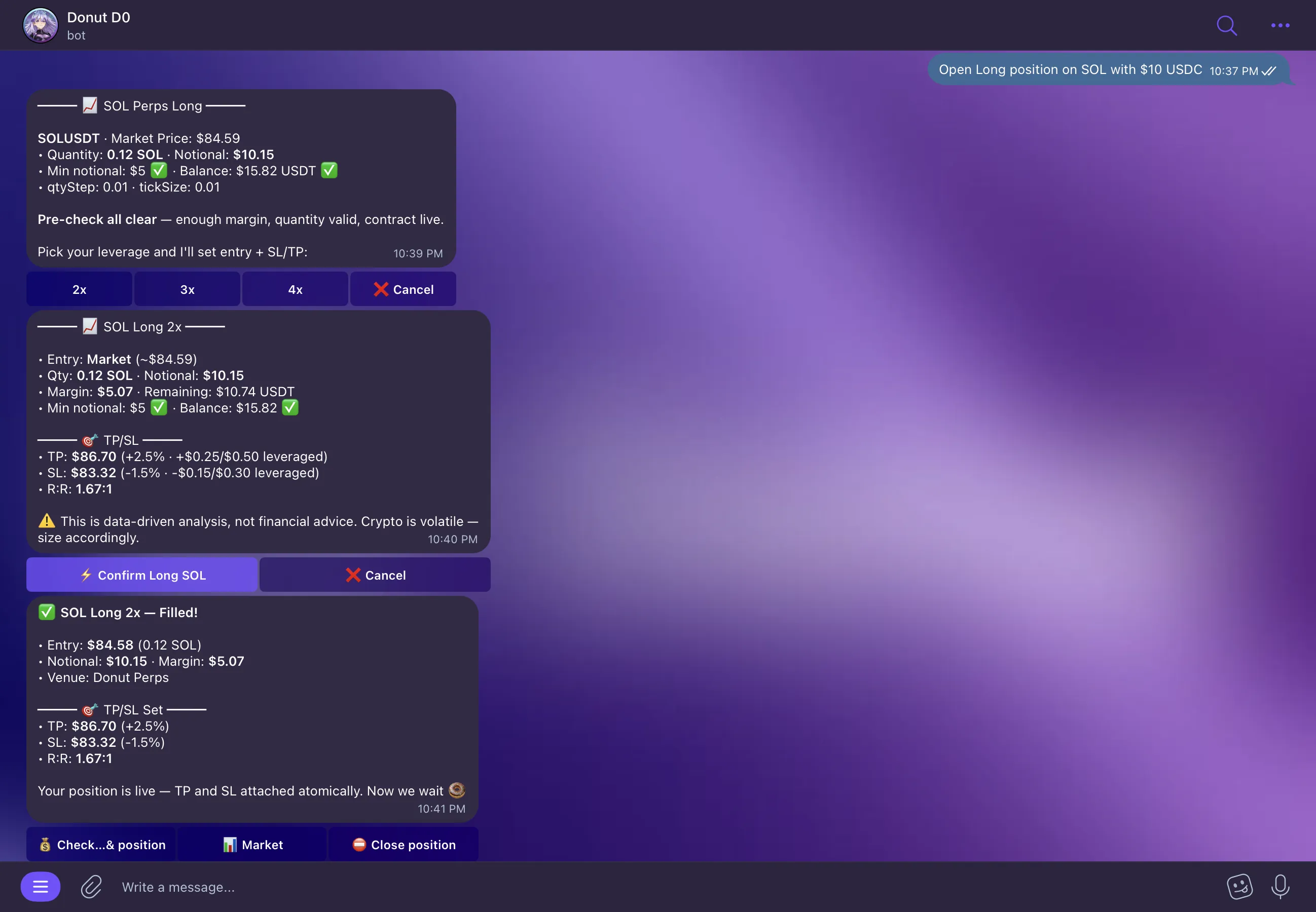
When D0 shows you a trade quote and you hit **Confirm**, it goes straight to execution. No AI step in between. The quote is already generated, the route is already selected — Confirm is just the last human gate before it fires.
> **D0:** "Open Long Position on SOL"
>
> **\[Confirm]** → executes immediately
### Direct trade execution
When D0 shows you a trade quote and you hit **Confirm**, it goes straight to execution. No AI step in between. The quote is already generated, the route is already selected — Confirm is just the last human gate before it fires.
> **D0:** "Open Long Position on SOL"
>
> **\[Confirm]** → executes immediately
 ## Deep Mode
When you need real analysis D0 switches to its strongest models automatically. You don't ask for it — it just happens when the complexity of your request calls for it.
**What triggers Deep Mode:** research reports, multi-asset analysis, strategy backtesting, market regime breakdowns, cross-chain comparisons, anything that starts with "explain why."
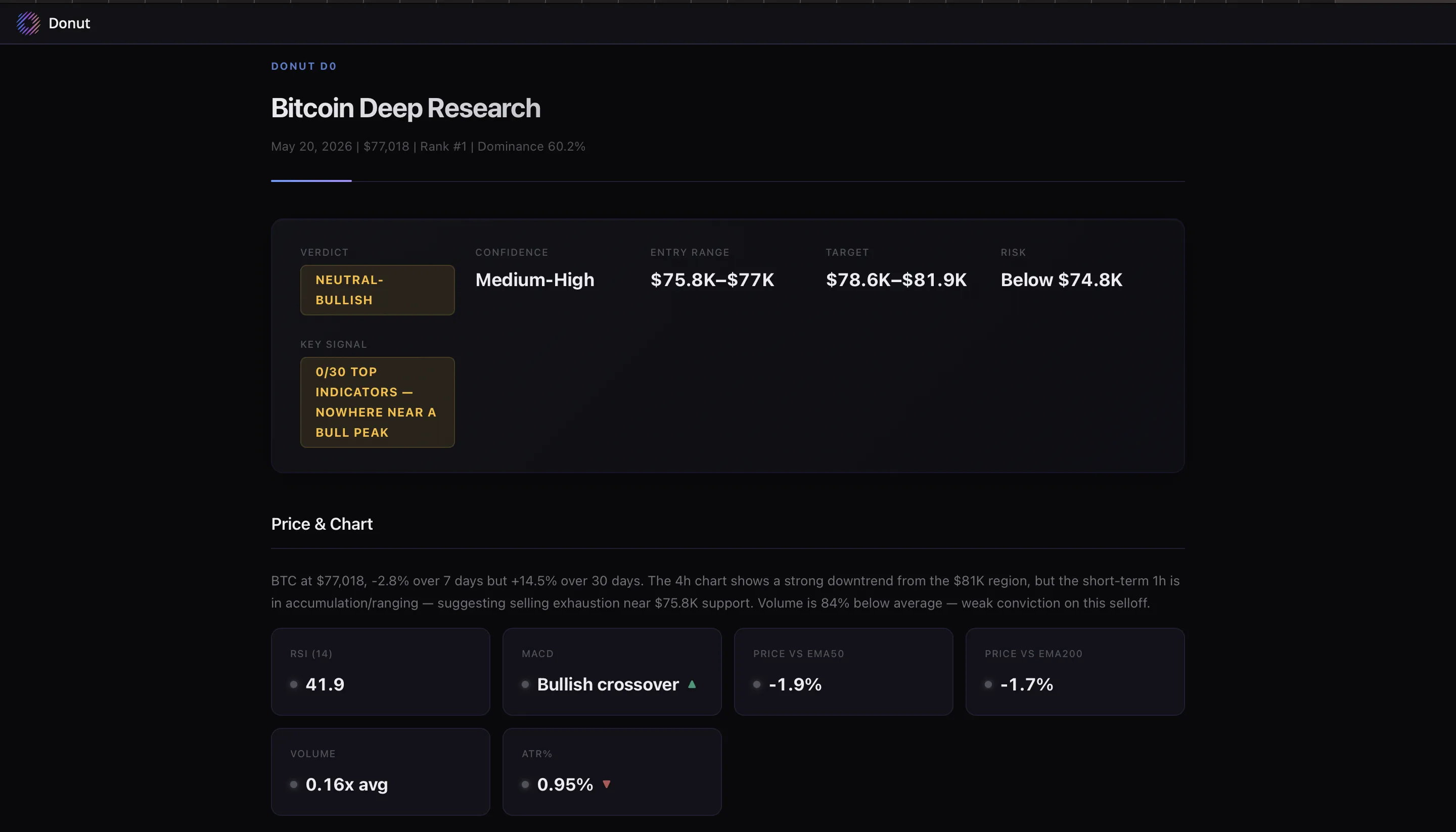
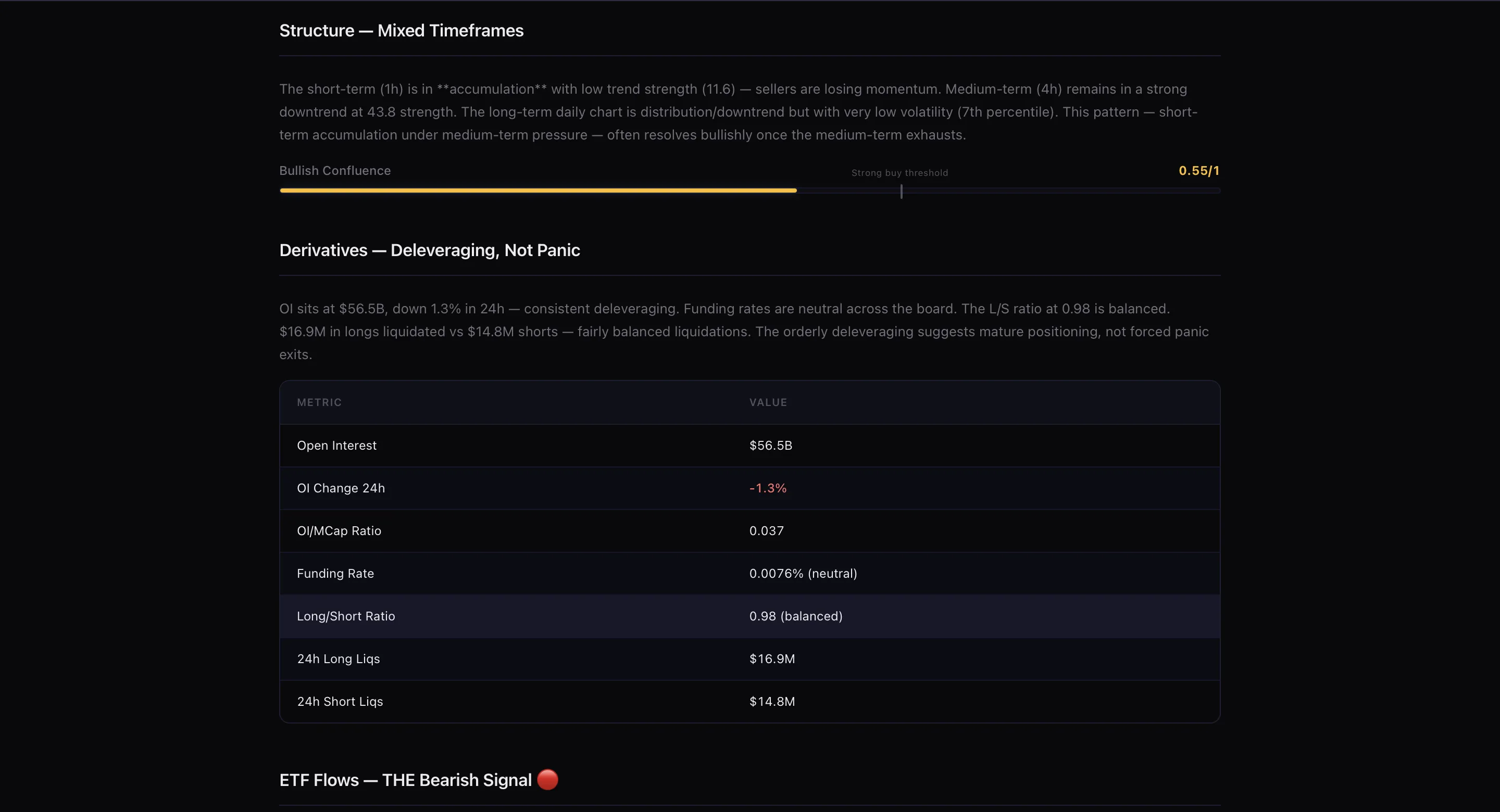
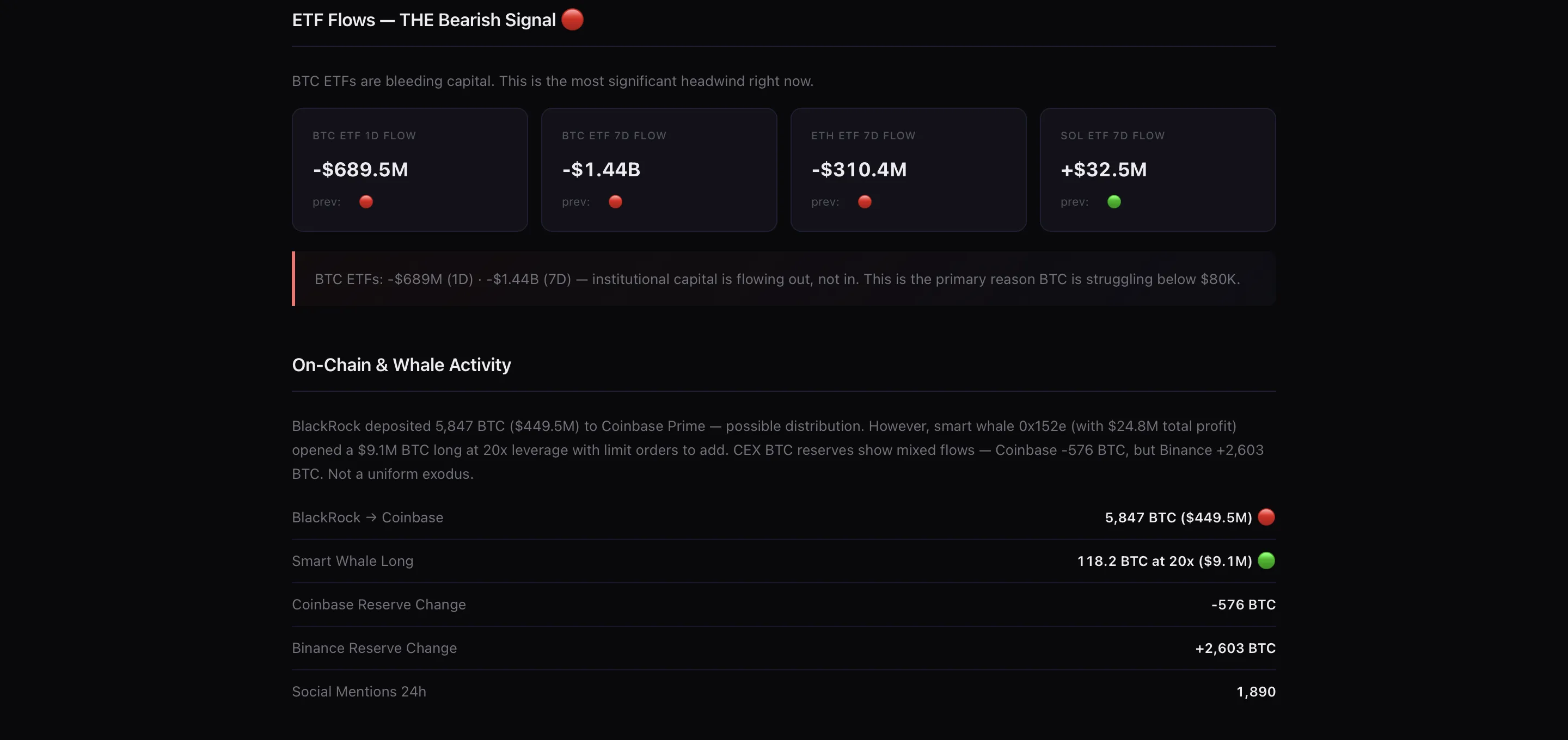
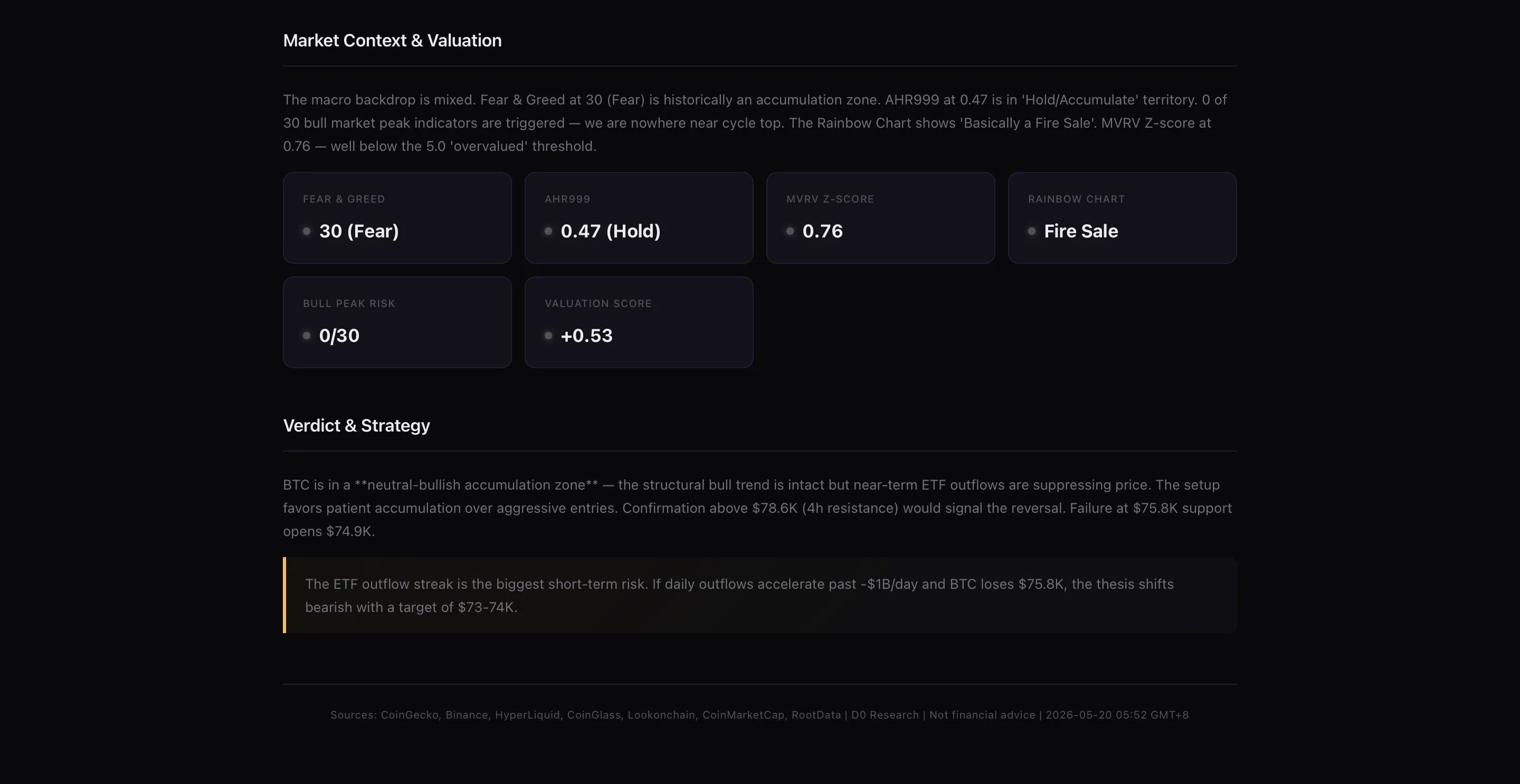
The output is a full HTML report — K-line charts, volume profiles, on-chain metrics, technical indicators, funding rates, data tables, and a structured thesis with confidence scoring. It takes longer and it is supposed to.
[Give me deep research on Bitcoin](https://t.me/donut_d0_agent_bot?text=Give%20me%20deep%20research%20on%20Bitcoin)
> **D0:** *\[returns full HTML report — takes 15 to 30 seconds]*
Reports are saved to your Dashboard Activity Feed so you can come back to them without regenerating.
## Deep Mode
When you need real analysis D0 switches to its strongest models automatically. You don't ask for it — it just happens when the complexity of your request calls for it.
**What triggers Deep Mode:** research reports, multi-asset analysis, strategy backtesting, market regime breakdowns, cross-chain comparisons, anything that starts with "explain why."
The output is a full HTML report — K-line charts, volume profiles, on-chain metrics, technical indicators, funding rates, data tables, and a structured thesis with confidence scoring. It takes longer and it is supposed to.
[Give me deep research on Bitcoin](https://t.me/donut_d0_agent_bot?text=Give%20me%20deep%20research%20on%20Bitcoin)
> **D0:** *\[returns full HTML report — takes 15 to 30 seconds]*
Reports are saved to your Dashboard Activity Feed so you can come back to them without regenerating.
 ## Why This Matters
The same chat handles both — you don't switch interfaces, you don't pick a "fast model" or "smart model" yourself, and you don't wait when you don't need to. D0 routes each request based on what actually needs to happen.
Speed where it matters. Depth where it counts.
## Why This Matters
The same chat handles both — you don't switch interfaces, you don't pick a "fast model" or "smart model" yourself, and you don't wait when you don't need to. D0 routes each request based on what actually needs to happen.
Speed where it matters. Depth where it counts.