> ## Documentation Index
> Fetch the complete documentation index at: https://docs-d0.donutbrowser.ai/llms.txt
> Use this file to discover all available pages before exploring further.
# Three Ways to Use D0
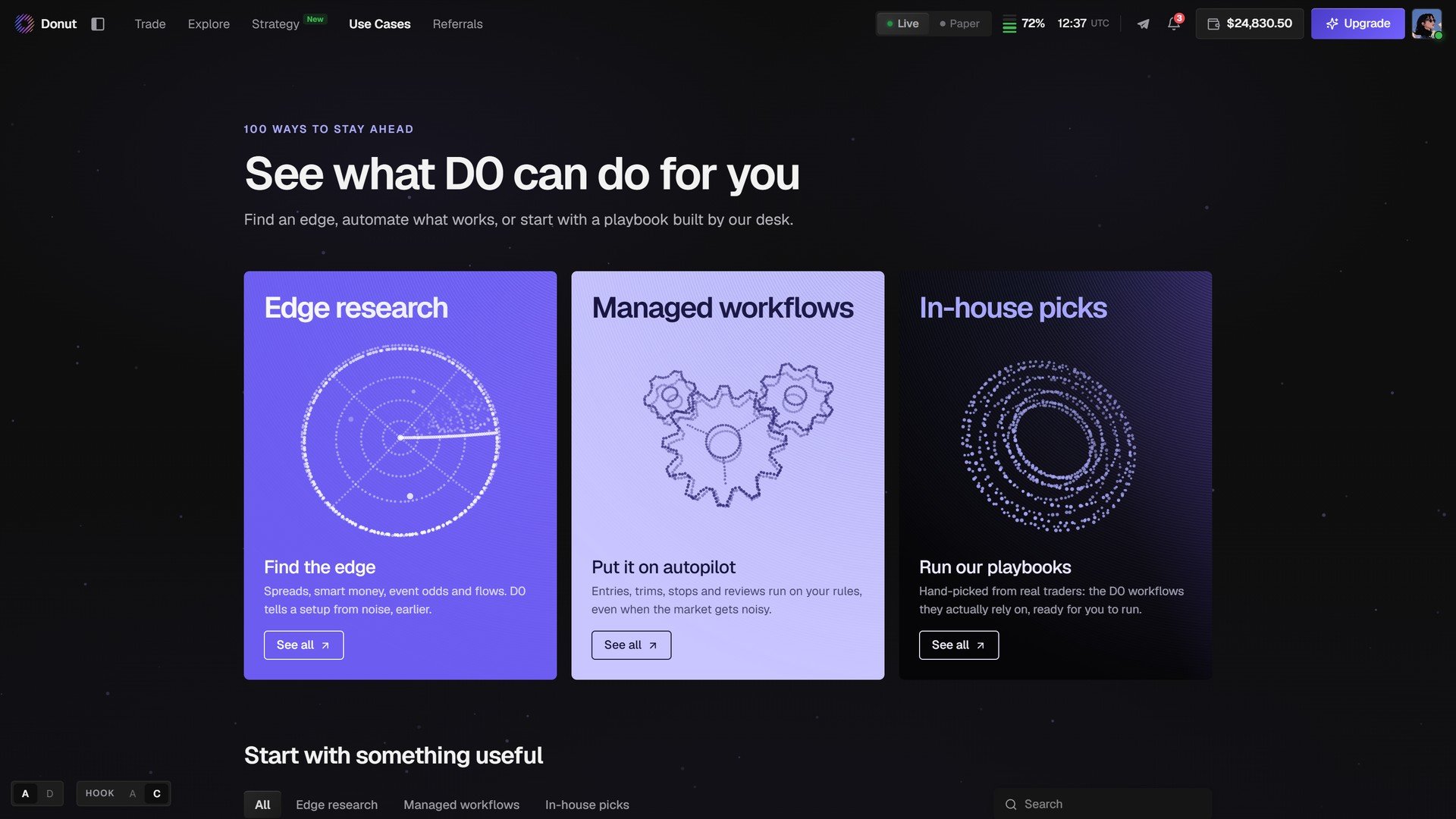
> Use Cases: Edge research, Managed workflows, and In-house picks. A hundred ready-made ways to use D0, each one a single click.
**Use Cases** in the top bar opens with three cards. Each one is a distinct way to use the product, and each card's **See all** lists the use cases behind it.
 | Mode | What it means |
| - | - |
| **Edge research** · *Find the edge* | Spreads, smart money, event odds and flows. D0 tells a setup from noise, earlier. You ask, it researches, you decide. |
| **Managed workflows** · *Put it on autopilot* | Entries, trims, stops and reviews run on your rules, even when the market gets noisy. You give D0 a rule; it watches and acts. |
| **In-house picks** · *Run our playbooks* | Hand-picked from real traders: the D0 workflows they actually rely on, ready for you to run. |
## Start with something useful
Below the three cards, every use case is a tile, filterable by **Edge research**, **Managed workflows**, **In-house picks**, with a search box. A tile shows what the use case does, how it runs (*Automation · Every day 21:00*, *Multi-condition price alert*, *Hyperliquid*), and **Try this**.
| Mode | What it means |
| - | - |
| **Edge research** · *Find the edge* | Spreads, smart money, event odds and flows. D0 tells a setup from noise, earlier. You ask, it researches, you decide. |
| **Managed workflows** · *Put it on autopilot* | Entries, trims, stops and reviews run on your rules, even when the market gets noisy. You give D0 a rule; it watches and acts. |
| **In-house picks** · *Run our playbooks* | Hand-picked from real traders: the D0 workflows they actually rely on, ready for you to run. |
## Start with something useful
Below the three cards, every use case is a tile, filterable by **Edge research**, **Managed workflows**, **In-house picks**, with a search box. A tile shows what the use case does, how it runs (*Automation · Every day 21:00*, *Multi-condition price alert*, *Hyperliquid*), and **Try this**.
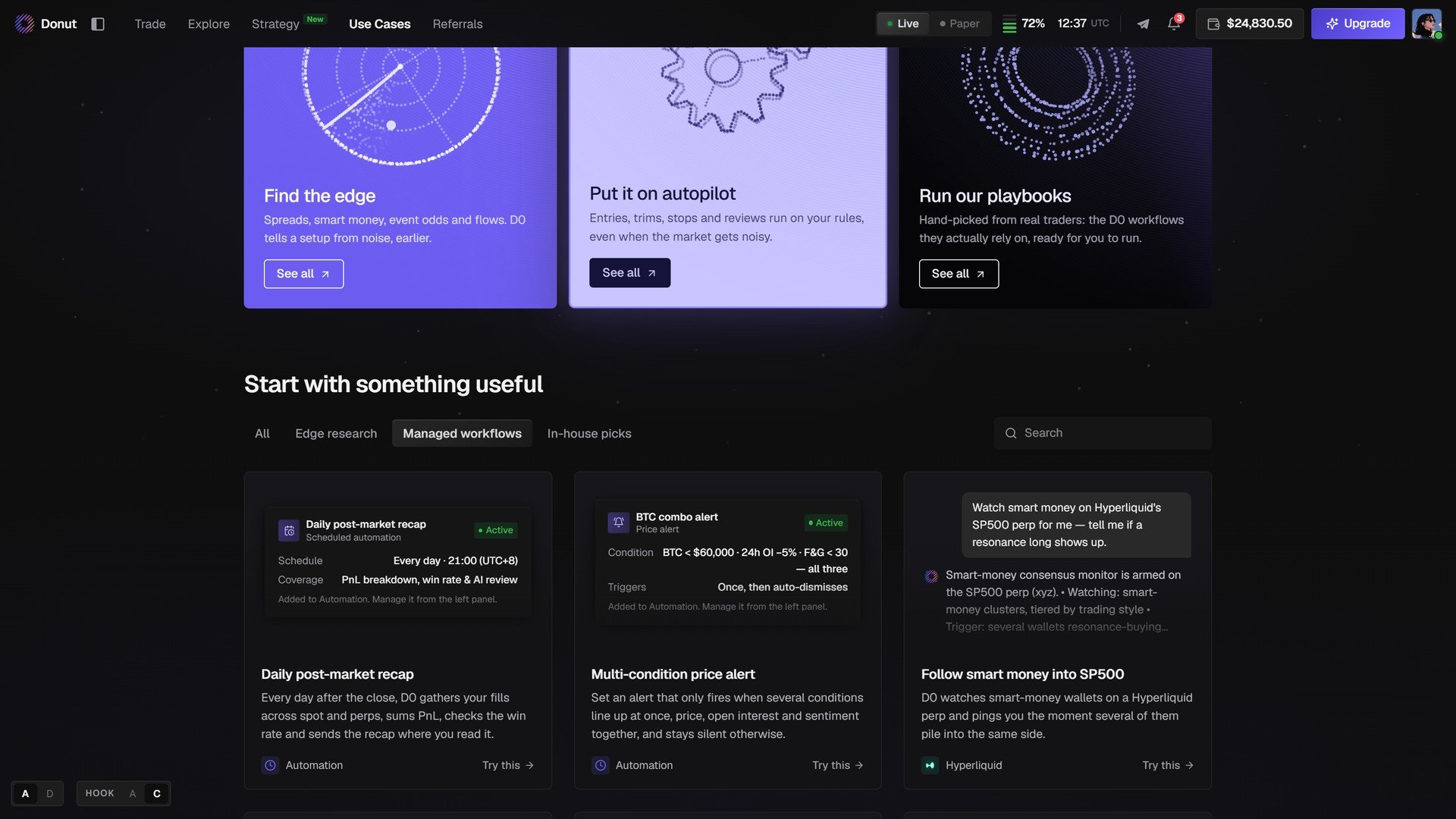 Click **Try this** and D0 opens the use case in chat with its context loaded. Confirm the details and it runs.
## Which mode to use
| If you want to… | Use this |
| - | - |
| Validate a thesis or read the market fast | Edge research |
| Let D0 run a trade sequence while you are away | Managed workflow |
| Start from a workflow a real trader relies on | In-house pick |
| Do all three | Start with research → set up a workflow → back it with a pick |
The same three doors appear on the chat home as a carousel, and **Explore → Ask Anything** turns any question into a guided run. See [Explore](/explore/overview).
## What's next
* [Explore](/explore/overview)
* [Scheduled Tasks & Custom Automations](/strategies/scheduled-tasks)
* [Playbooks](/use-cases/trading-assistant): worked examples, end to end
This documentation is built and hosted on [Mintlify](https://mintlify.com), a developer documentation platform.
Click **Try this** and D0 opens the use case in chat with its context loaded. Confirm the details and it runs.
## Which mode to use
| If you want to… | Use this |
| - | - |
| Validate a thesis or read the market fast | Edge research |
| Let D0 run a trade sequence while you are away | Managed workflow |
| Start from a workflow a real trader relies on | In-house pick |
| Do all three | Start with research → set up a workflow → back it with a pick |
The same three doors appear on the chat home as a carousel, and **Explore → Ask Anything** turns any question into a guided run. See [Explore](/explore/overview).
## What's next
* [Explore](/explore/overview)
* [Scheduled Tasks & Custom Automations](/strategies/scheduled-tasks)
* [Playbooks](/use-cases/trading-assistant): worked examples, end to end
This documentation is built and hosted on [Mintlify](https://mintlify.com), a developer documentation platform.