> ## Documentation Index
> Fetch the complete documentation index at: https://docs-d0.donutbrowser.ai/llms.txt
> Use this file to discover all available pages before exploring further.
# Personalized Dashboards
> Describe what you want to see and D0 builds it as a live dashboard. Saved, pinned, and there when you come back.
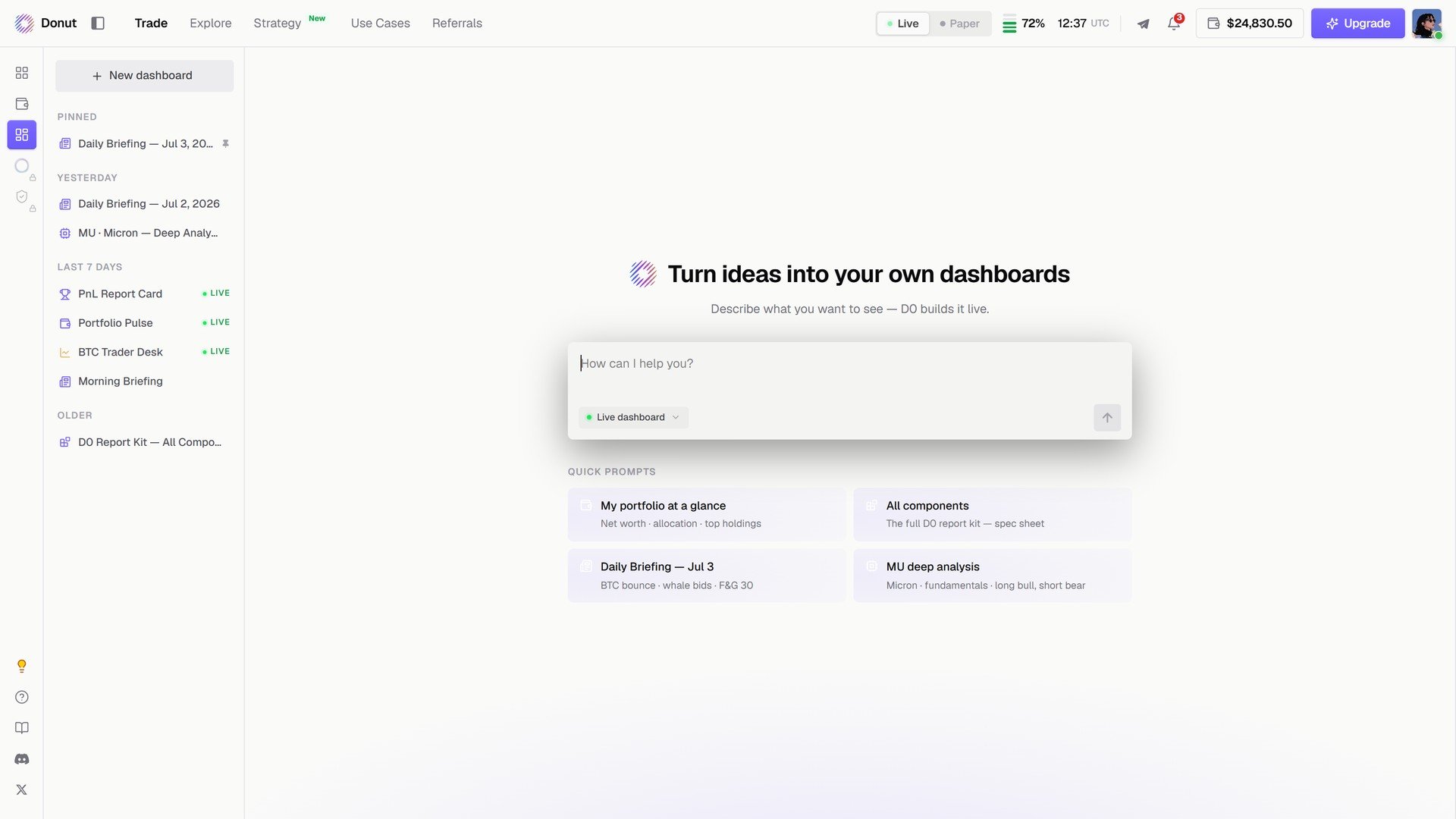
**Personalized Dashboard** is the third item in the left rail. Describe the view you want in one sentence and D0 assembles it from live components: charts, heatmaps, holdings, briefings. It stays in your list and keeps updating.
 ## Building one
1. Click **+ New dashboard**, or type into **How can I help you?**
2. Leave **Live dashboard** on so the components refresh.
3. Send. D0 lays out the page.
Four quick prompts get you started: **My portfolio at a glance**, **All components**, **Daily Briefing**, **MU deep analysis**.
## Building one
1. Click **+ New dashboard**, or type into **How can I help you?**
2. Leave **Live dashboard** on so the components refresh.
3. Send. D0 lays out the page.
Four quick prompts get you started: **My portfolio at a glance**, **All components**, **Daily Briefing**, **MU deep analysis**.
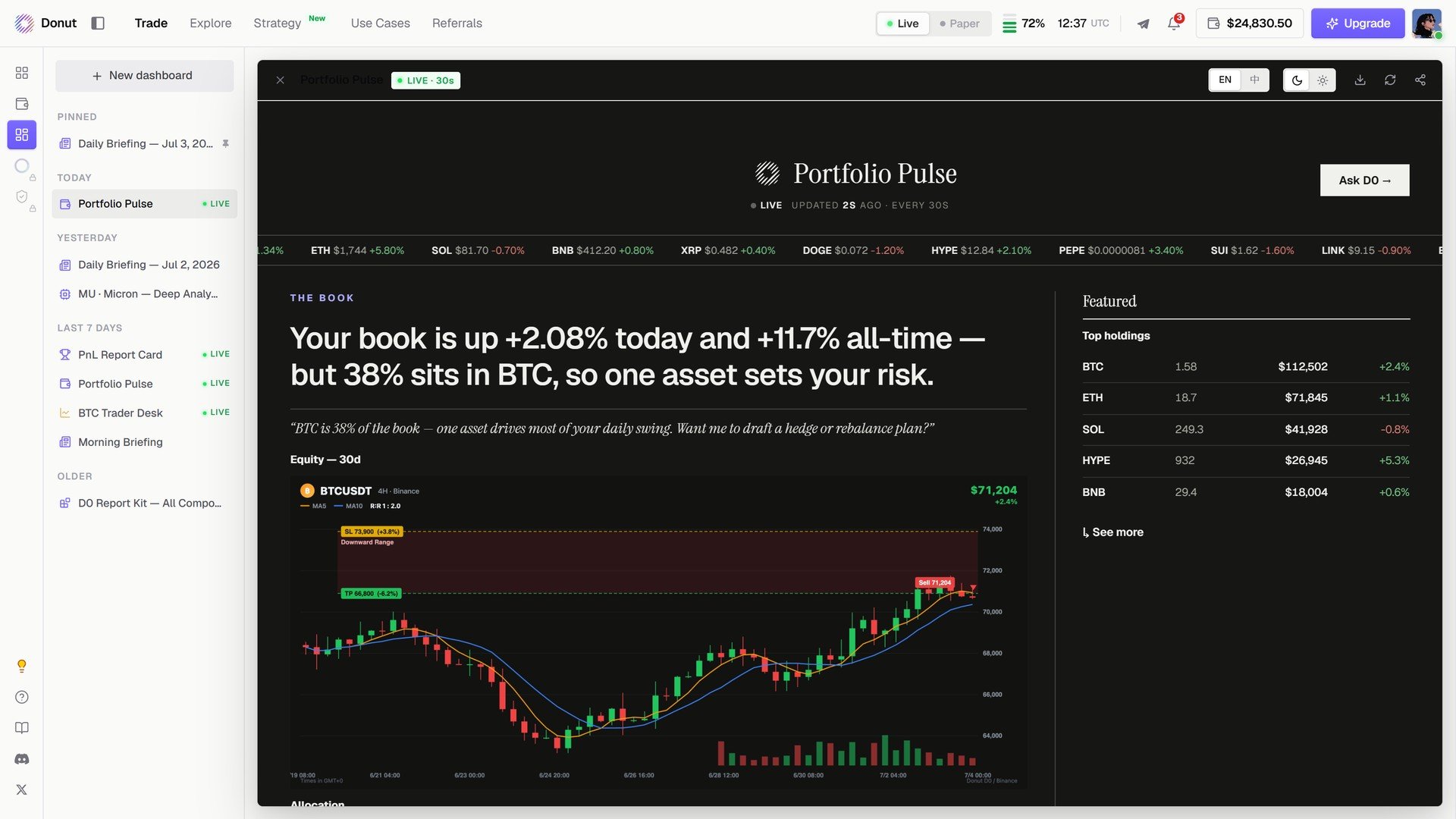
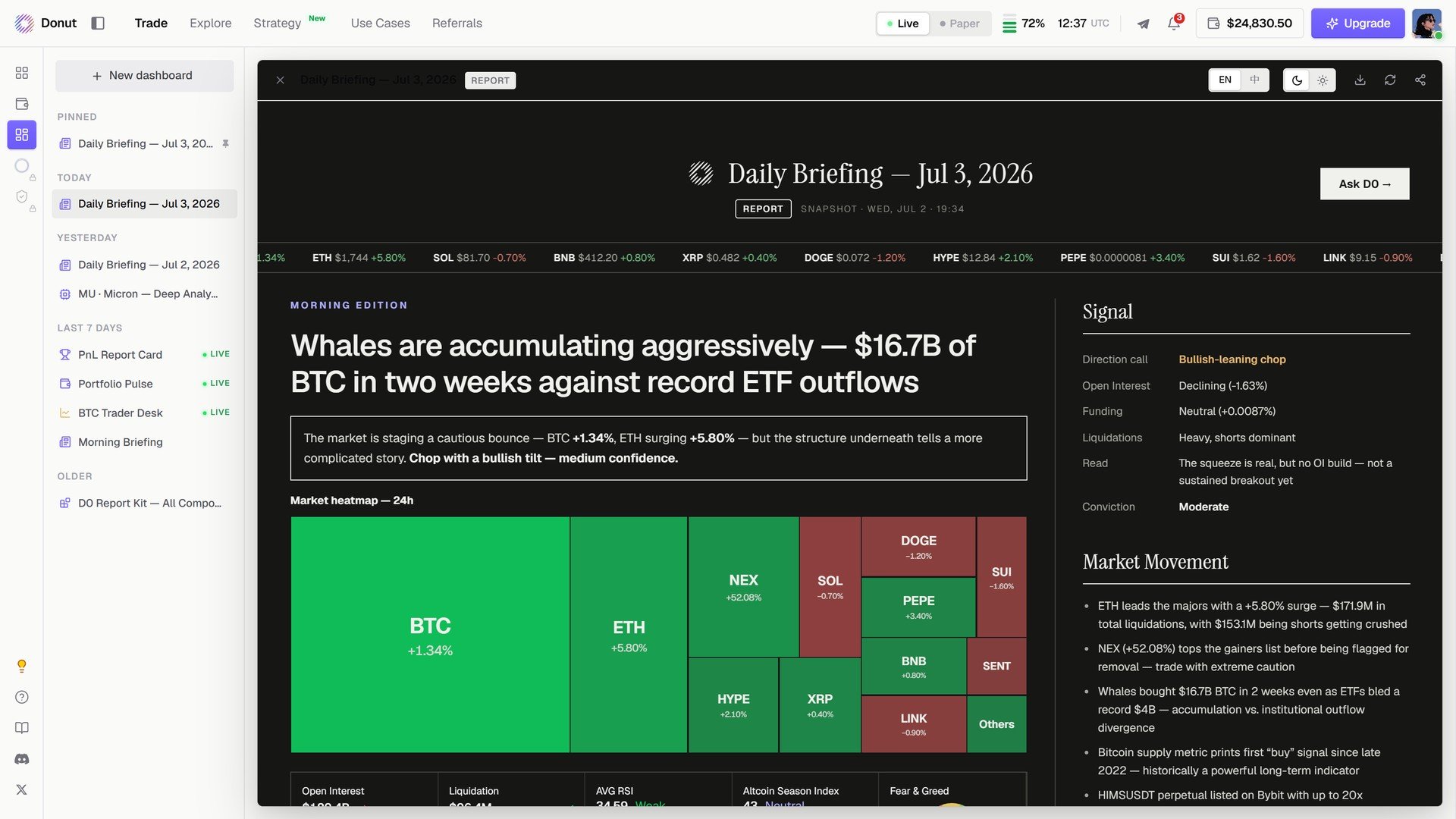 Every dashboard has **Ask D0** in its header, and a **Live** badge while it refreshes. The left list groups them by **Pinned**, **Today**, **Yesterday**, **Last 7 days**, and **Older**.
## Adding to one
You are not locked into the first version. Ask for another component in the same thread (*Add top 5 Raydium pools by TVL*) and it inserts into the dashboard.
## What you can build
* **Pre-market scan**: a 1H chart, your perps positions, top gainers, a liquidation heatmap.
* **DeFi yield tracker**: top stablecoin pools by APY with your LP positions highlighted.
* **Portfolio review**: PnL by chain, allocation, a 7-day trend.
Create one dashboard per workflow you repeat. Build it once, come back to it daily.
## What's next
* [Portfolio Overview](/portfolio/overview)
* [Scheduled Tasks & Custom Automations](/strategies/scheduled-tasks): a daily briefing that arrives on its own
This documentation is built and hosted on [Mintlify](https://mintlify.com), a developer documentation platform.
Every dashboard has **Ask D0** in its header, and a **Live** badge while it refreshes. The left list groups them by **Pinned**, **Today**, **Yesterday**, **Last 7 days**, and **Older**.
## Adding to one
You are not locked into the first version. Ask for another component in the same thread (*Add top 5 Raydium pools by TVL*) and it inserts into the dashboard.
## What you can build
* **Pre-market scan**: a 1H chart, your perps positions, top gainers, a liquidation heatmap.
* **DeFi yield tracker**: top stablecoin pools by APY with your LP positions highlighted.
* **Portfolio review**: PnL by chain, allocation, a 7-day trend.
Create one dashboard per workflow you repeat. Build it once, come back to it daily.
## What's next
* [Portfolio Overview](/portfolio/overview)
* [Scheduled Tasks & Custom Automations](/strategies/scheduled-tasks): a daily briefing that arrives on its own
This documentation is built and hosted on [Mintlify](https://mintlify.com), a developer documentation platform.